


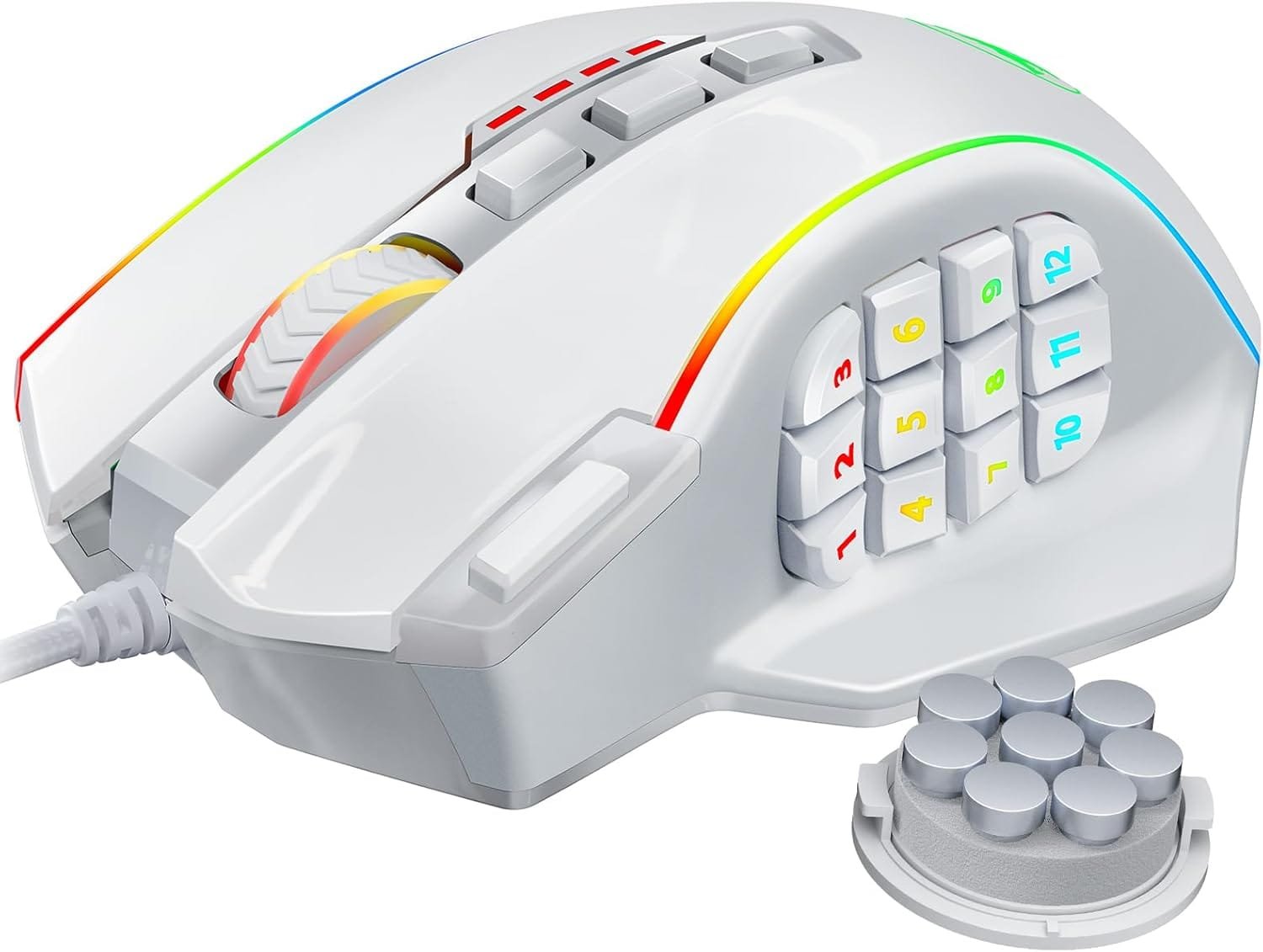




Redragon Gaming Mouse, MMO Gaming Mouse UP 16,000 DPI, 16 Macro Programmable Buttons, RGB Gaming Mouse with 12 Side Buttons, 8 * 2.4g Weight Tuning for PC Laptop MOBA FPS, White

$32.99
Specail Functions:
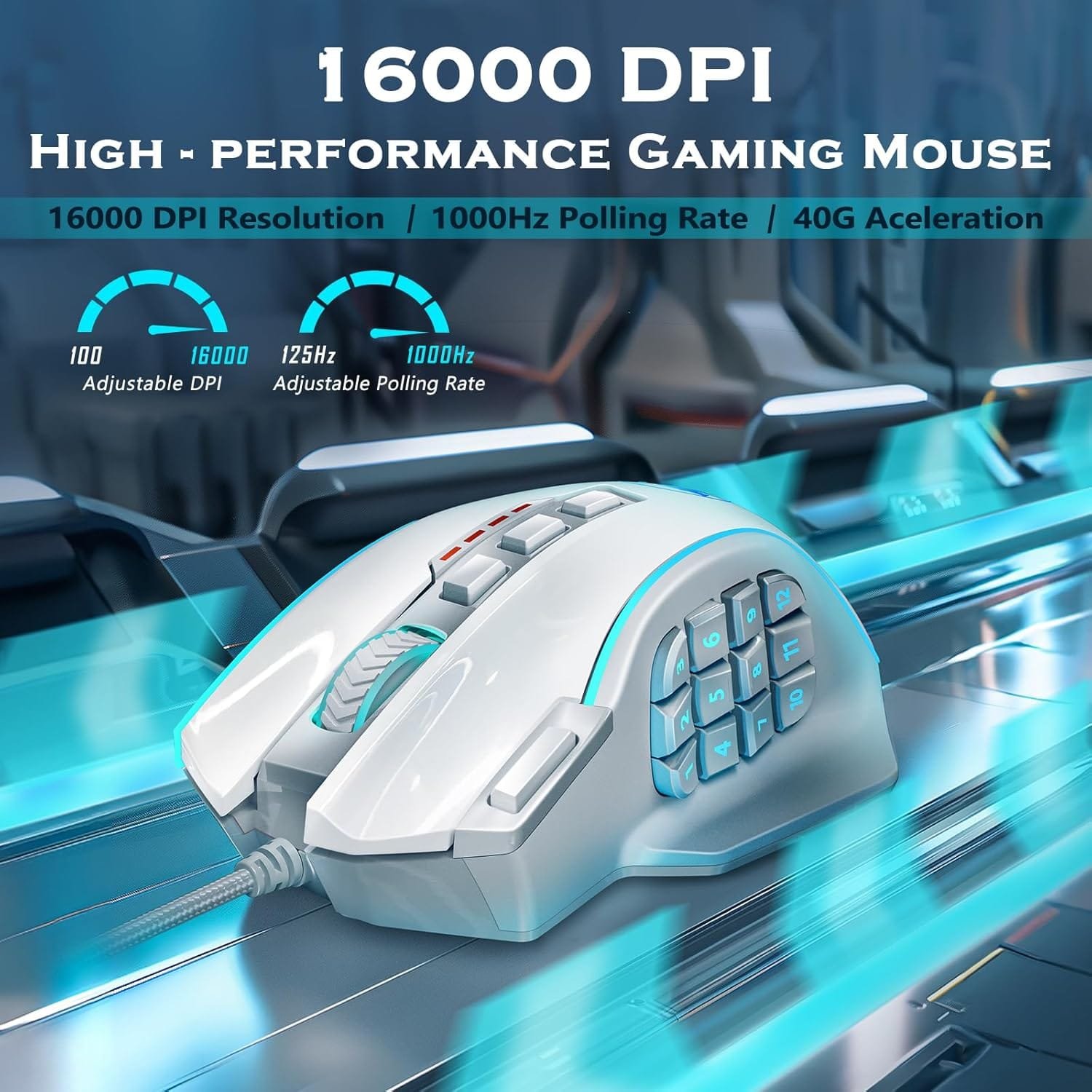
1. 16K DPI – Sensitivity and fast transmission and feedback, faster and more efficient. Smooth moving, no lag, no delay, enjoy the game.
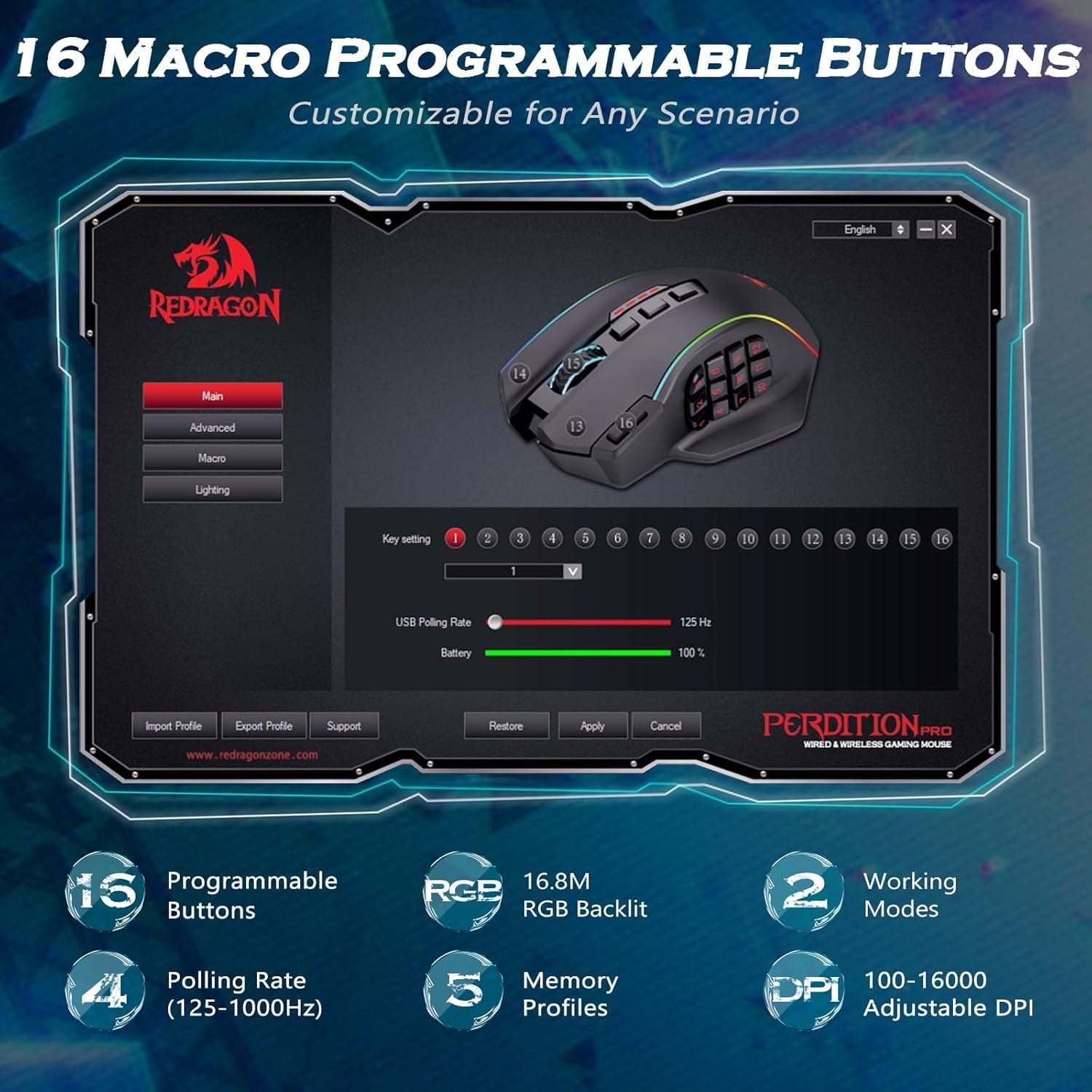
2. Fully Programmable support Macro Editing – 19 Buttons can be customizable by your preference to fit your different needs. Even the combination keys function comes true by clicking side buttons.
3. Turely RGB Backlit – 16.8 million color combinations can be chosen, and you can adjust the lighting by software, even a single color, or turn it off, just to your need.How to Switch the Working Mode
There are two working modes for the mouse. You can change the working mode with the mode button on the bottom of the mouse. The dpi value, backlight effects, and button functions can be set via software for each working mode.
【High-performance Gaming Mouse】UP 16000 DPI provides high sensitivity and smoothing movements. Adjustable DPI(100-16000) and Polling Rate(125Hz-1000Hz) ensure this professional gaming mouse is suitable for gaming or daily work. Attached the 40G Acceleration gives you a greater edge over your competition
【Real Customizable】You can remap the 16 buttons through macro editing to meet your usage habits under different conditions. Equipped with 5 Memory Profiles to save your settings, and 2 working modes that can be switched with one click. Redragon MMO Mouse is customizable for Any Scenario, always be one step ahead of others
【Balance & Weight at Your Control】Customize to your advantage. Arrange up to eight removable 2.4-gram weights inside the mouse for personalized weight and balance tuning, providing the best feel for every game
【Real RGB Gaming Mouse】16.8million color combinations bring an immersive gaming experience. 4 Lighting Modes can be easily switched to feed different gaming, and you also can adjust mouse lighting according to your preference using the software(download on redragonzone)
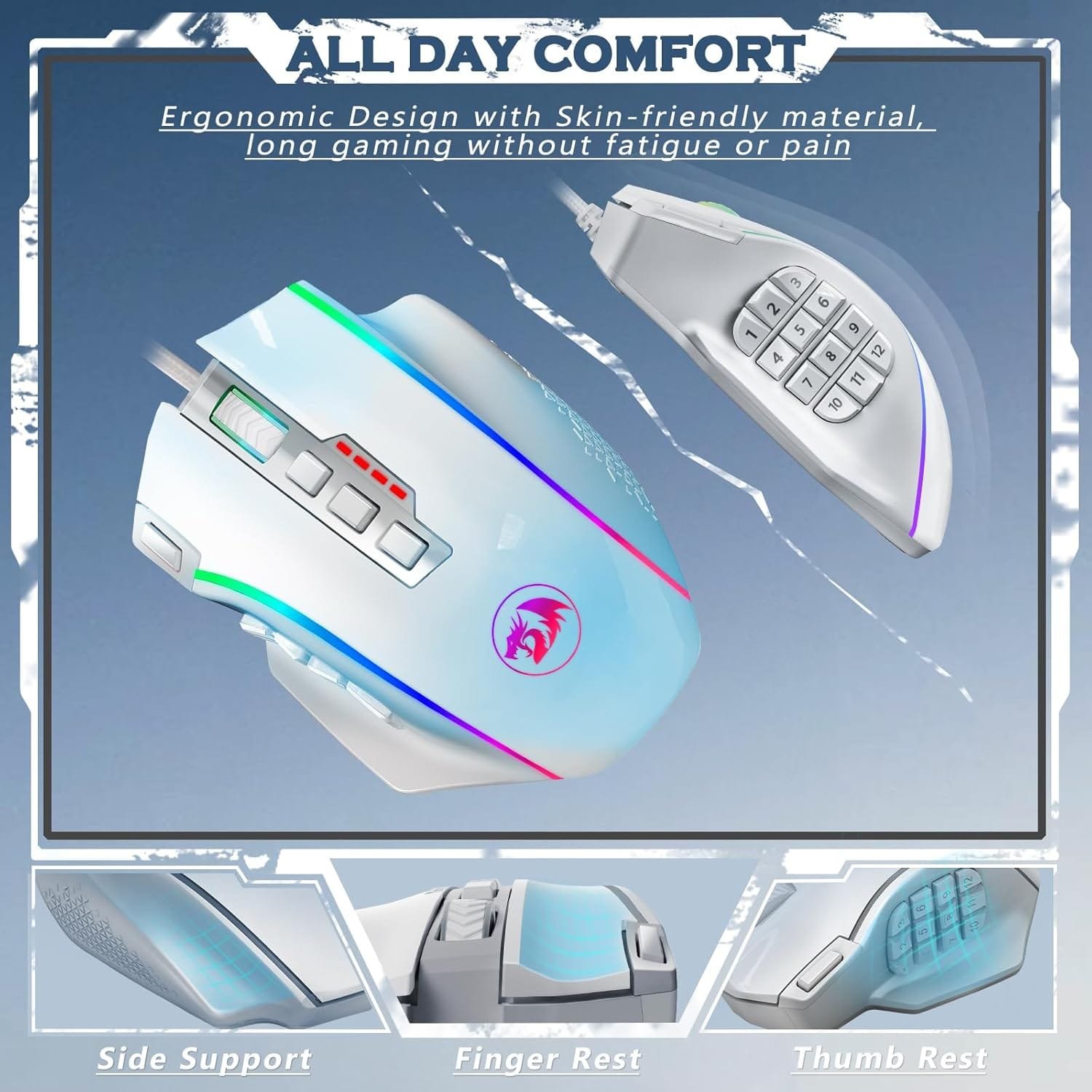
【Unique & Comfort Design】Ergonomic Design with Skin-friendly material, long gaming without fatigue or pain. The 12 side buttons can be remapped through macro editing, making keyboard combination functions realized through button clicks, allowing you to win efficiently in any game scenario
Price: $32.99
(as of Jan 14, 2025 14:53:54 UTC – Details)
Specail Functions:
1. 16K DPI – Sensitivity and fast transmission and feedback, faster and more efficient. Smooth moving, no lag, no delay, enjoy the game.
2. Fully Programmable support Macro Editing – 19 Buttons can be customizable by your preference to fit your different needs. Even the combination keys function comes true by clicking side buttons.
3. Turely RGB Backlit – 16.8 million color combinations can be chosen, and you can adjust the lighting by software, even a single color, or turn it off, just to your need.How to Switch the Working Mode
There are two working modes for the mouse. You can change the working mode with the mode button on the bottom of the mouse. The dpi value, backlight effects, and button functions can be set via software for each working mode.
【High-performance Gaming Mouse】UP 16000 DPI provides high sensitivity and smoothing movements. Adjustable DPI(100-16000) and Polling Rate(125Hz-1000Hz) ensure this professional gaming mouse is suitable for gaming or daily work. Attached the 40G Acceleration gives you a greater edge over your competition
【Real Customizable】You can remap the 16 buttons through macro editing to meet your usage habits under different conditions. Equipped with 5 Memory Profiles to save your settings, and 2 working modes that can be switched with one click. Redragon MMO Mouse is customizable for Any Scenario, always be one step ahead of others
【Balance & Weight at Your Control】Customize to your advantage. Arrange up to eight removable 2.4-gram weights inside the mouse for personalized weight and balance tuning, providing the best feel for every game
【Real RGB Gaming Mouse】16.8million color combinations bring an immersive gaming experience. 4 Lighting Modes can be easily switched to feed different gaming, and you also can adjust mouse lighting according to your preference using the software(download on redragonzone)
【Unique & Comfort Design】Ergonomic Design with Skin-friendly material, long gaming without fatigue or pain. The 12 side buttons can be remapped through macro editing, making keyboard combination functions realized through button clicks, allowing you to win efficiently in any game scenario
Customers say
Customers find the mouse functional and well-built. It serves their purposes well and is reasonably priced. The textured body feels sturdy and resistant to wear and grime. Many customers enjoy the comfort, ease of use, and color options. However, opinions differ on the button responsiveness.
AI-generated from the text of customer reviews
Related Products

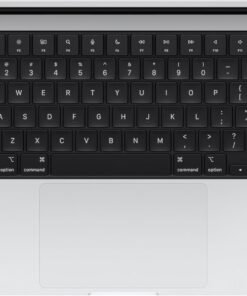
SUPERCHARGED BY M4 — The 14-inch MacBook Pro with M4 chip gives you spectacular performance in a powerhouse laptop built for Apple Intelligence.* With all-day battery life and a breathtaking Liquid Retina XDR display with up to 1600 nits peak brightness, it’s pro in every way.*
CHAMPION CHIP — The M4 chip brings spectacular speed and capability to blaze through everyday activities and multitask across multiple productivity and pro apps.
BUILT FOR APPLE INTELLIGENCE—Apple Intelligence is the personal intelligence system that helps you write, express yourself, and get things done effortlessly. With groundbreaking privacy protections, it gives you peace of mind that no one else can access your data—not even Apple.*
ALL-DAY BATTERY LIFE — MacBook Pro delivers the same exceptional performance whether it’s running on battery or plugged in.
APPS FLY WITH APPLE SILICON — All your favorites, including Microsoft 365 and Adobe Creative Cloud, run lightning fast in macOS.*
IF YOU LOVE IPHONE, YOU’LL LOVE MAC — Mac works like magic with your other Apple devices. View and control what’s on your iPhone from your Mac with iPhone Mirroring.* Copy something on iPhone and paste it on Mac. Send texts with Messages or use your Mac to answer FaceTime calls.*
BRILLIANT PRO DISPLAY — The 14.2-inch Liquid Retina XDR display features 1600 nits peak brightness, up to 1000 nits sustained brightness, and 1,000,000:1 contrast.*
ADVANCED CAMERA AND AUDIO — Stay perfectly framed and sound great with a 12MP Center Stage camera, three studio-quality mics, and six speakers with Spatial Audio and support for Dolby Atmos.
CONNECT IT ALL — This MacBook Pro features three Thunderbolt 4 ports and a MagSafe 3 charging port, SDXC card slot, HDMI port, and headphone jack. And it supports up to two external displays.
LEGAL DISCLAIMERS — This is a summary of the main product features. See below to learn more.
Switching out of S mode in Windows 11
Windows 11 in S mode is designed for security and performance, exclusively running apps from the Store. If you want to install an app that isn’t available in the Store, you’ll need to switch out of S mode
1. On your PC running Windows 11 in S mode, open Settings > System > Activation.
2. In the Switch to Windows 11 Pro section, select Go to the Store. (If you also see an “Upgrade your edition of Windows” section, be careful not to click the “Go to the Store” link that appears there.)
3. On the Switch out of S mode (or similar) page that appears in the Store, select the Get button. After you see a confirmation message on the page, you’ll be able to install apps from outside of the Store.
Activate pre-installed Office 365:
1.Launch any Office app >
2.Start your activation by signing in with your account(Create a account if you don’t have one yet) >
3.Click “Activative Office” >
4.Sign in your account and follow the next prompts. >
5.Complete Step 1,2 and 3 >
6.Click on Refresh once Office is ready >
7.Open a document and accept the license agreement.
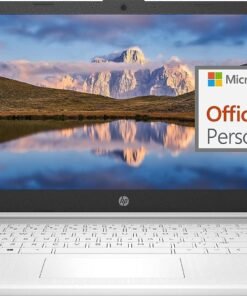
Display: 14.0-inch diagonal, HD (1366 x 768), micro-edge, BrightView
Processor: Intel Celeron N4120, 4 Cores & 4 Threads
Graphics: Intel UHD Graphics 600
Operating System: Windows 11 Home in S mode
Battery Life: Up to 10 hours
Webcam: True Vision 720p HD camera with integrated dual array digital microphones
Connectivity: 802.11a/b/g/n/ac (2×2)(19a) Wi-Fi and Bluetooth
Dimensions: 12.76 x 8.86 x 0.71 inches
Weight: 3.24 lbs
【14″ HD Display】14.0-inch diagonal, HD (1366 x 768), micro-edge, BrightView. With virtually no bezel encircling the display, an ultra-wide viewing experience provides for seamless multi-monitor set-ups.【Ports】1 x USB 3.1 Type-C ports, 2 x USB 3.1 Type-A ports, 1 x HDMI, 1 x Headphone/Microphone Combo Jack, and there’s a microSD slot.
【Processor & Graphics】Intel Celeron N4120, 4 Cores & 4 Threads, 1.10 GHz Base Frequency, Up to 2.60 GHz Burst Frequency, 4 MB Cahce, Intel UHD Graphics 600, Handle multitasking reliably with the perfect combination of performance, power consumption, and value
【RAM & Storage】Upgraded to 8GB RAM high-bandwidth DDR4 Memory (2400 MHz), Adequate high-bandwidth RAM to smoothly run multiple applications and browser tabs all at once. High-speed eMMC Storage for your office and webinar needs.
【Windows 11 Home in S mode】You may switch to regular windows 11: Press “Start button” bottom left of the screen; Select “Settings” icon above “power” icon;Select “Activation”, then Go to Store; Select Get option under “Switch out of S mode”; Hit Install. (If you also see an “Upgrade your edition of Windows” section, be careful not to click the “Go to the Store” link that appears there.)
Activate pre-installed Office 365: 1.Launch any Office app > 2.Start your activation by signing in with your account(Create a account if you don’t have one yet) > 3.Click “Activative Office” > 4.Sign in your account and follow the next prompts. > 5.Complete Step 1,2 and 3 > 6.Click on Refresh once Office is ready > 7.Open a document and accept the license agreement.

Product Description


1 Multitasking Master
2 FHD Display
3 Privacy Shutter
4 Dolby Audio Speakers


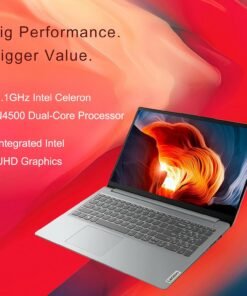
CPU Intel Celeron N4500 (Total Cores: 2 Cores, 2 Threads Clockspeed: 1.1 GHz Turbo Speed: 2.8 GHz) GPU Intel UHD Graphics Memory Up to 20GB DDR4 RAM Storage Up to 1TB PCIe NVMe M.2 Solid State Drive with 128GB eMMC 5.1 Operating System Windows 11 Home Wireless Connectivity Wi-Fi 6: 802.11ax + Bluetooth Length 14.18 inches Width 9.29 inches Height 0.7 inches Weight 3.42 lbs Color Grey
【High Speed RAM And Enormous Space】12GB high-bandwidth RAM to smoothly run multiple applications and browser tabs all at once; 512GB PCIe NVMe M.2 Solid State Drive allows to fast bootup and data transfer
【Processor】Intel Celeron N4500 (2 Cores, 2 Threads, Clock Speed: 1.1 GHz, Turbo Speed: 2.8 GHz)
【Display】15.6″ diagonal, FHD (1920 x 1080) 60Hz Display
【Tech Specs】1 x USB Type-A 3.0, 1 x USB Type-A 2.0, 1 x USB Type-C, 1 x HDMI, 1 x Headphone/Microphone Combo, Numeric Keypad, Webcam, Wi-Fi 6, Bluetooth, SD Card Reader
【Operating System】Windows 11 Home – Beautiful, more consistent new design, Great window layout options, Better multi-monitor functionality, Improved performance features, New videogame selection and capabilities, Compatible with Android Apps
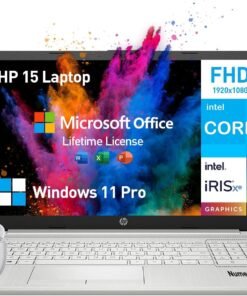
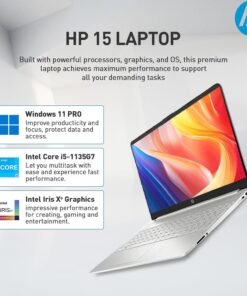
Do more from anywhere, all-day long. Featuring a long lasting battery and a sleek, portable micro-edge bezel design, the Intel i5 laptops HP 15 keep you productive and entertained wherever you are. With the formidable Intel Core processor, this HP Laptop Intel Core i5 offers a seamless experience for both personal and professional use. Ideal for those on the go, the HP notebook computer combines a stylish and portable design with impressive performance.
Operating System
Windows 11 Pro 64-bit – elevate your workstyle and productivity with AI-powered breakthroughs and immersive workflows
Processor
Intel Core i5 (4 cores, 8 threads, up to 4.2GHz, 8MB cache) – get things done fast with high performance and immediate responsiveness
Memory & Storage
32 GB DDR4 RAM – for easy multitasking, effortless browsing and streaming
1 TB PCIe NVMe M.2 SSD – provides fast bootup and ample storage
Display & Graphics
15.6 Inch 1080 FHD, micro-edge, anti-glare
Intel Iris Xe Graphics – enhances your professional success with crisp, stunning visuals
Software
Lifetime Microsoft Office – provides the best productivity for the Windows PC. Work, communicate, create, and collaborate seamlessly
Ports & Slots
5Gpbs signaling rate USB-C+2x USB-A, HDMI, SD media card reader, Audio Jack
Features
Wi-Fi +Bluetooth – Gigabit rate
Up to 9.25 hrs runtime+HP Fast Charge (50% charge in 45 mins) – lets you work or play all day long
HP True Vision 720p HD camera with dual array digital microphones+AI noise removal – look and sound your best
HD Audio with B&O-tuned stereo speakers – offers cinematic experience
Design
Full-size keyboard with numeric keypad
0.71in, 3.75lb, ultra-thin and light, effortless portability for a 15.6 hp laptop
A slim, sleek, natural silver and contemporary design
✅【ULTIMATE HP NOTEBOOK LAPTOP】The HP 15 inch laptop pc empowers seamless surfing, streaming and more, delivering outstanding performance for business, college students and home use. The advanced Intel Core i5 processor (4 cores, 8 threads, up to 4.2GHz Max Turbo) makes multitasking effortless and fast, allowing you to tackle your work, school or daily tasks with ease. Enjoy enhanced graphics performance and stunning visuals with Intel Iris Xe Graphics on the hp i5 laptop notebook
✅【IMMERSIVE DISPLAY】Featuring a remarkable 15.6-inch FHD (1920 x 1080), micro-edge, anti-glare display, the HP laptop 15.6 inch offers exceptional performance that fits your lifestyle and budget. The eye-friendly HP 15 laptop core i5 keeps you focused, delivering sharp details and lifelike colors, perfect for work, presentations and entertainment. With its slim bezel and sleek design, this thin and lightweight laptop HP i5 is easy to take anywhere, allowing you to see and do more on the go
✅【EXTREME MULTITASKING】The HP laptop 15 inch streamlines your workday and enhances your productivity. 32GB high-bandwidth DDR4 RAM effortlessly handles demanding tasks and manages multiple applications effortlessly. 1TB high-speed PCIe NVMe M.2 SSD ensures lightning-fast boot-up times, fast data access and ample storage for all your files. Experience high performance and instant responsiveness for your busiest days, the hp i5 laptop is the best laptop for college students and for the price
✅【LIMITLESS PRODUCTIVITY】With AI-powered efficiency, protection by default and unmatched personalization, the 15.6 HP laptop windows 11 pro handles demanding workloads 42% faster on average.The Windows 11 Pro laptop features SuperSpeed USB-C+2x USB-A, HDMI, SD Card Reader, Wi-Fi+Bluetooth, and HP earphone.【COLLEGE STUDENTS & BUSINESS LAPTOP MICROSOFT OFFICE INCLUDED LIFETIME】Boost your creativity with preinstalled Word, Excel, and PowerPoint at your fingertips
✅【PURPOSEFUL DESIGN】The HP windows laptop computer features an elegant brushed full-size keyboard with 10-key numeric pad for easy typing and number access. Video chat with loved ones and colleagues in vibrant clarity via HP True Vision 720p HD Camera with temporal noise reduction and dual array digital microphones. Enjoy cinematic-quality audio with the HP computer laptop intel core i5’s stereo speakers expert-tuned by B&O, delivering immersive sound for your favorite music, movies and games

Product Description


1 Fingerprint
2 Wireless Connectivity
3 Ports
4 Display
5 180° Lay-Flat Hinge


1 90 Days Free Return 2 2 Year Free Repair 3 Partially Assembling
Compare with similar items
Add to Cart
Add to Cart
Add to Cart
Add to Cart
Add to Cart
Customer Reviews
4.5 out of 5 stars
42
4.5 out of 5 stars
168
4.2 out of 5 stars
187
4.9 out of 5 stars
11
4.3 out of 5 stars
46
3.7 out of 5 stars
17
Price
$299.99$299.99
$379.99$379.99
$379.99$379.99
$299.99$299.99
$599.99$599.99
—
Backlit Keyboard
✔
✔
✔
✔
✔
✔
Fingerprint
✔
✔
✔
✔
✔
✔
90 Days Free Return
✔
✔
✔
✔
✔
✔
2 Years Maintenance Period
✔
✔
✔
✔
✔
✔
WiFi 6
✔
✔
✔
✔
✔
✔
Bluetooth 5.2
✔
✔
✔
✔
✔
✔
15.6″ FHD Display
✔
✔
✔
✔
✔
✔
Memory
16GB RAM
16GB RAM
16GB RAM
16GB RAM
32GB RAM
32GB RAM
Storage Capacity
1TB PCIe SSD
1TB PCIe SSD
1TB PCIe SSD
1TB PCIe SSD
1TB PCIe SSD
1TB PCIe SSD
Processor
Intel Pentium N100
Intel Pentium N100
Intel Pentium N100
Intel Pentium N100
AMD Ryzen 5 6600H
AMD Ryzen 5
System
Windows 11 Home
Windows 11 Home
Windows 11 Home
Windows 11 Home
Windows 11 Home
Windows 11 Home
【2-Year Manufacturer’s Warranty, Assembled in the USA by Manufacturer Nimo Direct Inc】Every NIMO laptop embodies top-tier quality. We prioritize your satisfaction and guarantee it with a comprehensive 2-year manufacturer’s warranty. If any concerns arise, our dedicated support team stands ready to swiftly resolve issues or facilitate replacements. Enjoy the freedom of risk-free exploration with our 90-day free return policy.
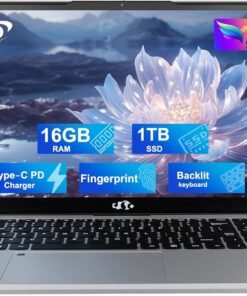
【Upgraded to 16GB RAM & 1TB PCIe SSD】Substantial high-bandwidth RAM to smoothly run your games and photo- and video-editing applications, as well as multiple programs and browser tabs all at once. Provides massive storage space for huge files, so that you can store important digital data and work your way through it with ease. It gives you enormous space to save all of your files.
【15.6 FHD IPS & Fingerprint 】This 15.6 inch laptop computer features an innovative thin-bezel display that provides more usable onscreen space for immersive FHD viewing. It also enables a larger screen to fit into a smaller chassis, giving you a laptop with a more compact footprint. Fingerprint Reader with built-in fingerprint sensor on the touchpad, there’s no need to type in your password every time-just a single touch is all it takes.
【Intel Pentium N100】 Powered by the cutting-edge Intel Pentium N100 ( 4 Cores 4 Threads, up to 3.7 GHz). Powerful Student Laptop for Productivity and Efficiency. Get the Job Done with Ease, Fast, Sleek, and Portable. Nimo 15.6 laptop—the ultimate blend of work and travel efficiency. NoteCraft 【Multi-Connection】 1x SuperSpeed USB Type-C, 3x SuperSpeed USB Type-A, 1x HDMI, 1xSD Reader, 1x Headphone/Microphone combo, Wi-Fi, Bluetooth.
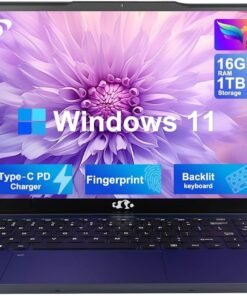
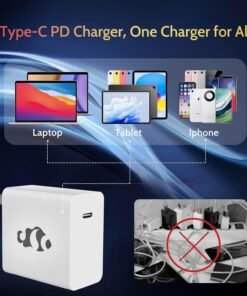
【Fingerprint & Backlit keybroard】Streamlines security settings for quick, typo-free access; Allows you to enjoy comfortable and accurate typing, even in dim lighting. 【Type-C PD charger】 Lightweight and Portable Laptop Charger – Fast Charging Without the Bulk and Inconvenience of Traditional Chargers.
Switching out of S mode in Windows 11
Windows 11 in S mode is designed for security and performance, exclusively running apps from the Store. If you want to install an app that isn’t available in the Store, you’ll need to switch out of S mode
1. On your PC running Windows 11 in S mode, open Settings > System > Activation.
2. In the Switch to Windows 11 Pro section, select Go to the Store. (If you also see an “Upgrade your edition of Windows” section, be careful not to click the “Go to the Store” link that appears there.)
3. On the Switch out of S mode (or similar) page that appears in the Store, select the Get button. After you see a confirmation message on the page, you’ll be able to install apps from outside of the Store.
Activate pre-installed Office 365:
1.Launch any Office app >
2.Start your activation by signing in with your account(Create a account if you don’t have one yet) >
3.Click “Activative Office” >
4.Sign in your account and follow the next prompts. >
5.Complete Step 1,2 and 3 >
6.Click on Refresh once Office is ready >
7.Open a document and accept the license agreement.
Display: 14.0-inch diagonal, HD (1366 x 768), micro-edge, BrightView
Processor: Intel Celeron N4120, 4 Cores & 4 Threads
Memory: 16GB RAM
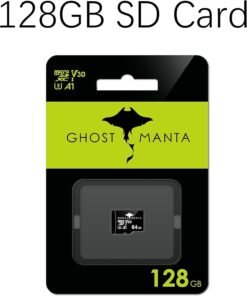
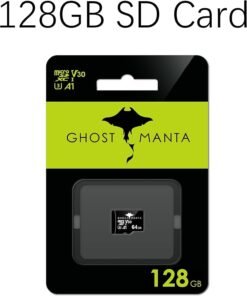
Storage:64GB eMMC + 256GB Ghost Manta SD Card
Graphics: Intel UHD Graphics 600
Operating System: Windows 11 Home in S mode
Battery Life: Up to 10 hours
Webcam: True Vision 720p HD camera with integrated dual array digital microphones
Connectivity: 802.11a/b/g/n/ac (2×2)(19a) Wi-Fi and Bluetooth
Dimensions: 12.76 x 8.86 x 0.71 inches
Weight: 3.24 lbs
【14″ HD Display】14.0-inch diagonal, HD (1366 x 768), micro-edge, BrightView. With virtually no bezel encircling the display, an ultra-wide viewing experience provides for seamless multi-monitor set-ups.【Ports】1 x USB 3.1 Type-C ports, 2 x USB 3.1 Type-A ports, 1 x HDMI, 1 x Headphone/Microphone Combo Jack, and there’s a microSD slot.
【Processor & Graphics】Intel Celeron N4120, 4 Cores & 4 Threads, 1.10 GHz Base Frequency, Up to 2.60 GHz Burst Frequency, 4 MB Cahce, Intel UHD Graphics 600, Handle multitasking reliably with the perfect combination of performance, power consumption, and value
【RAM & Storage】Upgraded to 16GB RAM high-bandwidth DDR4 Memory (2400 MHz), Adequate high-bandwidth RAM to smoothly run multiple applications and browser tabs all at once. 64GB high-speed eMMC Storage for your office and webinar needs.
【Windows 11 Home in S mode】You may switch to regular windows 11: Press “Start button” bottom left of the screen; Select “Settings” icon above “power” icon;Select “Activation”, then Go to Store; Select Get option under “Switch out of S mode”; Hit Install. (If you also see an “Upgrade your edition of Windows” section, be careful not to click the “Go to the Store” link that appears there.)
Activate pre-installed Office 365: 1.Launch any Office app > 2.Start your activation by signing in with your account(Create a account if you don’t have one yet) > 3.Click “Activative Office” > 4.Sign in your account and follow the next prompts. > 5.Complete Step 1,2 and 3 > 6.Click on Refresh once Office is ready > 7.Open a document and accept the license agreement.
From the brand

Intel Pentium Quad-Core N100
15.6 Intel Core i3-1215u
17.3 Intel Core i3-1215u
AMD Ryzen 5 6600H
AMD Ryzen 5
AMD Ryzen 9 Pro 6950H


【2-Year Manufacturer’s Warranty, Partialy Assembled in the USA, and 90-Day Hassle-Free Returns】We prioritize your satisfaction and guarantee it with a comprehensive 2 Year Warranty Offered by Manufacturer Nimo Direct Inc. If any concerns arise, our dedicated support team stands ready to swiftly resolve issues or facilitate replacements. Enjoy the freedom of risk-free exploration with our 90 Days Return Offered by Manufacturer Nimo Direct Inc.
【Immersive Visuals, Ultimate Comfort】Experience the NIMO 15.6-inch FHD (1920×1080) Anti-Glare Display laptop, boasting an impressive 85% screen-to-body ratio, 16:9 aspect ratio and narrow bezels. Say goodbye to eye strain and hello to exceptional color accuracy, making every visual detail pop. Beyond being just a laptop, it becomes your indispensable companion for design, work, or leisure, offering a gateway to a world of possibilities.
【Effortless Speed, Seamless Performance】Powered by the cutting-edge Intel Alder Lake-N100 12th Gen processor at 3.4GHz, the NIMO laptop redefines speed and efficiency. With its 4 cores and 4 threads, the Alder Lake-N processor boasts a cross-genre Gracemont core upgrade, delivering up to 45% better performance for everyday computing tasks compared to its predecessors. Experience seamless and responsive workflow across diverse usage scenarios, from intensive workloads to multimedia entertainment
【High speed RAM and large space】Harness the power of 16GB of high-bandwidth DDR4 RAM, effortlessly accommodating graphics-intensive PC games, video-editing software, and a multitude of applications and browser tabs simultaneously. Enjoy expansive storage for your large files, facilitating seamless organization and swift access to important digital data with 1TB PCIe SSD. Experience lightning-responsive performance, rapid boot-up times, and accelerated data transfers.
【Your Compact Powerhouse】Nimo 15.6 laptop—the ultimate blend of work and travel efficiency. Its backlit keyboard ensures productivity in any setting, complemented by the convenience of a built-in fingerprint sensor. Swift connectivity through USB 3.0 ports makes data transfer a breeze. Your 15.6″ laptop taps into Wi-Fi 6 for lightning speeds—effortless online courses and rapid streaming. With Bluetooth 5.2, it’s wire-free world, stable connections with the latest devices, and seamless data flow.
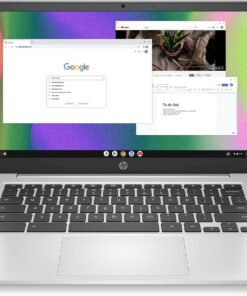
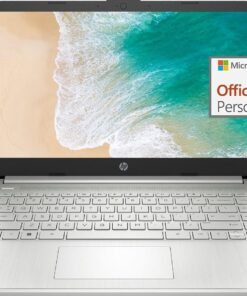
Whether you need a laptop for work, college, or everyday computing, the HP Chromebook 14 Laptop has got you covered. Watch movies or view spreadsheets in high-quality HD and in direct sunlight with a 14-inch anti-glare, micro-edge screen (1). Plus, with custom-tuned dual speakers, you’ll enjoy clear authentic audio to elevate all of your entertainment needs. Not only is this Chromebook outfitted for relaxing, but it’s also a productivity powerhouse. The HP laptop computer’s portable and lightweight design lets you take it just about anywhere, while the Intel® Celeron N4120 processor touts plenty of power for even your busiest days (2). Enjoy the highest resolution games and movies with the 4K-ready Intel UHD Graphics 600 (3) (4). Multitask faster, even with multiple windows open, and safely store more content with this HP 14-inch laptop’s 4 GB of RAM and 64 GB of eMMC storage (5).Pull all-nighters or binge-watch your favorite show with confidence thanks to your HP notebook computer’s 14 hours of battery life (6). When you do run short on power, just plug in your Chromebook charger and HP Fast Charge takes your battery to 50% in just 45 minutes (7). Not only does the Chrome OS give you greater security and an always up-to-date experience, but you can also take advantage of millions of apps in the Google Play Store (8). Work confidently with a 1-year limited hardware warranty and stay connected with the dependable 802.11a/b/g/n/ac (2×2) Wi-Fi and Bluetooth combo (9) (10). Expand the way you game, work, and create with the innovative HP Imagepad, a true multi-touch touchpad that supports four-finger gestures. Your HP 4K laptop isn’t just built for greater productivity and more immersive entertainment, but also for sustainability. Do your part toward a cleaner planet with an ENERGY STAR certified (11) and EPEAT Silver registered (12) Chromebook 14-inch.
FOR HOME, WORK, & SCHOOL – With an Intel processor, 14-inch display, custom-tuned stereo speakers, and long battery life, this Chromebook laptop lets you knock out any assignment or binge-watch your favorite shows..Voltage:5.0 volts
HD DISPLAY, PORTABLE DESIGN – See every bit of detail on this micro-edge, anti-glare, 14-inch HD (1366 x 768) display (1); easily take this thin and lightweight laptop PC from room to room, on trips, or in a backpack.
ALL-DAY PERFORMANCE – Reliably tackle all your assignments at once with the quad-core, Intel Celeron N4120—the perfect processor for performance, power consumption, and value (2).
4K READY – Smoothly stream 4K content and play your favorite next-gen games with Intel UHD Graphics 600 (3) (4).
MEMORY AND STORAGE – Enjoy a boost to your system’s performance with 4 GB of RAM while saving more of your favorite memories with 64 GB of reliable flash-based eMMC storage (5).
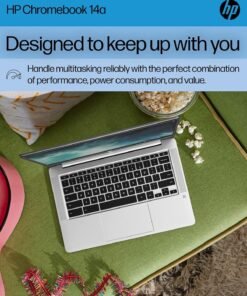
DESIGNED TO KEEP UP WITH YOU – Get everything on your to-do list done with up to 14 hours of battery life (6); plus, HP Fast Charge technology charges your laptop computer from 0 to 50% in approximately 45 minutes, so you never miss a beat (7).
CHROME OS AND WARRANTY – Redefine how you work and play with the always secure and up-to-date Chrome browser, offering a huge selection of android apps in the Google Play Store (8). Start computing with confidence as your Google Chromebook laptop is covered by a 1-year limited hardware warranty.
ROCK SOLID CONNECTIVITY – Experience powerful connectivity with the 802.11a/b/g/n/ac (2×2) Wi-Fi and Bluetooth combo, perfect for remote work, modern games, or streaming your favorite show (9) (10).
MULTI-TOUCH TOUCHPAD – Your device’s full-size keyboard features a true multi-touch touchpad that supports four-finger gestures and lets you scroll, zoom, and navigate with a simple touch.
SUSTAINABLE DESIGN – HP is committed to global citizenship and environmental responsibility—that’s why this laptop Chromebook is ENERGY STAR certified (11) and EPEAT Silver registered (12).


Switching out of S mode in Windows 11 Windows 11 in S mode is designed for security and performance, exclusively running apps from the Microsoft Store. If you want to install an app that isn’t available in the Microsoft Store, you’ll need to switch out of S mode 1. On your PC running Windows 11 in S mode, open Settings > System > Activation. 2. In the Switch to Windows 11 Pro section, select Go to the Store. (If you also see an “Upgrade your edition of Windows” section, be careful not to click the “Go to the Store” link that appears there.) 3. On the Switch out of S mode (or similar) page that appears in the Microsoft Store, select the Get button. After you see a confirmation message on the page, you’ll be able to install apps from outside of the Microsoft Store. HP 14 inch Laptop for Business and Student: Sleek design: Easily take this thin and light PC from room to room or on the road Dual array microphones: With two microphones and advanced noise reduction software, you’ll always sound crystal clear when you video chat or record Display: 14.0-inch diagonal, HD (1366 x 768), micro-edge, BrightView Processor: Intel Celeron N4120, 4 Cores & 4 Threads Memory: Upgraded to 16GB DDR4 RAM Storage: 64GB eMMC+64GB Micro SD Card Graphics: Intel UHD Graphics 600 Operating System: Windows 11 Home in S mode HP Fast Charge: Go from 0 to 50% charge in approximately 45 minutes Battery Life: Up to 11 hours and 30 minutes (video playback); Up to 9 hours (wireless streaming) Webcam: HP True Vision 720p HD camera with integrated dual array digital microphones Connectivity: 802.11a/b/g/n/ac (2×2)(19a) Wi-Fi and Bluetooth combo Dimensions: 12.76 x 8.86 x 0.71 inches Weight: 3.24 lbs
【14″ HD Display】14.0-inch diagonal, HD (1366 x 768), micro-edge, BrightView. With virtually no bezel encircling the display, an ultra-wide viewing experience provides for seamless multi-monitor set-ups
【Processor & Graphics】Intel Celeron N4120, 4 Cores & 4 Threads, 1.10 GHz Base Frequency, Up to 2.60 GHz Burst Frequency, 4 MB Cahce, Intel UHD Graphics 600, Handle multitasking reliably with the perfect combination of performance, power consumption, and value
【RAM & Storage】Upgraded to 16GB high-bandwidth DDR4 Memory (2400 MHz), Adequate high-bandwidth RAM to smoothly run multiple applications and browser tabs all at once. 64GB high-speed eMMC Storage for your office and webinar needs
【Ports】1 x USB 3.1 Type-C ports, 2 x USB 3.1 Type-A ports, 1 x HDMI, 1 x Headphone/Microphone Combo Jack, and there’s a microSD slot
【Windows 11 Home in S mode】You may switch to regular windows 11: Press “Start button” bottom left of the screen; Select “Settings” icon above “power” icon;Select “Activation”, then Go to Store; Select Get option under “Switch out of S mode”; Hit Install. (If you also see an “Upgrade your edition of Windows” section, be careful not to click the “Go to the Store” link that appears there.)
Processor: Intel Celeron N4120 (up to 2.6 GHz burst frequency, 4 MB L2 cache, 4 cores, 4 threads)
Graphics: Intel UHD Graphics
Operating system: Windows 11 Home 64-bit
Memory: 8GB DDR4 SDRAM
Hard Drive: 576GB Storage (64GB onboard hard drive + 512GB external hard drive)
Optical Drive: No
Display: 14-inch diagonal, HD (1366 x 768), micro-edge, BrightView, 220 nits, 45% NTSC
Connectivity: Realtek RTL8821CE 802.11a/b/g/n/ac (1×1) Wi-Fi and Bluetooth 4.2 combo
Audio: Dual Speakers
Keyboard: US English, NonBacklit Full Size Keyboard
Built-in HD Webcam: HP True Vision 720p HD camera with integrated dual array digital microphones
Media Drive:Multi-format SD media card reader
Ports:
1 x USB 3.1 Gen 1 Type-C (Data Transfer Only, 5 Gb/s signaling rate)
2 x USB 3.1 Gen 1 Type-A (Data Transfer Only)
1 x AC smart pin
1 x HDMI 1.4b
1 x Headphone / Mic Combo Jack
Battery:: Up to 11.5 Hours
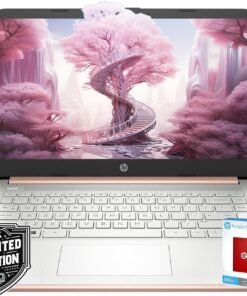
Color: Rose Gold
Dimensions L x W x H (inches): 12.7 x 8.8 x 0.7
Weight: 3.2 lbs
Accessories:
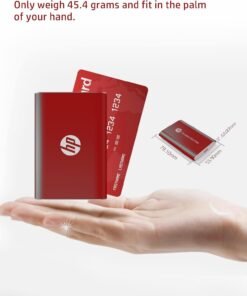
512GB HP P500 External Hard Drive
Back to School Limited Edition for Students: Equipped with an Intel quad-core processor and 8GB of RAM, perfect for managing educational tasks, with a 1-year subscription to Microsoft 365 for enhanced productivity and collaboration.
Expand Your Storage on Us: This laptop includes 64GB of built-in storage and a FREE 512GB external hard drive, totaling 576GB of space
Ultra-Portable with Long Battery Life: Lightweight at just 3.24 pounds and 0.71 inches thin, featuring a battery that lasts up to 11.5 hours, ideal for students and professionals on the go.
Enhanced Connectivity and Portability: Features multiple ports including USB-C and HDMI for versatile connections, along with a sleek, silver design that’s easy to carry and stylish to display.
Complete Accessory Package for Ultimate Convenience: Alongside the laptop, this package includes an HP P500 512GB external SSD for additional storage to speed up your workflow!
Product Description


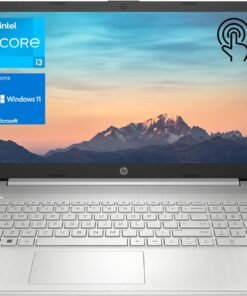
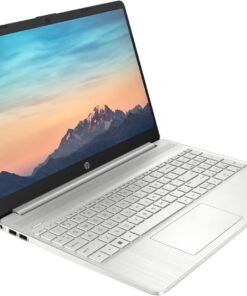
【Memory & Storage】The PC memory has been upgraded to 32GB DDR4 SDRAM for enhanced high bandwidth to easily switch back and forth between open applications; the Hard drive has been upgraded to 1TB PCIe NVMe M.2 SSD for fast boot-up and speedy data transfer
【Processor】Intel Core i3-1115G4 Processor (2 Cores, 4 threads, 6MB L3 Cache, base at 3.00GHz, up to 4.10GHz), with Intel UHD Graphics
【Screen】15.6″ diagonal, HD (1366 x 768), touchscreen, micro-edge, BrightView, 220 nits, 45% NTSC
【Tech Specs】1 SuperSpeed USB Type-C, 2 SuperSpeed USB Type-A, 1 HDMI, 1 AC smart pin, 1 Headphone/Microphone combo; Wi-Fi and Bluetooth
【Operating System】Windows 11 Home – Beautiful, more consistent new design, Great window layout options, Better multi-monitor functionality, Improved performance features, New videogame selection and capabilities, Compatible with Android Apps


Product Description

 Expandable Storage
It has an expandable TF card slot that allows you to easily expand the storage capacity
 Multi-Core Performance
The N5095 trumps other processors with its impressive 2063 multi-core score.
 Single-Core Performance
The N5095 surpasses other processors with a single-core score of 585
 Powerful Processor
Experience the enhanced responsiveness of Intel’s 11th Celeron N5095 quad-core processor.
1 Expandable Storage
2 Multi-core Performance
3 Single-Core Performance
4 Powerful Processor
 Immersive Visual Experience
15.6-inch ApoloMedia laptop with FHD IPS 1080P display immerses you in an immersive visual experience.
 Long-Lasting Battery Life
The laptop’s battery life is great, keeping it productive and entertaining on the go.
 Effortless Connectivity
It supports Wi-Fi, Bluetooth, comes with a variety of ports for easy connection to external devices.
 Cpu Cooling Fan
The speed of the fan matches the heat output of the CPU.
1 Long Battery Life
2 Effortless Connectivity
3 Cpu Cooling Fan
 Pre-Install Windows 11
Windows 11 boasts a user-centric interface coupled with effortless navigation, ensuring a seamless and fluid computing journey for all users.
 High Efficient Multitasking
Enhance your productivity and efficacy with a laptop equipped to effortlessly manage your multifaceted tasking requirements.
 Enhanced Audio Experience
Regardless of whether you indulge in music, watching films, or engage in video conference, the speakers provide crisp and immersive audio experiences.
 Package comprising of
1*Laptop
1*Charger
1*Packging
1*Puduct Manual
How is the battery life on this laptop?
The laptop boasts an impressive battery life of up to 6-8 hours on a full charge, depending on usage. This makes it ideal for working on the go, attending lectures, or enjoying movies and shows during long flights or commutes
Is the storage on this laptop upgradable?
the Laptop Computer is equipped with a 512GB Solid State Drive (expandable up to 1TB) and incorporates a microSD card slot for further expandability, empowering you with versatile options to augment your storage capabilities.
Does this laptop have a touchscreen display?
Although this laptop does not incorporate a touchscreen display, it boasts a superior 15.6-inch Full HD IPS panel with 1080P resolution, offering an immersive and captivating visual performance.
Can I customize the laptop with different colors or configurations?
Availability of customization options may vary depending on the specific model and time of purchase. We recommend checking the product page or contacting our customer support for the latest information on customization options.
What’s the repair policy for this laptop?
We offer a standard one-year repair on this laptop, including manufacturing defects. If you experience any problems during this period, please apply for maintenance.
【Intel Jasper Lake N5095 Processor】Powered by the robust Intel Jasper Lake N5095 processor, up to 2.8 GHz). Powerful Student Laptop for Productivity and Efficiency. Get the Job Done with Ease, Fast, Sleek, and Portable. ApoloMedia 15.6 laptop—the ultimate blend of work and travel efficiency.
【15.6 FHD IPS Windows 11 Laptops】This 15.6 inch laptop computer features an innovative thin-bezel display that provides more usable onscreen space for immersive FHD viewing. It also enables a larger screen to fit into a smaller chassis, giving you a laptop with a more compact footprint. It delivers vivid and clear visuals, reducing eye strain and making it ideal for long periods of reading, working, or studying.
【Upgraded to 12GB RAM & swift 512GB SSD】Substantial high-bandwidth RAM to smoothly run your games and photo- and video-editing applications, as well as multiple programs and browser tabs all at once. Provides massive storage space for huge files, so that you can store important digital data and work your way through it with ease. It gives you enormous space to save all of your files.
【Elegant and Portable】Designed with an advanced stardust gray finish using cutting-edge printing technology, this laptop exudes elegance. Its ultrathin and lightweight build, weighing around 3 pounds, makes it the perfect portable companion. Ideal for professionals on the go or as a stylish leisure device, it combines performance and elegance seamlessly.【Lightweight and Portable Laptop Charger】Fast Charging Without the Bulk and Inconvenience of Traditional Chargers.
【Multi-Connection】1x SuperSpeed USB Type-C, 2x SuperSpeed USB 3.2 ports, 1x HDMI, 1x TF card slot, 1x Headphone/Microphone combo, Wi-Fi, Bluetooth. this laptop meets all your connectivity needs. The full-size ergonomic keyboard and large trackpad enhance your typing and navigation experience.
Hector Morett –
Desde el mismo día que llego,e estado usando el producto y quede satisfecho por la calidad y lo bien que responde este mouse al usarlo,venia de un logitech g600 con muchos problemas de doble click,y a sido una grata experiencia el cambio con este redragon perdition,lo recomiendo.
[...]Daniel Craig –
wie man an den Reviews sieht ist die Maus zurecht sehr beliebt, was sich leider auch im Preis bemerkbar gemacht hat.Vor einigen Jahren war sie noch für etwa 35 Euro zu haben.Negativ:anfällig für Doppelklick Syndrommangelhafte QualitätskontrollePositiv:Überragende Klick-Qualität an den Front-TastenEinfach zu bedienende SoftwareSensor ist O.k.gutes KabelWas einem sofort als langjähriger Nutzer auffällt: Man muss die Maus etwa alle 2-4 Jahre austauschen oder die Feder im Taster nachspannen (Anleitung findet man im Internet)Warum gebe ich trotzdem 5 Sterne?Leider scheinen alle Mäuse von diesem Problem betroffen zu sein, auch Mäuse in der +120€ Kategorie mit “50 Millionen-Klick-Omron” Schaltern.Daher Muss man wohl damit leben.Außerdem habe ich inzwischen auch wesentlich teurere Mäuse ausprobiert, bin aber schlussendlich immer nach kurzer Zeit zu dieser Maus zurückgekehrt.
[...]Amazon Customer –
Not a good mouse.Came with side button number 1 not workingNumber 5 become not working as well after less that 10 days of usage
[...]YHAN FRANK DOS SANTOS BENEDITO –
O produto é excelente pra quem joga tíbia poketibia, PXG ou qualquer jogo de RPG com muitas skill, porém fiquei triste somente pelo fato de ser um mouse no anúncio e entregaram outro, noa tem ajuste de peso e etc….
[...]José Pedro. –
O mouse chegou hoje, estou gostando de usar ele pra jogar mmo, só esta sendo um pouco dificil de se acostumar a usar os botões laterais, pra quem esta com dificuldade pra encontar o software é so baixar o software do mouse m990 que funciona nesse.
[...]Contrabardus –
Epic Mouse from newcomer, you can now program all buttons, including the red “power” button some reviews say cannot be programed
[...]High quality mouse. Surprisingly so.I have a Razer Naga Molten Edition mouse. The scroll click works roughly 30% of the time now after almost three years of use, so it needed replacing. Still runs well despite that, and given the number of buttons it wasn’t sorely missed. I also broke the right click, but that was all on me and a bit of superglue fixed it. The little plastic piece that pushes the button down inside the mouse broke off and I just had to glue it back on. I’ve loved that mouse from the moment I bought it, but if I didn’t replace it I’d worry about it giving out on me and leaving me stuck with a standard mouse. I could deal with it, but I’d rather not as I’ve been spoiled by the Naga for so long.I also considered the Logitech G600 mouse. I have a friend who has one and tried it, but I disliked the fact that it didn’t have a button next to the left mouse button like the Naga Molten and this mouse do. The naga molten actually has two of these buttons but lacks the two over the scroll wheel leaving it with one button less than this mouse.The regular Naga does not have these extra buttons next to the left click so I’d have to buy another Molten edition and that’s a lot of money for a mouse. More than I really wanted to spend despite my love for the one I have. I got it on sale drastically reduced when I bought it and didn’t find any sales close to the price I got on it before.The G600 does have a large button next to the right click, but I found it awkward. I came very close to buying it anyway as I know it wouldn’t be that hard to retrain myself to use it, but then I noticed the Redragon Perdition. I really like having that extra button next to my index as I bind it to the ‘use’ or ‘open’ function in almost every game I play. I really didn’t want to go without it so I took a shot.This mouse exceeded my expectations. I’m glad I took a shot with this company as I actually like this mouse more than my considerably more expensive Razer Naga Molten edition. The Naga side buttons are smooth and the rear buttons are no more or less awkward to reach than this mouse’s, but the wave placement makes it easy to position where your thumb is. The two center buttons are a fine replacement for the extra left click button the Molten Ed. Naga has next to my index. I also really like the scroll wheel, it’s larger than either of the other two mice I was looking at and has a rubberized grip. The illumination is also better on this mouse, the G600 only lights up on the side and the Naga’s wheel does not illuminate. The color options on the Perdition are also very nice. Illumination isn’t a huge deal, but it is something else this mouse does better than either of it’s similar competitors.The Naga was great, don’t get me wrong. It’s the reason I was looking for a 12 button pad on the side of the mouse. I used it with little difficulty and 99% of the time I hit the right key when using the thumb pad. However, there was the rare occasion where my thumb would get lost and I’d end up using the wrong key because they all feel pretty much the same. This mouse has completely eliminated that issue.This mouse is slightly larger than the Naga and the rest for the ring finger fits my hand better. It’s also got a textured surface. As much as I liked the Naga, after a while my hand would unconsciously slide back due to the smooth plastic and from adjusting to reach some of the number pad buttons. It wasn’t a huge deal and not even an annoyance as all I had to do was shift my grip and I usually barely noticed, but it’s an issue that I’ve not had with this mouse. My hand stays in position even when I’m using the rear buttons on the num pad.Also, it’s worth noting that several reviews have said that the red “Power” button could not be reprogrammed. This has been addressed and the newest version of the keybinding software allows you to program all the buttons on the mouse, including the scroll click and red Power button. You can get it from here: [ht tp://www .redragonzone.co m/en/download.aspx]You can also bind macros to this, which is very nice. Also, by binding a key to ‘Shift’ you can double the amount of use for the keypad functions in a lot of games. One of the two top buttons, scroll click, or the red Power button would work best for this. The Logitech mouse does this better as it allows for a single key be bound to switch the function of the other keys on the mouse natively in it’s own software, but most games that use a large amount of key bindings allow for multiple key bindings.I found this mouse to be perfect for my needs. It works well for any game with hotkeys really and not just MMOs. It’s an all around great gaming mouse.Between this and my Razer Hydra [I use half like a Wii nunchuck for movement], I’ve got a pretty epic gaming setup and only ever need to use my keyboard to chat in MP games without voice support.Highly recommended. This is a high quality product, especially for the money. I like it more than either of the similar products from Logitech and Razer and I’ve had hands on with all three.Also, super high DPI isn’t all that great. Not sure why it’s touted as such a feature. I doubt the vast majority of people will ever use the highest settings of Polling and DPI. A lot of gaming mice promote this, so that’s not a ding against this one in particular. Just saying that it’s not a big deal feature and you really shouldn’t pay much attention to it when looking to buy a mouse for the vast majority of users.
Reece –
Minimalistic Razer Naga Replacement
[...]TL:DR: Coming from a Razer Naga Epic, I am quite happy with this mouse. The Razer Naga Chroma is, at time of review, about 6 times the price of this mouse, and the only features I noticed that the Redragon M901 lacked were wireless, grip choices, and toggle macros. The Redragon M901 is excellent for its price.All of my comparisons will be with the Razer Naga Epic, which I got several years ago, and tended to last me 2-4 years (I had two in a row). I have not used any of the other 12 side button mice on the market. My M901 has been in use for a few months now. I mainly use it to play games (MMOs, Mobas, RTS; no FPS games).Pros:-Feels like a high quality material. Razer Nagas tend to have a sleek plastic material, which is sturdy enough, but a bit slippery for me. This mouse has more of a grip to it.-Macros are functional, as are the additional buttons. The layout is easier to navigate than the Razer Naga, due to the elevation of the individual buttons.-In the span of several months, using the mouse for several hours a day, I haven’t noticed any defects while either clicking or scrolling-The DPI settings on this mouse are sufficient, although the Razer Naga has more granularity with DPI settings. I am not terribly sensitive to all of the specifics of DPI, so I cannot weigh in on how useful the Razer Naga’s additional DPI settings are in practice. I use 2000DPI, so I didn’t need to change settings at all in the transition from Razer Naga to M901.Cons:-The macro features of the mouse are less comprehensive than something like the Razer Naga. The main feature I’ve found lacking that I used to use from the Razer Naga is the ability to program toggle-able, looping macros. For example, I have been unable to create a macro for the M901 where you click one side button and the macro presses F every 5 seconds until you hit the side button again. The Redragon does support the ability to continue a macro as long as a button is held down, but this is not always a substitute-The grip style for the mouse is wide. If you are used to the large Razer Naga side grip panel, this will not be a problem. However, if you use the smaller Razer Naga grips, you will need to adjust. It was hard for me to pick up the M901at first without straining my pinky a bit. I don’t notice that anymore, but it was my biggest gripe when I first got the mouse.-This mouse is wired. The Razer Naga can go wireless or wired.Things I cannot review or compare:-I never used any weight options between the Naga or this M901. The M901 feels heavy enough for me, so I never attempted to change it.-I keep the RGB at a single color with no effects on both mice. Razer probably has better light shows, but I wouldn’t know.-I hated keeping up with Razer synapse updates, so I automatically appreciate the minimalism behind the Redragon Software. However, as a result, I never really played with the Razer synapse profile features enough to weigh them against the Redragon M901 software.-I have heard while shopping for keyboards that Redragon has excellent customer service. I haven’t had a problem though, so I wouldn’t know.Overall, when I bought this, I just wanted a mouse with lots of side buttons and some limited macros. What I got was a very functional mouse with exactly those features. Every feature I’ve used that’s written in the M901 description thus far has been delivered to my satisfaction, so I rate this 5/5. I do miss my Razer Naga in some ways, but given the choice between spending the extra near $150 dollars on the Naga and buying the M901 at its current price, I’d choose the M901 again.