









Price: $124.99
(as of Mar 14, 2025 09:51:33 UTC – Details)
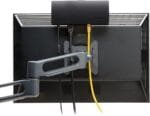
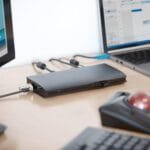
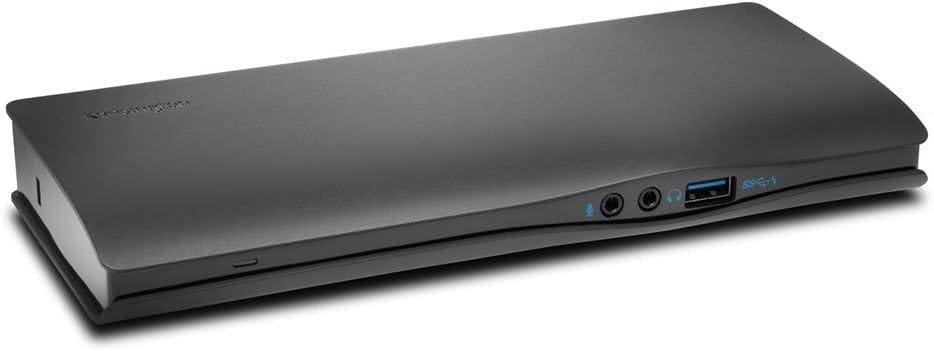
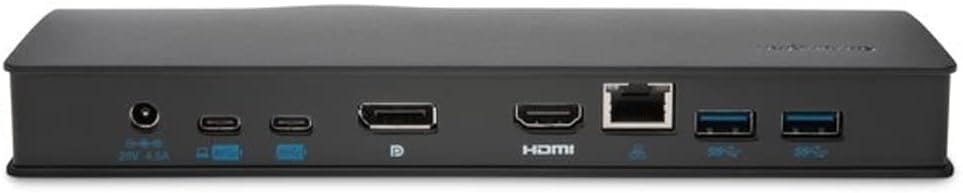
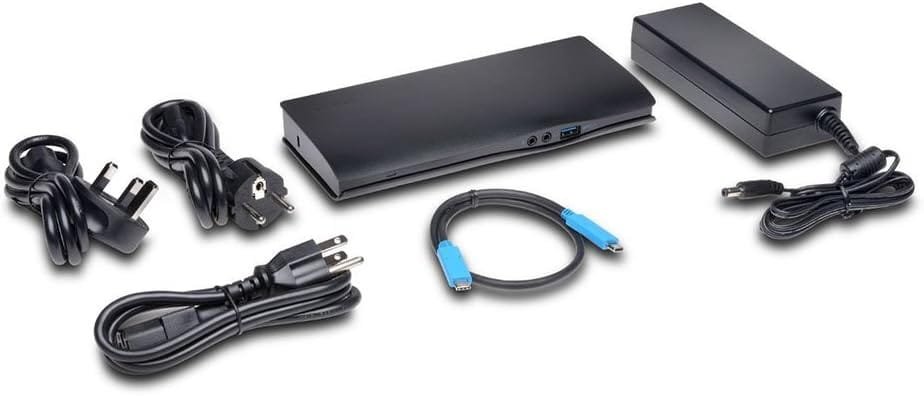
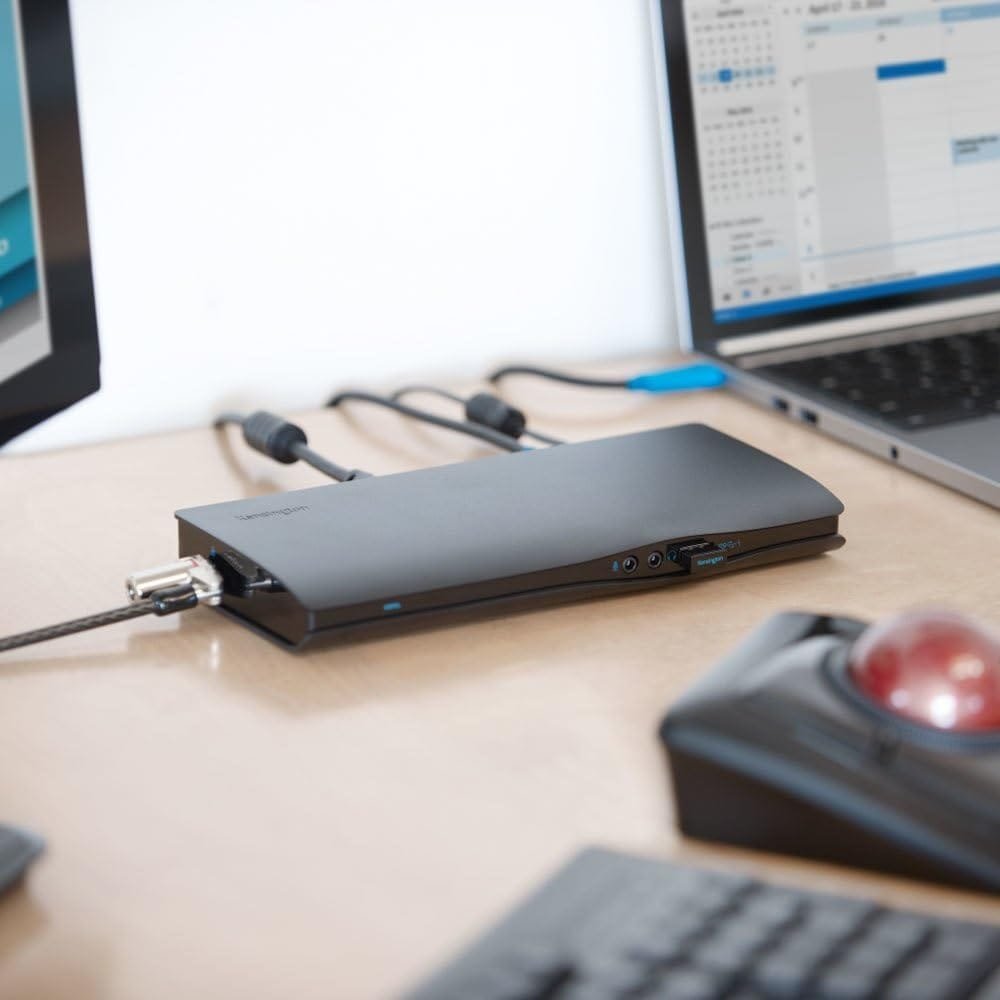
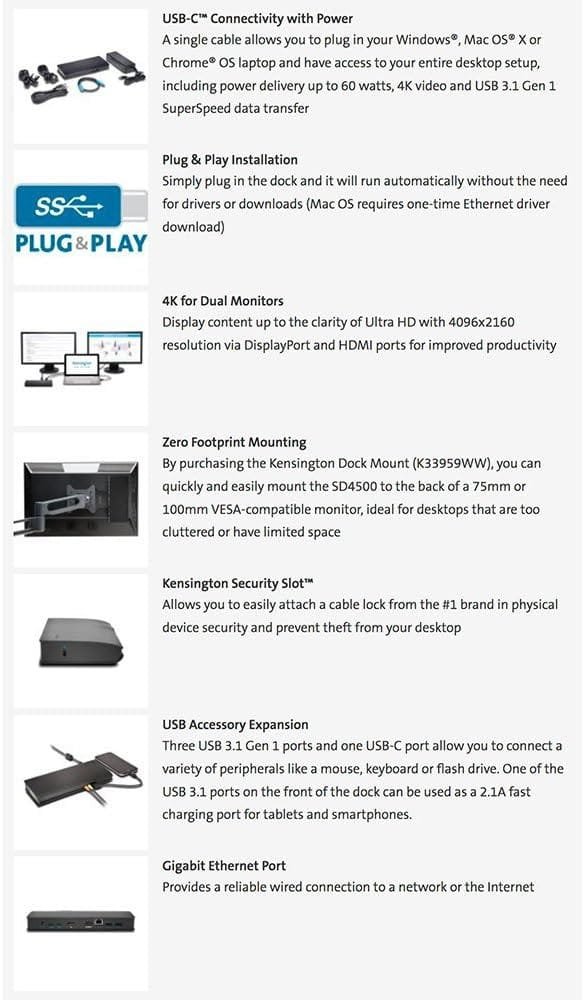
Let the leader in professional desktop performance make your transition to USB-C connectivity as smooth as possible with the SD4600 USB-C universal dock with power Delivery. The dock works with Windows, Mac OS and Chrome OS devices, allowing you to plug in a single cable that delivers 4K video, charges your laptop and offers high-speed data transfer. Plus, you get instant access to all your peripheral desktop accessories. Zero Footprint Mounting makes it ideal for workstations with limited space (mount sold separately) and it’s Thunderbolt 3 compatible.
Compatible with select Windows 10, 8. 1, Mac OS X 10. 10 Yosemite or later, mac OS Sierra 10. 12 and chrome OS devices Featuring a USB-C port like the 2015/2016 MacBook Retina 12”, Chromebook Pixel, Dell XPS 13” 9350/XPS 15” 9550, Dell Precision 5510. Also compatible with Thunderbolt 3 devices (does not support TB3 data speeds). not compatible with USB 3. 0 host devices. For important technical Information, faq’s and troubleshooting Tips, Please see application guide in the product information section below.
Kensington USB-C cable provides up to 60 watts charging power only to devices designed to accept power delivery (PD). not all USB-C devices support PD.
Supports 4K Ultra HD video (4096×2160 @ 60Hz) to single monitor or to Dual monitors (4096×2160 @ 30Hz), via HDMI and/or DisplayPort. Only Windows devices support Dual video. Mac and chrome OS devices only support single display.
Requires direct hdmi-to-hdmi and/or dp-to-dp connections. Passive adapters for VGA or DVI ports are not compatible. Host device must be designed to support DisplayPort Alt Mode over USB-C to output video. Not all USB-C devices support video over USB-C. For best video performance, please check to ensure your host device’s Graphics driver is up to date.
Features three USB 3. 1 Gen 1 ports for peripheral accessories (delivering data speeds up to 5Gbps), one USB-C port, Gigabit Ethernet port (Mac devices require a one-time Ethernet driver download at installation), 3. 5mm headphone and microphone jacks, and Kensington security slot.
Customers say
Customers appreciate the docking station, but they have issues with connectivity, port connectivity, and speed. They mention devices losing connectivity after wake from sleep, the USB-3 port is non-functional, and the display port has a major issue where their monitor keeps turning on and off. There are also complaints about the power cord and wakefulness. There are mixed opinions on functionality and reliability.
Related Products
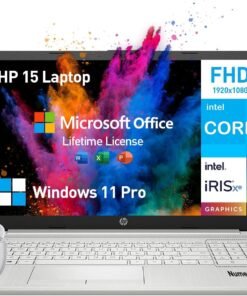
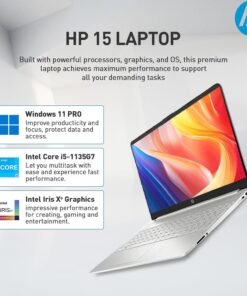
Do more from anywhere, all-day long. Featuring a long lasting battery and a sleek, portable micro-edge bezel design, the Intel i5 laptops HP 15 keep you productive and entertained wherever you are. With the formidable Intel Core processor, this HP Laptop Intel Core i5 offers a seamless experience for both personal and professional use. Ideal for those on the go, the HP notebook computer combines a stylish and portable design with impressive performance.
Operating System
Windows 11 Pro 64-bit – elevate your workstyle and productivity with AI-powered breakthroughs and immersive workflows
Processor
Intel Core i5 (4 cores, 8 threads, up to 4.2GHz, 8MB cache) – get things done fast with high performance and immediate responsiveness
Memory & Storage
32 GB DDR4 RAM – for easy multitasking, effortless browsing and streaming
1 TB PCIe NVMe M.2 SSD – provides fast bootup and ample storage
Display & Graphics
15.6 Inch 1080 FHD, micro-edge, anti-glare
Intel Iris Xe Graphics – enhances your professional success with crisp, stunning visuals
Software
Lifetime Microsoft Office – provides the best productivity for the Windows PC. Work, communicate, create, and collaborate seamlessly
Ports & Slots
5Gpbs signaling rate USB-C+2x USB-A, HDMI, SD media card reader, Audio Jack
Features
Wi-Fi +Bluetooth – Gigabit rate
Up to 9.25 hrs runtime+HP Fast Charge (50% charge in 45 mins) – lets you work or play all day long
HP True Vision 720p HD camera with dual array digital microphones+AI noise removal – look and sound your best
HD Audio with B&O-tuned stereo speakers – offers cinematic experience
Design
Full-size keyboard with numeric keypad
0.71in, 3.75lb, ultra-thin and light, effortless portability for a 15.6 hp laptop
A slim, sleek, natural silver and contemporary design
✅【ULTIMATE HP NOTEBOOK LAPTOP】The HP 15 inch laptop pc empowers seamless surfing, streaming and more, delivering outstanding performance for business, college students and home use. The advanced Intel Core i5 processor (4 cores, 8 threads, up to 4.2GHz Max Turbo) makes multitasking effortless and fast, allowing you to tackle your work, school or daily tasks with ease. Enjoy enhanced graphics performance and stunning visuals with Intel Iris Xe Graphics on the hp i5 laptop notebook
✅【IMMERSIVE DISPLAY】Featuring a remarkable 15.6-inch FHD (1920 x 1080), micro-edge, anti-glare display, the HP laptop 15.6 inch offers exceptional performance that fits your lifestyle and budget. The eye-friendly HP 15 laptop core i5 keeps you focused, delivering sharp details and lifelike colors, perfect for work, presentations and entertainment. With its slim bezel and sleek design, this thin and lightweight laptop HP i5 is easy to take anywhere, allowing you to see and do more on the go
✅【EXTREME MULTITASKING】The HP laptop 15 inch streamlines your workday and enhances your productivity. 32GB high-bandwidth DDR4 RAM effortlessly handles demanding tasks and manages multiple applications effortlessly. 1TB high-speed PCIe NVMe M.2 SSD ensures lightning-fast boot-up times, fast data access and ample storage for all your files. Experience high performance and instant responsiveness for your busiest days, the hp i5 laptop is the best laptop for college students and for the price
✅【LIMITLESS PRODUCTIVITY】With AI-powered efficiency, protection by default and unmatched personalization, the 15.6 HP laptop windows 11 pro handles demanding workloads 42% faster on average.The Windows 11 Pro laptop features SuperSpeed USB-C+2x USB-A, HDMI, SD Card Reader, Wi-Fi+Bluetooth, and HP earphone.【COLLEGE STUDENTS & BUSINESS LAPTOP MICROSOFT OFFICE INCLUDED LIFETIME】Boost your creativity with preinstalled Word, Excel, and PowerPoint at your fingertips
✅【PURPOSEFUL DESIGN】The HP windows laptop computer features an elegant brushed full-size keyboard with 10-key numeric pad for easy typing and number access. Video chat with loved ones and colleagues in vibrant clarity via HP True Vision 720p HD Camera with temporal noise reduction and dual array digital microphones. Enjoy cinematic-quality audio with the HP computer laptop intel core i5’s stereo speakers expert-tuned by B&O, delivering immersive sound for your favorite music, movies and games
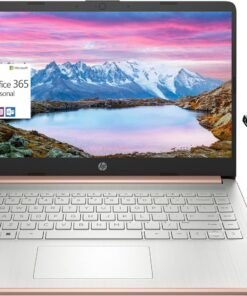

2024 HP 14″ Laptop: Designed for the always connected life, the newest HP Stream Laptop lets you easily shift from homework workhorse to streaming your favorite shows.
Processor: Intel Celeron N4120 Processor
Graphics: Intel UHD Graphics
Operating System: Windows 11 Home S Mode 64-bit
Memory: Upgraded to 16GB DDR4 SDRAM
Hard Drive:320GB Storage (64GB eMMC+256GB Memory Card)
Optical Drive: No
Display: 14.0-inch diagonal, HD (1366 x 768), micro-edge, BrightView, 220 nits, 45% NTSC
Touchscreen: No
Connectivity: Realtek 802.11b/g/n/ac (2×2) and Bluetooth combo
Audio: Dual Speakers
Keyboard: US English, Non-Backlit
Built-in HD Webcam: HP True Vision 720p HD camera with integrated dual array digital microphones
Media Drive: Multi-format Memory media card reader
Ports:
- 1 SuperSpeed USB Type-C 5Gbps signaling rate
- 2 SuperSpeed USB Type-A 5Gbps signaling rate
- 1 x AC smart pin
- 1 x HDMI 1.4b
- 1 x Headphone-out/microphone-in combo jack
Battery Life:
- Up to 11.5 hours (video playback)
- 3-cell, 41 Wh lithium-ion prismatic battery
Color: Rose Gold
Dimensions L x W x H (inches): 12.76 x 8.86 x 0.71
Weight: 3.24 lbs
Accessory: MarxsolAccessory (6-in-1 USB-C Docking Station Hub with USB 3.0, 4K-HDMI, USB-C Connection, SD/TF Card Reader + 256GB Memory Card and HDMI & USB Cable, Mouse Pad.)
【14.0″ HD LED Display】14.0-inch diagonal, HD (1366 x 768), micro-edge, BrightView, 220 nits, 45% NTSC display. Ideal for Home, Student, Professionals, Small Business, School Education, and Commercial Enterprise. Online Class, Google Classroom, Remote Learning, Zoom Ready.
Switching out of S mode in Windows 11
Windows 11 in S mode is designed for security and performance, exclusively running apps from the Store. If you want to install an app that isn’t available in the Store, you’ll need to switch out of S mode
1. On your PC running Windows 11 in S mode, open Settings > System > Activation.
2. In the Switch to Windows 11 Pro section, select Go to the Store. (If you also see an “Upgrade your edition of Windows” section, be careful not to click the “Go to the Store” link that appears there.)
3. On the Switch out of S mode (or similar) page that appears in the Store, select the Get button. After you see a confirmation message on the page, you’ll be able to install apps from outside of the Store.
Activate pre-installed Office 365:
1.Launch any Office app >
2.Start your activation by signing in with your account(Create a account if you don’t have one yet) >
3.Click “Activative Office” >
4.Sign in your account and follow the next prompts. >
5.Complete Step 1,2 and 3 >
6.Click on Refresh once Office is ready >
7.Open a document and accept the license agreement.
Display: 14.0-inch diagonal, HD (1366 x 768), micro-edge, BrightView
Processor: Intel Celeron N4120, 4 Cores & 4 Threads
Memory: 16GB RAM
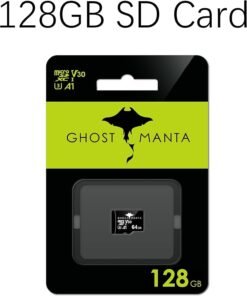
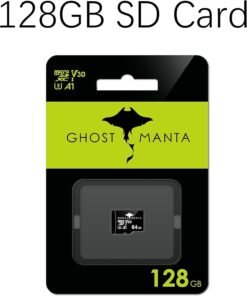
Storage:64GB eMMC + 256GB Ghost Manta SD Card
Graphics: Intel UHD Graphics 600
Operating System: Windows 11 Home in S mode
Battery Life: Up to 10 hours
Webcam: True Vision 720p HD camera with integrated dual array digital microphones
Connectivity: 802.11a/b/g/n/ac (2×2)(19a) Wi-Fi and Bluetooth
Dimensions: 12.76 x 8.86 x 0.71 inches
Weight: 3.24 lbs
【14″ HD Display】14.0-inch diagonal, HD (1366 x 768), micro-edge, BrightView. With virtually no bezel encircling the display, an ultra-wide viewing experience provides for seamless multi-monitor set-ups.【Ports】1 x USB 3.1 Type-C ports, 2 x USB 3.1 Type-A ports, 1 x HDMI, 1 x Headphone/Microphone Combo Jack, and there’s a microSD slot.
【Processor & Graphics】Intel Celeron N4120, 4 Cores & 4 Threads, 1.10 GHz Base Frequency, Up to 2.60 GHz Burst Frequency, 4 MB Cahce, Intel UHD Graphics 600, Handle multitasking reliably with the perfect combination of performance, power consumption, and value
【RAM & Storage】Upgraded to 16GB RAM high-bandwidth DDR4 Memory (2400 MHz), Adequate high-bandwidth RAM to smoothly run multiple applications and browser tabs all at once. 64GB high-speed eMMC Storage for your office and webinar needs.
【Windows 11 Home in S mode】You may switch to regular windows 11: Press “Start button” bottom left of the screen; Select “Settings” icon above “power” icon;Select “Activation”, then Go to Store; Select Get option under “Switch out of S mode”; Hit Install. (If you also see an “Upgrade your edition of Windows” section, be careful not to click the “Go to the Store” link that appears there.)
Activate pre-installed Office 365: 1.Launch any Office app > 2.Start your activation by signing in with your account(Create a account if you don’t have one yet) > 3.Click “Activative Office” > 4.Sign in your account and follow the next prompts. > 5.Complete Step 1,2 and 3 > 6.Click on Refresh once Office is ready > 7.Open a document and accept the license agreement.
Switching out of S mode in Windows 11
Windows 11 in S mode is designed for security and performance, exclusively running apps from the Store. If you want to install an app that isn’t available in the Store, you’ll need to switch out of S mode
1. On your PC running Windows 11 in S mode, open Settings > System > Activation.
2. In the Switch to Windows 11 Pro section, select Go to the Store. (If you also see an “Upgrade your edition of Windows” section, be careful not to click the “Go to the Store” link that appears there.)
3. On the Switch out of S mode (or similar) page that appears in the Store, select the Get button. After you see a confirmation message on the page, you’ll be able to install apps from outside of the Store.
Activate pre-installed Office 365:
1.Launch any Office app >
2.Start your activation by signing in with your account(Create a account if you don’t have one yet) >
3.Click “Activative Office” >
4.Sign in your account and follow the next prompts. >
5.Complete Step 1,2 and 3 >
6.Click on Refresh once Office is ready >
7.Open a document and accept the license agreement.
Display: 14.0-inch diagonal, HD (1366 x 768), micro-edge, BrightView
Processor: Intel Celeron N4120, 4 Cores & 4 Threads
Graphics: Intel UHD Graphics 600
Operating System: Windows 11 Home in S mode
Battery Life: Up to 10 hours
Webcam: True Vision 720p HD camera with integrated dual array digital microphones
Connectivity: 802.11a/b/g/n/ac (2×2)(19a) Wi-Fi and Bluetooth
Dimensions: 12.76 x 8.86 x 0.71 inches
Weight: 3.24 lbs
【14″ HD Display】14.0-inch diagonal, HD (1366 x 768), micro-edge, BrightView. With virtually no bezel encircling the display, an ultra-wide viewing experience provides for seamless multi-monitor set-ups.【Ports】1 x USB 3.1 Type-C ports, 2 x USB 3.1 Type-A ports, 1 x HDMI, 1 x Headphone/Microphone Combo Jack, and there’s a microSD slot.
【Processor & Graphics】Intel Celeron N4120, 4 Cores & 4 Threads, 1.10 GHz Base Frequency, Up to 2.60 GHz Burst Frequency, 4 MB Cahce, Intel UHD Graphics 600, Handle multitasking reliably with the perfect combination of performance, power consumption, and value
【RAM & Storage】Upgraded to 8GB RAM high-bandwidth DDR4 Memory (2400 MHz), Adequate high-bandwidth RAM to smoothly run multiple applications and browser tabs all at once. High-speed eMMC Storage for your office and webinar needs.
【Windows 11 Home in S mode】You may switch to regular windows 11: Press “Start button” bottom left of the screen; Select “Settings” icon above “power” icon;Select “Activation”, then Go to Store; Select Get option under “Switch out of S mode”; Hit Install. (If you also see an “Upgrade your edition of Windows” section, be careful not to click the “Go to the Store” link that appears there.)
Activate pre-installed Office 365: 1.Launch any Office app > 2.Start your activation by signing in with your account(Create a account if you don’t have one yet) > 3.Click “Activative Office” > 4.Sign in your account and follow the next prompts. > 5.Complete Step 1,2 and 3 > 6.Click on Refresh once Office is ready > 7.Open a document and accept the license agreement.

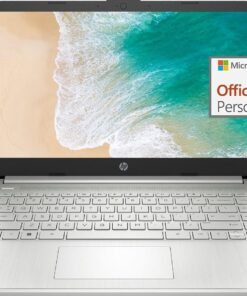
Take it anywhere. See more. With its thin and light design, 6.5 mm micro-edge bezel display, and 79% screen to body ratio – take this PC anywhere and see and do more. Reliable performance for every day: Powerful enough for your busiest days, this PC features an Intel processor and reliable flash-based storage at a great value. Powered up and productive. All day long. With a long battery life and fast-charge technology, this laptop lets you work, watch, and stay connected all day. Integrated precision touchpad with multi-touch support speeds up both navigation and productivity. Make the most out of your 365: Bring your ideas to life. Your creativity now gets a boost with Microsoft 365. Office – Word, Excel, and Power Point – now includes smart assistance features that help make your writing more readable, your data clearer and your presentations more visually powerful. One year subscription included.Technical SpecificationsProcessor: Intel Celeron N4120 (4 cores 4 threads, base clock speed 1.1GHz, max turbo to 2.6GHz, 4MB L3 Cache)Display: 14″ diagonal, HD (1366 x 768), micro-edge, BrightView, 220 nits, 45% NTSCGraphics: Integrated Intel UHD GraphicsMemory: 8GB DDR4-2400 MHz RAMStorage: 128GB Storage (64GB eMMC + 64GB SD Card)Networking: Realtek RTL8822CE 802.11a/b/g/n/ac (2×2) Wi-Fi and Bluetooth 5 comboOperating System: Windows 11 Home in S mode Audio: Dual speakersBattery: 3-cell, 41 Wh Li-ionCamera: HD 720p WebcamSecurity: Firmware TPM 2.0Keyboard: Non-Backlit, EnglishDimensions: 12.76 x 8.86 x 0.71 inchesWeight: 3.24 lbsI/O Ports USB 3.1 Gen 1 Type-C (Data Transfer Only, 5 Gb/s signaling rate)2 x USB 3.1 Gen 1 Type-A (Data Transfer Only)HDMI 1.4multi-format SD media card readerHeadphone / mic combo AC smart pin
HP 14 laptop, an entry-level, light workload configuration laptop featuring lightweight and fast processing, perfect for everyday multitasking, loaded with Windows 11 Home in S mode, which provides a Fast, Safe, and Secure, Chromebook-like experience. HP 14 laptop is an ideal laptop for School Education, Light Work, Online Meetings, and Video Streaming. Microsoft 365 Personal. Get full access to Microsoft Excel, Word, PowerPoint, OneNote, Access, and 1TB One Drive storage for 1 year.
Intel Celeron N4120 (Quad Core 4 Threads, Max Turbo to 2.6GHz); 8 GB DDR4 RAM, 128GB Storage (64GB eMMc + 64GB MicroSD Card).
USB 3.1 Gen 1 Type-C (Data Transfer Only), 2 x USB 3.1 Gen 1 Type-A , HDMI 1.4b, SD Card Reader, Headphone / mic combo, AC smart pin; Wi-Fi and Bluetooth; HD 720p Webcam
14″ HD (1366 x 768), Micro-edge, BrightView; Integrated Intel UHD Graphics – Expandable to 1 monitor via Type-C. Max resolution of the External Monitors: 4K (3840*2160) @60Hz
Brand New Computer has been resealed to upgrade the Memory. One-year warranty from the manufacturer. Windows 11 Home in S mode, which provides a Fast, Safe, and Secure, Chromebook-like experience. You can switch to Windows 11 Home from S mode (but you can’t switch from Home back to S mode

Product Description

Productivity with No Limits
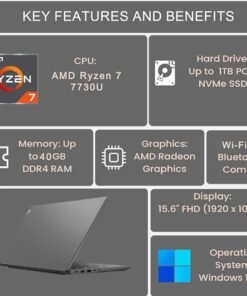
Designed for hybrid users in need of everyday computing power and functionality, this device has everything you seek for comfortable days at work. It boasts a AMD Ryzen 7 processor for efficient multitasking for site engineers, sales representatives and field technicians. To complement the need for clarity and precision, its 15.6″ FHD screen with an antiglare surface makes content editing or working outdoors a breeze.

 Solid Security
With the Lenovo V15 Gen 4, your data and privacy are paramount. As well as Windows 11 security enhancements, there’s the Trusted Platform Module (TPM) to encrypt your critical information and even a malware detection to keep cyber threats at bay. Plus, the webcam privacy shutter puts you in complete control of who can see you. What’s more, this device is MIL-SPEC tested to 810H requirements, which means it’s designed to run reliably when you need it most.
Lets you do more
With AMD Ryzen mobile processors and AMD Radeon graphics, the Lenovo V14 Gen 4 laptop delivers power to get through your workday—in the office, on campus, or at home. With vast amounts of memory and storage, plus WiFi 6, you can connect anywhere there’s access. Bluetooth 5.2 and plenty of ports ensure connecting to all your devices is a cinch. This laptop is MIL-SPEC tested to 810H requirements, ensuring it’s reliable.

Technical Specifications
Display 15.6″ FHD (1920×1080) TN, 250nits, Anti-glare, TÜV Rheinland Low Blue Light, Non-Touch Processor AMD Octa-Core Ryzen 7 7730U Processor (8 Cores 16 Threads, 2.0Ghz base clock speed, up to 4.5Ghz, 16MB cache) Graphics Integrated AMD Radeon Graphics RAM 40GB DDR4 3200MHz SO-DIMM RAM Memory Speed 3200MHz Storage 1TB SSD M.2 2280 PCIe 4.0×4 Performance NVMe Networking Intel Wi-Fi 6 802.11ax 2×2 + Bluetooth5.2 Operating System Windows 11 Pro 64-bit Battery 3-Cell 38Wh Battery, 65W AC Power Adapter Camera HD 720p Privacy Shutter Keyboard 6-row, spill-resistant, multimedia Fn keys, SMB Service Hot key, numeric keypad, Non-backlight Security Firmware TPM 2.0 integrated in SoC, Kensington Nano Security Slot, 2.5 x 6 mm Dimensions 14.14 x 9.28 x 0.78 inches Weight 3.64 lbs Touchpad Buttonless Mylar surface multi-touch touchpad, supports Precision TouchPad (PTP)
I/O Ports 
USB 2.0 | USB 3.2 Gen 1 | USB-C 3.2 Gen 1 (support data transfer, Power Delivery 3.0 and DisplayPort 1.2) | HDMI 1.4b | Headphone / microphone combo jack (3.5mm) | Ethernet (RJ-45) | Power connector
Comparison Table
Add to Cart
Add to Cart
Add to Cart
Add to Cart
Add to Cart
Customer Reviews
4.0 out of 5 stars
13
4.0 out of 5 stars
13
4.0 out of 5 stars
13
4.4 out of 5 stars
72
4.1 out of 5 stars
22
Price
$549.98$549.98
$499.98$499.98
$683.98$683.98
$589.98$589.98
$749.98$749.98
Memory Size
40GB
16GB
40GB
16GB
40GB
Storage
1TB
512GB
2TB
512GB
1TB
CPU
AMD Ryzen 7 7730U
AMD Ryzen 7 7730U
AMD Ryzen 7 7730U
Intel Core i5-13420H
Intel Core i7-1255U
Performance
Extra large storage
High processing speed
Extra large storage
High processing speed
Extra large storage
Recommend Use
Multimedia Processing
Office Work
Multimedia Processing
Office Work
Multimedia Processing
Introducing the Lenovo V15 – the perfect commercial laptop that is both budget-friendly and Military Grade MIL-SPEC tested to 810H requirements for sturdy built and business security. With its sleek design and robust features, the Lenovo V15 is the budget-friendly replacement for the Lenovo Thinkpad E15
AMD Octa-Core Ryzen 7 7730U Processor (8 Cores 16 Threads, 2.0GHz base clock speed, up to 4.5GHz, 16MB cache). 40GB 3200MHz DDR4 Memory, 1TB PCIe NVMe M.2 SSD
15.6″ FHD (1920×1080) TN, 250nits, Anti-glare, TÜV Rheinland Low Blue Light display. Integrated AMD Radeon Graphics – Support to expandable with 2 monitors via HDMI 1.4 (Maximum supported resolution of 1920×1080 @60HZ) or USB Type-C (Maximum supported resolution of 4K (3840*2160) @60HZ); HD 720p Webcam with Privacy Shutter
USB 2.0, USB 3.2 Gen 1, USB-C 3.2 Gen 1, HDMI 1.4b, Headphone / microphone combo jack, Ethernet, Power connector. Wi-Fi 6 802.11ax 2×2 + Bluetooth 5.2; Non-Backlit Keyboard with Numeric Keypad, non-backlit keyboard.
Disclosure: Brand New Computer has been resealed to upgrade the Memory/SSD. Three-year warranty from Issaquah Highlands Tech on upgraded Memory/SSD. One-year warranty from manufacturer on remaining components. Windows 11 Professional 64-bit, with AI-powered Copilot, offers intelligent assistance for a variety of tasks. Ideal for School Education, Designers, Professionals, Small Business, Programmers, Casual Gaming, Streaming, Online Class, Remote Learning, Zoom Meeting, Video Conference, etc.

SUPERCHARGED BY M4 — The 14-inch MacBook Pro with M4 chip gives you spectacular performance in a powerhouse laptop built for Apple Intelligence.* With all-day battery life and a breathtaking Liquid Retina XDR display with up to 1600 nits peak brightness, it’s pro in every way.*
CHAMPION CHIP — The M4 chip brings spectacular speed and capability to blaze through everyday activities and multitask across multiple productivity and pro apps.
BUILT FOR APPLE INTELLIGENCE—Apple Intelligence is the personal intelligence system that helps you write, express yourself, and get things done effortlessly. With groundbreaking privacy protections, it gives you peace of mind that no one else can access your data—not even Apple.*
ALL-DAY BATTERY LIFE — MacBook Pro delivers the same exceptional performance whether it’s running on battery or plugged in.
APPS FLY WITH APPLE SILICON — All your favorites, including Microsoft 365 and Adobe Creative Cloud, run lightning fast in macOS.*
IF YOU LOVE IPHONE, YOU’LL LOVE MAC — Mac works like magic with your other Apple devices. View and control what’s on your iPhone from your Mac with iPhone Mirroring.* Copy something on iPhone and paste it on Mac. Send texts with Messages or use your Mac to answer FaceTime calls.*
BRILLIANT PRO DISPLAY — The 14.2-inch Liquid Retina XDR display features 1600 nits peak brightness, up to 1000 nits sustained brightness, and 1,000,000:1 contrast.*
ADVANCED CAMERA AND AUDIO — Stay perfectly framed and sound great with a 12MP Center Stage camera, three studio-quality mics, and six speakers with Spatial Audio and support for Dolby Atmos.
CONNECT IT ALL — This MacBook Pro features three Thunderbolt 4 ports and a MagSafe 3 charging port, SDXC card slot, HDMI port, and headphone jack. And it supports up to two external displays.
LEGAL DISCLAIMERS — This is a summary of the main product features. See below to learn more.

SUPERCHARGED BY M4 — The 14-inch MacBook Pro with M4 chip gives you spectacular performance in a powerhouse laptop built for Apple Intelligence.* With all-day battery life and a breathtaking Liquid Retina XDR display with up to 1600 nits peak brightness, it’s pro in every way.*
CHAMPION CHIP — The M4 chip brings spectacular speed and capability to blaze through everyday activities and multitask across multiple productivity and pro apps.
BUILT FOR APPLE INTELLIGENCE—Apple Intelligence is the personal intelligence system that helps you write, express yourself, and get things done effortlessly. With groundbreaking privacy protections, it gives you peace of mind that no one else can access your data—not even Apple.*
ALL-DAY BATTERY LIFE — MacBook Pro delivers the same exceptional performance whether it’s running on battery or plugged in.
APPS FLY WITH APPLE SILICON — All your favorites, including Microsoft 365 and Adobe Creative Cloud, run lightning fast in macOS.*
IF YOU LOVE IPHONE, YOU’LL LOVE MAC — Mac works like magic with your other Apple devices. View and control what’s on your iPhone from your Mac with iPhone Mirroring.* Copy something on iPhone and paste it on Mac. Send texts with Messages or use your Mac to answer FaceTime calls.*
BRILLIANT PRO DISPLAY — The 14.2-inch Liquid Retina XDR display features 1600 nits peak brightness, up to 1000 nits sustained brightness, and 1,000,000:1 contrast.*
ADVANCED CAMERA AND AUDIO — Stay perfectly framed and sound great with a 12MP Center Stage camera, three studio-quality mics, and six speakers with Spatial Audio and support for Dolby Atmos.
CONNECT IT ALL — This MacBook Pro features three Thunderbolt 4 ports and a MagSafe 3 charging port, SDXC card slot, HDMI port, and headphone jack. And it supports up to two external displays.
LEGAL DISCLAIMERS — This is a summary of the main product features. See below to learn more.
Product Description


1 Fingerprint
2 Wireless Connectivity
3 Ports
4 Display
5 180° Lay-Flat Hinge


1 90 Days Free Return 2 2 Year Free Repair 3 Partially Assembling
Compare with similar items
Add to Cart
Add to Cart
Add to Cart
Add to Cart
Add to Cart
Customer Reviews
4.5 out of 5 stars
41
4.5 out of 5 stars
168
4.2 out of 5 stars
187
4.9 out of 5 stars
11
4.3 out of 5 stars
46
3.6 out of 5 stars
16
Price
$299.99$299.99
$379.99$379.99
$379.99$379.99
$299.99$299.99
$599.99$599.99
—
Backlit Keyboard
✔
✔
✔
✔
✔
✔
Fingerprint
✔
✔
✔
✔
✔
✔
90 Days Free Return
✔
✔
✔
✔
✔
✔
2 Years Maintenance Period
✔
✔
✔
✔
✔
✔
WiFi 6
✔
✔
✔
✔
✔
✔
Bluetooth 5.2
✔
✔
✔
✔
✔
✔
15.6″ FHD Display
✔
✔
✔
✔
✔
✔
Memory
16GB RAM
16GB RAM
16GB RAM
16GB RAM
32GB RAM
32GB RAM
Storage Capacity
1TB PCIe SSD
1TB PCIe SSD
1TB PCIe SSD
1TB PCIe SSD
1TB PCIe SSD
1TB PCIe SSD
Processor
Intel Pentium N100
Intel Pentium N100
Intel Pentium N100
Intel Pentium N100
AMD Ryzen 5 6600H
AMD Ryzen 5
System
Windows 11 Home
Windows 11 Home
Windows 11 Home
Windows 11 Home
Windows 11 Home
Windows 11 Home
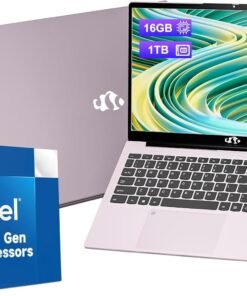
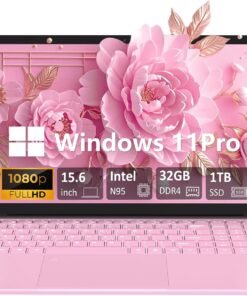
Immersive Visual Experience: Dive into stunning visuals with our Nimo 15.6″ laptop. Featuring an anti-glare display, slim bezels, and an impressive 85% screen-to-body ratio, it delivers exceptional color accuracy and reduces eye strain for a truly immersive viewing experience.
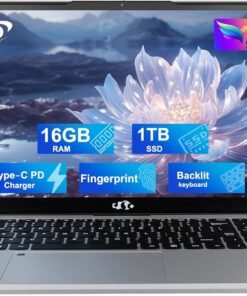
Upgraded to 16GB RAM & 1TB PCIe SSD: Equipped with 16GB DDR4 RAM, this laptop ensures smooth multitasking for work and entertainment. The 1TB PCIe SSD offers ample storage and quick access to your important files, enhancing overall performance and efficiency.
Seamless Connectivity: Stay connected wherever you are with Wi-Fi 6 and Bluetooth 5.2 technology. Stream content, join video calls, and transfer files effortlessly with lightning-fast speeds and stable connections. Our laptop keeps you connected in today’s fast-paced world.
Versatile Convenience: Work and play with ease thanks to the backlit keyboard and built-in fingerprint sensor. Swift data transfer is at your fingertips with USB 3.0 ports, making it the ultimate compact powerhouse for your everyday needs, whether at home, in the office, or on the move.
2-Year Warranty90-Day Risk-Free Returns: Assembled in the USA for reliable quality, this NIMO laptop includes a 2-year manufacturer’s warranty for added peace of mind. Plus, with our 90-day risk-free return policy, you can try it out with confidence, knowing that our support team is ready to assist with any issues or replacements.
From the brand

Auusda Laptop
Enjoy Peace of Mind with Our 90 Day Free Return and 24 Month Protection!
Get an Extra 10% Discount Following Auusda Store! →
A146G
T152A
T156A

About Us
Auusda is a rising star in the laptop market, offering a range of affordable yet powerful devices designed to meet the needs of professionals, students, and casual users alike. Known for its cost-effective solutions and solid performance, Auusda laptops are equipped with modern features and reliable hardware, making them an excellent choice for everyday computing tasks.
How should we pronounce our brand name?
Our brand name Auusda is pronounced as /ˈɔː.əs.də/, similar to “aw-us-duh”.
What are the available channels for support?
Please send your order number and a video of the problem to Auusda.ltd at gmail.com
How did we get our start?
Auusda began with a mission to make affordable, reliable laptops for everyone, combining innovation and value to meet diverse needs.
What makes our products unique?
Our laptops offer a perfect blend of affordability, performance, and durability, with features like vibrant displays and lightweight designs, making them ideal for all users.
Why do we love what we do?
We love what we do because we create affordable, reliable laptops that empower users, boost productivity, and simplify lives. Seeing our impact drives our commitment to excellence.
What problem are we solving?
We solve the problem of affordable, reliable, and high-performance computing for everyone, combining modern features, durability, and cost-effective solutions.
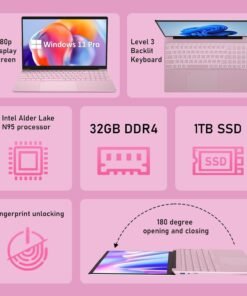
32GB DDR4 MEMORY (LAPTOP 32GB RAM): Provides fast and efficient multitasking performance; supports a smoother workflow and enhanced system responsiveness in this Windows laptop computer.
1TB PCIe NVMe SSD STORAGE: Offers quick data access and system boot-up times; easily upgradeable up to 8TB for additional storage needs, ideal for a PC laptop with heavy storage demands.
15.6-INCH IPS DISPLAY: Delivers full HD 1920×1080 resolution with a 92% screen-to-body ratio; features a slim 0.2-inch bezel for an immersive viewing experience, perfect for casual gaming laptop sessions or work tasks.
INTEL CELERON N95 CPU: 4-core, 4-thread processor with a boost frequency of 3.40GHz; designed for basic computing tasks such as web browsing and document editing in this work laptop.
180-DEGREE ADJUSTABLE DISPLAY: Flexible hinge design allows the screen to lay flat at 180 degrees; perfect for sharing content or using in tight spaces, great for both PC laptop work and entertainment.
FULL-SIZE BACKLIT KEYBOARD: Features a comfortable, responsive layout with a numeric keypad for easy data entry; keyboard backlight adjustment via Fn + F5, designed for both Windows laptop computer productivity and casual gaming.
FINGERPRINT SCANNER: Provides quick and secure login by using your fingerprint; enhances device security and convenience, ideal for a work laptop or any professional use.
44.08 WH LITHIUM-ION BATTERY: Long-lasting battery life for extended use without frequent charging; supports productivity throughout the day in this reliable Windows laptop computer.
STEREO SPEAKERS: Built-in stereo speakers (8R/1.0W x 2) offer clear sound for casual media enjoyment, video calls, and online meetings; great for both PC laptop use and light gaming.
MULTIPLE CONNECTIVITY OPTIONS: Includes 2x USB 3.0 ports, SD card slot, mini HDMI, and a 3.5mm audio jack; ensures versatile connectivity for various devices and accessories, perfect for a casual gaming laptop or work laptop.
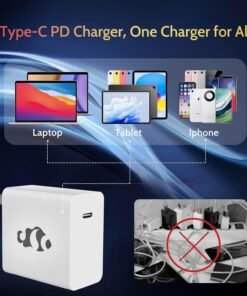
From the brand

Intel Pentium Quad-Core N100
15.6 Intel Core i3-1215u
17.3 Intel Core i3-1215u
AMD Ryzen 5 6600H
AMD Ryzen 5
AMD Ryzen 9 Pro 6950H


【2-Year Manufacturer’s Warranty, Partialy Assembled in the USA, and 90-Day Hassle-Free Returns】We prioritize your satisfaction and guarantee it with a comprehensive 2 Year Warranty Offered by Manufacturer Nimo Direct Inc. If any concerns arise, our dedicated support team stands ready to swiftly resolve issues or facilitate replacements. Enjoy the freedom of risk-free exploration with our 90 Days Return Offered by Manufacturer Nimo Direct Inc.
【Immersive Visuals, Ultimate Comfort】Experience the NIMO 15.6-inch FHD (1920×1080) Anti-Glare Display laptop, boasting an impressive 85% screen-to-body ratio, 16:9 aspect ratio and narrow bezels. Say goodbye to eye strain and hello to exceptional color accuracy, making every visual detail pop. Beyond being just a laptop, it becomes your indispensable companion for design, work, or leisure, offering a gateway to a world of possibilities.
【Effortless Speed, Seamless Performance】Powered by the cutting-edge Intel Alder Lake-N100 12th Gen processor at 3.4GHz, the NIMO laptop redefines speed and efficiency. With its 4 cores and 4 threads, the Alder Lake-N processor boasts a cross-genre Gracemont core upgrade, delivering up to 45% better performance for everyday computing tasks compared to its predecessors. Experience seamless and responsive workflow across diverse usage scenarios, from intensive workloads to multimedia entertainment
【High speed RAM and large space】Harness the power of 16GB of high-bandwidth DDR4 RAM, effortlessly accommodating graphics-intensive PC games, video-editing software, and a multitude of applications and browser tabs simultaneously. Enjoy expansive storage for your large files, facilitating seamless organization and swift access to important digital data with 1TB PCIe SSD. Experience lightning-responsive performance, rapid boot-up times, and accelerated data transfers.
【Your Compact Powerhouse】Nimo 15.6 laptop—the ultimate blend of work and travel efficiency. Its backlit keyboard ensures productivity in any setting, complemented by the convenience of a built-in fingerprint sensor. Swift connectivity through USB 3.0 ports makes data transfer a breeze. Your 15.6″ laptop taps into Wi-Fi 6 for lightning speeds—effortless online courses and rapid streaming. With Bluetooth 5.2, it’s wire-free world, stable connections with the latest devices, and seamless data flow.
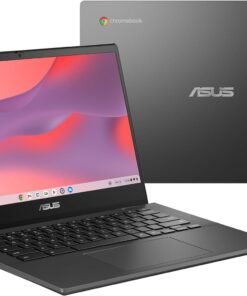
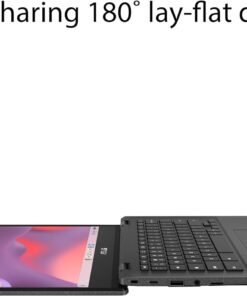
ASUS Chromebook CM14 Flip is made for boosting productivity and having more fun — all day, every day. The 360° hinge provides the flexibility to remote study or work the way you like best. An efficient MediaTek Kompanio 520 processor and up to 14-hour battery life gives you the freedom to stay productive throughout the day. The 14-inch FHD Touchscreen provides an expanded view and supports a garaged USI stylus, enabling intuitive writing for enhanced productivity. Plus, the keyboard, touchpad and palm rest area with ASUS Antimicrobial Guard to inhibit the spread of harmful bacteria, durable build with US military-grade standard and water-resistant keyboard, keep ASUS Chromebook CM14 Flip protected when on the go.
Powered by MediaTek Kompanio 520(8186) 2.05 GHz(1M Cache, up to 2.05 GHz, 8 cores) for responsive experience
4GB RAM and 64GB eMMC storage, Wi-Fi 6 + Bluetooth 5.3
14-inch HD (1366×768) NanoEdge anti-glare display
ASUS Antimicrobial Guard to inhibit bacterial growth by up to 99% over a 24-hour period to keep your Chromebook hygienic
Spill-resistant keyboard to cope with up to 13 oz of water without harm
US MIL-STD 810H military-grade standard
High definition webcam with face lighting adjustment for better video call experience
Physical webcam shield for privacy
1x USB 3.2 Gen 1 Type-A, 2x USB 3.2 Gen 1 Type-C support display / power delivery, 1x 3.5mm Combo Audio Jack, Micro SD card reader, 1 x Kensington lock slot
Sustainably designed and manufactured with EPEAT Silver certification
Indrik –
Le descriptif étant suffisamment clair et conforme, je n’y reviendrai pas.Équipée d’un MacBook Pro de mi-2014, 15″ Rétina (High Sierra), doté de deux ports Thunderbolt 2, et face à la progression inexorable des périphériques de type USB-C (3.1, et inférieurs), je me suis décidée pour cette station d’accueil.1) En effet, le constructeur assure qu’elle est compatible « USB-C (3.1) et « Thunderbolt 3. »2) Forte de ces promesses, je me suis procuré l’adaptateur ad’hoc d’Apple qui promet la compatibilité de « Thunderbollt 2 » vers « Thunderbolt 3 » à condition, évidemment, de disposer d’un câble « Thinderbolt 2 », et que le périphérique dispose de sa propre alimentation. De ce côté, le nécessaire était donc présent.Apple Thunderbolt 3 To Thunderbolt 2 AdaptateurApple MD862ZM/A Câble Thunderbolt 0,5 m BlancMais en définitive, les deux ports « Thunderbolt 2 » sont restés aux « abonnés absents »3) Appelant à la rescousse un adaptateur USB 3.0 vers USB-C, la station Kensington a fini par sortir de sa somnolence, mais pas pour un éveil complet. En l’occurrence, ports USB 3.0 et USB-C opérationnels, mais c’est tout. Les ports HDMI et Ethernet ne fonctionnent pas. Précisant que le pilote Ethernet pour Mac a bien été installé.UGREEN Adaptateur USB 3.0 Mâle vers Type C USB 3.1 Femelle en Aluminium pour Nexus 5X/6P, Lumia 950/XL, Oneplus 2/3, Huawei P9, Meizu Pro 5/6, HTC M10 etc.Qui donc est le coupable ? À mon sens, et dans l’ordre :- L’adaptateur Apple ?- Mac OS High Sierra ?- L’adaptateur USB 3.0 vers USB-C ?- La station Kensington ?Qu’en pensez-vous ?Très tentée de retourner cette station, j’ai décidé de la conserver néanmoins, en attendant que la « jungle » actuelle des normes USB, de leurs connecteurs, y compris « Thunderbolt » aboutisse enfin à une normalisation mâture.À votre disposition pour toute question, passez par la rubrique « Remarque sur ce commentaire », j’y répondrai avec plaisir.
[...]Aline Caceres –
Pedi o processo de substituição, já entreguei aos correios mas agora descobri que o produto não é compatível com meu MacBook. Assim, solicito a devolução do valor pago. Não achei canal para contato com o vendedor, por isso estou deixando está avaliação.
[...]Luuk –
Docking setup:- TB4 cable from front USB-C port to the laptop- Logitech C925e webcam on back USB-A- HP M283fdw printer on back USB-A- Logitech Unifying receiver on back USB-A (for keyboard & mouse)- iiyama XUB2792UHSU on back USB-CThis setup works great and stable on my IBM ThinkPad running Windows 10.However, I also use this exact setup on a MacBook Pro M1 Max 16″ running OSX 14 Sonoma. Here the setup is not stable, as my screen starts flickering after a while. Sometimes it works a few hours, sometimes it only works a few minutes, and my screen will start to turn off and back on. Once the problem starts, it repeats every few minutes, and basically it becomes unusable. Then I start trying various things, like plugging cables in and out, restarting the docking station and sometimes rebooting the laptop. After that, it will work for a while, until it becomes unstable again.I read about other people having similar problems.
[...]Stuart J Randall –
I have this attached to my MacBook Air M1. It works perfectly and makes no audible hiss or noise (as referred to by other reviewers). Attached I have my LG monitor via USBC, a HDD for my Time Machine backup and an external SSD enclosure with a WD SN550 NVME inside. This leaves me with one port free on my MacBook, a USB 2 port on the front of the dock, 1 thunderbolt on the rear of the dock, and 2 USB3.2 ports on the back. I have tested all ports and they all work at the advertised speed. The SD slot is really helpful for getting files off my camera without using a dongle. The external SSD hits speeds which are pretty much spot on as if it were connected directly to the MacBook.I went through loads of USBC docks and hubs – UGreen, Anker, Satechi etc and they all had some sort of flaw or quality issues. This is much much more expensive, but I am now glad I spent the extra and have a robust and useable dock.
[...]API H. –
Après un mois d’utilisation, rien à redire:- aucun défaut de stabilité (ni connection, ni alimentation)- laptop branché dessus en permanence avec 2 32 pouces en TB4 > DP- aucun sifflement perceptible comme j’ai pu lire parfois (c’était ma grosse peur car je ne supporte pas ça)Le produit est très bien fini, la dispersion calorifique se fait bien avec la coque en alu.Fait son taff et le fait bien. Service totalement rendu !
[...]Drawring Simon –
Strangely, works better with the 2016 MBP than a 2016 Dell XPS
[...]I’ve used this on both a 13″ Dell XPS and a 13″ 2016 Macbook Pro. I had lots of issues with this dock while I was using it with the Dell. Eventually I got it to work the way I expected after a couple calls with Kensington support. However, it was still sketchy off and on. Really slow USB throughput speeds sometimes, graphics issues other times. Later I got the Macbook Pro, which I’ve been using it on for the last year, and it works flawlessly. Maybe my troubleshooting steps cleared the issue on the dock itself, maybe it just plays nicer with the Macbook Pro due to more standard specs on the MBP? I am not sure what the reason is, and it’s especially odd since this dock came out before the MBP did, so it’s not like they built with the MBP in mind. I just know that this plays nicely with the MBP and not as well consistently with the Dell.I’m using the USB ports for I/O into another hub as well as to charge/sync my iphone. I also use the Displayport and Ethernet at all times. I also utilize the power delivery for single plug functionality. The dock allows me to simply plug one cable in to dock, and one cable out to go remote. I like this dock a lot and it performs exactly as expected for my MBP. No issues for the past 10 months. One star off because of the quirky, inconsistent behavior prior to that with the Dell.
A. Barkaloff –
Works excellently on a MacBook Pro 2016 with a Dell 4K monitor
[...]I am using this for both a MacBook Pro 2016 13″ and 15″ with a Dell 2715Q 27″ 4K monitor running at 60Hz, and it works beautifully. It was a little frustrating to get this to work properly so let me share some tips here. First of all use an HDMI 2 cable to connect to the monitor, not the DSP cable connect method – you won’t get 60Hz if you use the DSP cable connect method, not sure why not. Make sure it’s an HDMI 2 vs HDMI in order to get 60Hz. Third, maybe get a 40Gb/sec short data USB-C cable to connect between your laptop and the docking station. Maybe it’s my imagination – but I don’t think so – but I was finding the mouse/trackpad a little bit laggy with the supplied cable – which doesn’t make sense because that mouse/trackpad is connecting directly to the laptop via bluetooth and not this docking station. But perhaps the cable made the screen refresh faster so that it wasn’t trailing anymore.But overall, fantastic docking station, and one that I was nearly going to return because of these connection issues. But it works and it works very well.
GaryOK –
Was a good choice for my Yoga 900 nearly 2 years ago.
[...]This review is for the SD1500 mobile “docking station”. At the time of this post (8/2016), all of the previous reviews were of the larger Kensington docking station and not really comparable. This compact device is more accurately a multi-function USB-C adapter than a docking station. It does not require a power brick and thus cannot provide power to the PC. This was fine for my use since my Yoga 900 doesn’t support power over USB type C connection anyway, so the Yoga has to be plugged into its own power.The integrated USB-C cable is only about 3 inches long, so it makes cable management of all attached devices difficult if you would like them hidden on your desk. I ended up velcro-ing it to the side of my desk (so there would be no strain from the weight on my notebook’s USB-C port).There is no separate audio output port on the SD1500, but sound can be passed through to the monitor via HDMI. The Gigabit Ethernet connection and VGA output works just fine.You do need a PC capable of alternate USB DisplayPort mode in order to pass through the video. I have the HDMI connected to a Benq HD monitor which works nicely at either 1080P or 2560×1460 @60hz. I did not test a 4K display, but would be wary of flicker since it can only support 30hz refresh at that resolution.I still have trouble with losing the video to the external monitor after the PC resumes from sleep mode. Simply unplugging the SD1500 from the PC and plugging it back gets the video back. Kind of annoying though.I did talk to Kensington about it, to see what support they could offer in solving this. After an initial phone call to India which didn’t help much, I raised an online case. It’s been a week now, and no response from them. So far, I would rate their support as quite bad.Overall, I like this little mobile adapter – especially since I can easily take it with me for external presentations using VGA or HDMI projectors. As a desktop docking station, it just isn’t well designed for that and I am looking for a better solution for my desk.EDIT (4/2018) – while it worked well enough for my needs for almost 2 years, I have just replaced it due to a serious malfunction. Windows is constantly displaying a error message every few seconds saying that “Power Surge on the USB Port – The Generic SuperSpeed USB Hub has exceeded the power limits of its hub port”. The hub itself was the problem, even with nothing plugged into it. Following all the Microsoft troubleshooting tips did not fix the issue. Replacing it with a new, even less expensive USB-C port replicator did.
Richard Bird –
VERY POOR CONNECTIONS & PERFORMANCE – Fails constantly
[...]VERY POOR CONNECTIONS – The connectors of any kind seem to be very loose and not firm. I believe this has been causing multiple problems with video and data interruptions across all ports.VERY POOR DATA THROUGHPUT – There are 3 USB 3.0 ports on this dock. It seems that data rate is shared across these ports. So, an external HDD attached to one port will see 30MB/s (that’s a limitation of the device, not the USB spec). Connect two similar devices and performance drops to 15MB/s. With three: it drops to less than 10MB/s.About 3 years later, the device has finally, completely failed. Two of the connectors will no longer accept any cables. So, it’s garbage. DO NOT BUY.I would recommend the Rayrow 13-in-1 hub which you can find here on Amazon for about $59. Works perfectly and flawlessly right out of box.
E. –
Seems to work well with LG Gram 13 2017 (13Z970) …
[...]Seems to work well with LG Gram 13 2017 (13Z970).At first, it could only power the laptop and work as USB hub — neither HDMI nor DisplayPort worked. But then I found that there is firmware updating tool on Kensington website.After downloading it and updating firmware both HDMI and DisplayPort worked well. I can get 4K video @60hz through DisplayPort.