









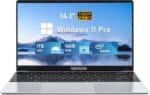
Price: $1,839.99
(as of Jan 20, 2025 10:21:42 UTC – Details)
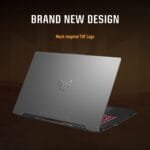
ASUS TUF A17 Gaming Laptop, 17.3 inch FHD 144Hz Display, NVIDIA GeForce RTX 4050, AMD Ryzen 9 7940HS
Statement: Original Seal is opened for upgrade ONLY. If the computer has modifications, then the manufacturer box is opened for it to be tested and inspected and to install the upgrades to achieve the specifications as advertised.
Features
Brand: ASUS
Operating System: Windows 11 Pro
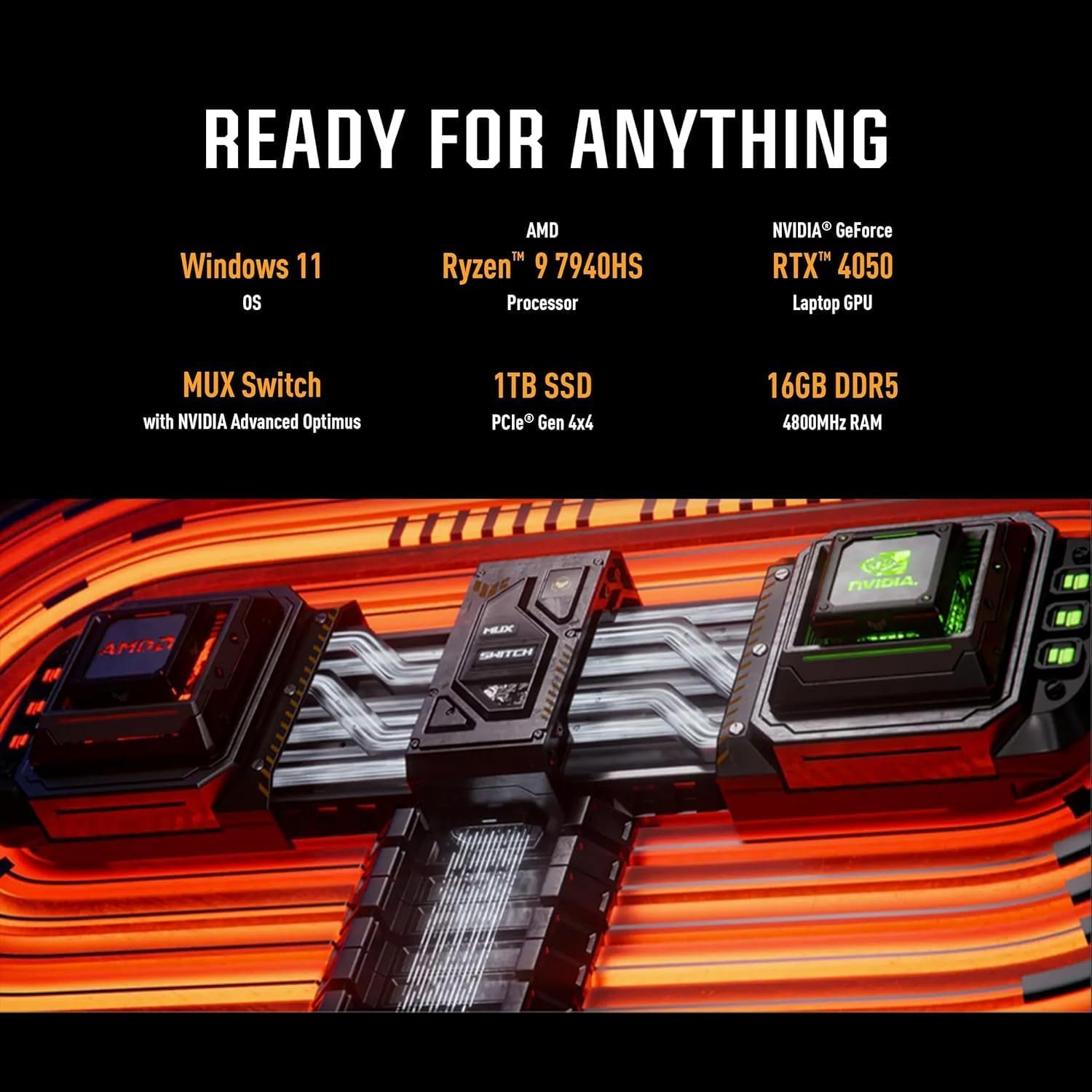
Processor Model: AMD Ryzen 9 7940HS
Processor Cores: 8-Core
Processor Speed (up to): 5.2 GHz
Graphics Type: Dedicated
Graphics Model: NVIDIA GeForce RTX 4050 Graphics
Screen Size: 17.3 Inches
Maximum Resolution: 1920 x 1080 pixels
Refresh Rate: 144 Hz
Memory: 64 GB DDR5 RAM
Hard Drive: 4 TB SSD
Wireless Networking: Wi-Fi 6 (802.11ax), Bluetooth 5.2
Color: Mecha Gray
Dimension: 15.55 x 10.39 x 0.9 inches, 5.73 pounds
Ports:
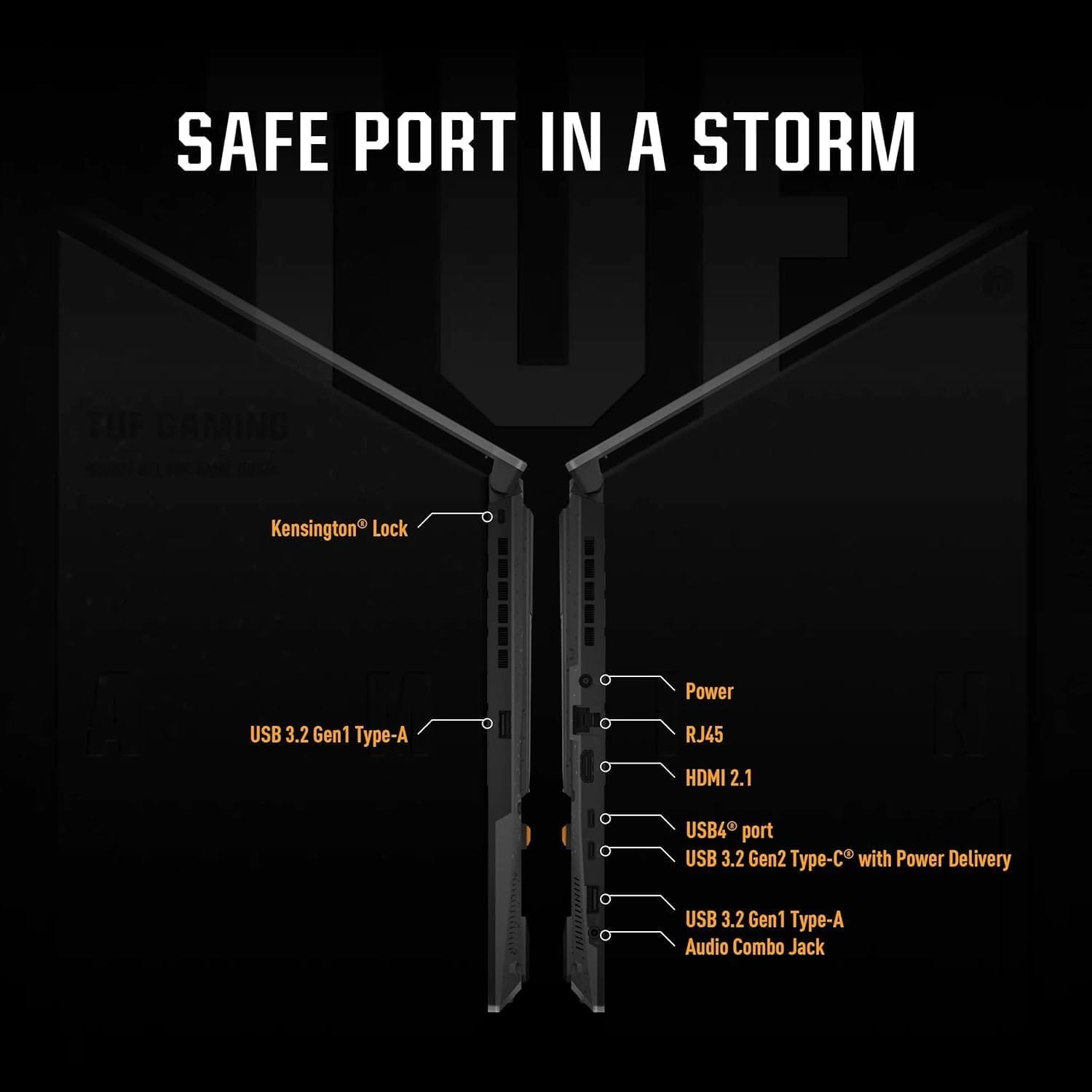
2 x USB 3.2 Gen 1 Type-A
1 x Type C USB 4 support DisplayPort
1 x USB 3.2 Gen 2 Type-C with Power Delivery
1 x HDMI 2.1 FRL
1 x RJ-45 (1Gbps)
1 x 3.5mm Audio Combo Jack
Processor: ASUS TUF A17 Equipped with AMD Ryzen 9 7940HS (Up to 4.75GHz, 8 cores, 16 threads).High-performance configurations give you the best experience in creating impressive creations and playing games, powering your games
Internal Storage: This ASUS TUF Upgrade Up to 64 GB RAM can smoothly run multiple programs and browser tabs simultaneously and handle demanding games with ease. Up to 4 TB SSD storage boots up in seconds for faster file access and leaves room for file loads on the lightning-fast SSD, perfect for major gaming apps, multiple servers, daily backups, and more
Display: The ASUS TUF A17 Equipped 144Hz Full HD 1920×1080 display, features adaptive sync to minimize screen tearing, while playing your favorite games, and gives you plenty of toolbar and tab space.NVIDIA GeForce RTX 4050 for an ultrafast GPU to fuel your games. High-end version of the game is also easy to control, high-definition display brings you an immersive experience
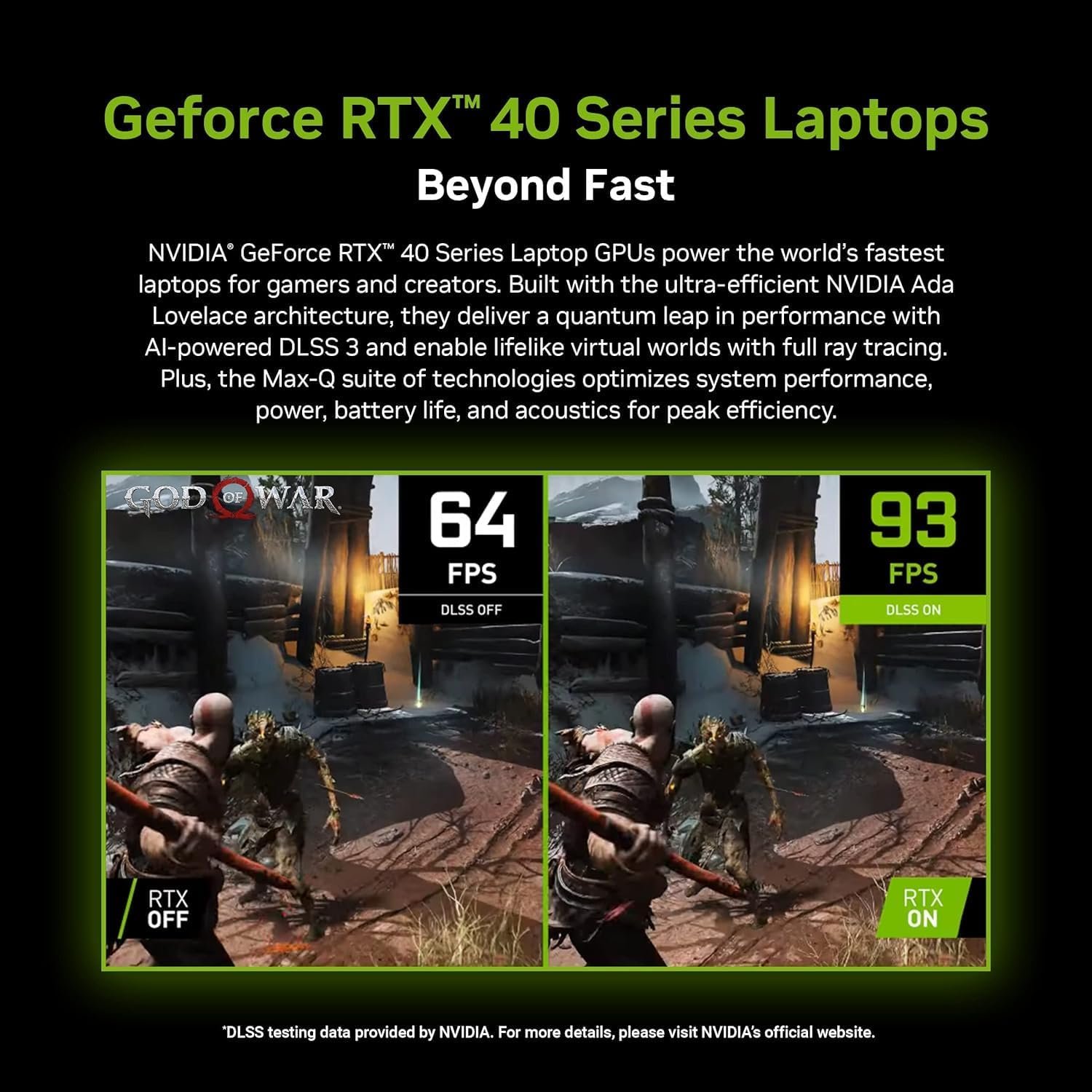
NVIDIA GeForce RTX 4050: The ASUS TUF Gaming Laptop elevate your gaming experience with the NVIDIA GeForce RTX 4050 graphics card. Enjoy realistic graphics, ray tracing, and AI-enhanced performance for smooth gameplay and immersive visuals
Windows 11 Pro: Enjoy the latest features and security enhancements with Windows 11 Pro. Experience a sleek and modern interface, enhanced productivity tools, and advanced security features for a seamless computing experience.
Customers say
Customers find the notebook computer well-made and durable. It’s suitable for basic functions like Google Docs, web browsing, and iReady. They find it simple to set up and use. Many customers are satisfied with its suitability for kids’ needs and value for money. However, opinions differ on the overall laptop quality, speed, and battery life.
AI-generated from the text of customer reviews
Related Products

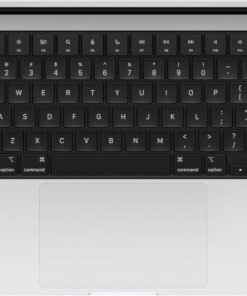
SUPERCHARGED BY M4 — The 14-inch MacBook Pro with M4 chip gives you spectacular performance in a powerhouse laptop built for Apple Intelligence.* With all-day battery life and a breathtaking Liquid Retina XDR display with up to 1600 nits peak brightness, it’s pro in every way.*
CHAMPION CHIP — The M4 chip brings spectacular speed and capability to blaze through everyday activities and multitask across multiple productivity and pro apps.
BUILT FOR APPLE INTELLIGENCE—Apple Intelligence is the personal intelligence system that helps you write, express yourself, and get things done effortlessly. With groundbreaking privacy protections, it gives you peace of mind that no one else can access your data—not even Apple.*
ALL-DAY BATTERY LIFE — MacBook Pro delivers the same exceptional performance whether it’s running on battery or plugged in.
APPS FLY WITH APPLE SILICON — All your favorites, including Microsoft 365 and Adobe Creative Cloud, run lightning fast in macOS.*
IF YOU LOVE IPHONE, YOU’LL LOVE MAC — Mac works like magic with your other Apple devices. View and control what’s on your iPhone from your Mac with iPhone Mirroring.* Copy something on iPhone and paste it on Mac. Send texts with Messages or use your Mac to answer FaceTime calls.*
BRILLIANT PRO DISPLAY — The 14.2-inch Liquid Retina XDR display features 1600 nits peak brightness, up to 1000 nits sustained brightness, and 1,000,000:1 contrast.*
ADVANCED CAMERA AND AUDIO — Stay perfectly framed and sound great with a 12MP Center Stage camera, three studio-quality mics, and six speakers with Spatial Audio and support for Dolby Atmos.
CONNECT IT ALL — This MacBook Pro features three Thunderbolt 4 ports and a MagSafe 3 charging port, SDXC card slot, HDMI port, and headphone jack. And it supports up to two external displays.
LEGAL DISCLAIMERS — This is a summary of the main product features. See below to learn more.
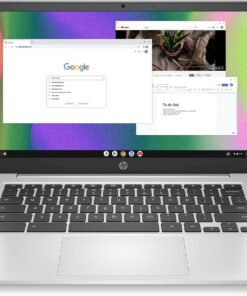
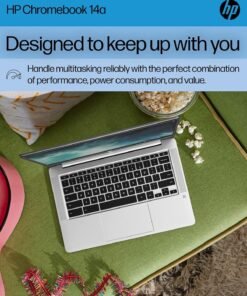
Whether you need a laptop for work, college, or everyday computing, the HP Chromebook 14 Laptop has got you covered. Watch movies or view spreadsheets in high-quality HD and in direct sunlight with a 14-inch anti-glare, micro-edge screen (1). Plus, with custom-tuned dual speakers, you’ll enjoy clear authentic audio to elevate all of your entertainment needs. Not only is this Chromebook outfitted for relaxing, but it’s also a productivity powerhouse. The HP laptop computer’s portable and lightweight design lets you take it just about anywhere, while the Intel® Celeron N4120 processor touts plenty of power for even your busiest days (2). Enjoy the highest resolution games and movies with the 4K-ready Intel UHD Graphics 600 (3) (4). Multitask faster, even with multiple windows open, and safely store more content with this HP 14-inch laptop’s 4 GB of RAM and 64 GB of eMMC storage (5).Pull all-nighters or binge-watch your favorite show with confidence thanks to your HP notebook computer’s 14 hours of battery life (6). When you do run short on power, just plug in your Chromebook charger and HP Fast Charge takes your battery to 50% in just 45 minutes (7). Not only does the Chrome OS give you greater security and an always up-to-date experience, but you can also take advantage of millions of apps in the Google Play Store (8). Work confidently with a 1-year limited hardware warranty and stay connected with the dependable 802.11a/b/g/n/ac (2×2) Wi-Fi and Bluetooth combo (9) (10). Expand the way you game, work, and create with the innovative HP Imagepad, a true multi-touch touchpad that supports four-finger gestures. Your HP 4K laptop isn’t just built for greater productivity and more immersive entertainment, but also for sustainability. Do your part toward a cleaner planet with an ENERGY STAR certified (11) and EPEAT Silver registered (12) Chromebook 14-inch.
FOR HOME, WORK, & SCHOOL – With an Intel processor, 14-inch display, custom-tuned stereo speakers, and long battery life, this Chromebook laptop lets you knock out any assignment or binge-watch your favorite shows..Voltage:5.0 volts
HD DISPLAY, PORTABLE DESIGN – See every bit of detail on this micro-edge, anti-glare, 14-inch HD (1366 x 768) display (1); easily take this thin and lightweight laptop PC from room to room, on trips, or in a backpack.
ALL-DAY PERFORMANCE – Reliably tackle all your assignments at once with the quad-core, Intel Celeron N4120—the perfect processor for performance, power consumption, and value (2).
4K READY – Smoothly stream 4K content and play your favorite next-gen games with Intel UHD Graphics 600 (3) (4).
MEMORY AND STORAGE – Enjoy a boost to your system’s performance with 4 GB of RAM while saving more of your favorite memories with 64 GB of reliable flash-based eMMC storage (5).
DESIGNED TO KEEP UP WITH YOU – Get everything on your to-do list done with up to 14 hours of battery life (6); plus, HP Fast Charge technology charges your laptop computer from 0 to 50% in approximately 45 minutes, so you never miss a beat (7).
CHROME OS AND WARRANTY – Redefine how you work and play with the always secure and up-to-date Chrome browser, offering a huge selection of android apps in the Google Play Store (8). Start computing with confidence as your Google Chromebook laptop is covered by a 1-year limited hardware warranty.
ROCK SOLID CONNECTIVITY – Experience powerful connectivity with the 802.11a/b/g/n/ac (2×2) Wi-Fi and Bluetooth combo, perfect for remote work, modern games, or streaming your favorite show (9) (10).
MULTI-TOUCH TOUCHPAD – Your device’s full-size keyboard features a true multi-touch touchpad that supports four-finger gestures and lets you scroll, zoom, and navigate with a simple touch.
SUSTAINABLE DESIGN – HP is committed to global citizenship and environmental responsibility—that’s why this laptop Chromebook is ENERGY STAR certified (11) and EPEAT Silver registered (12).
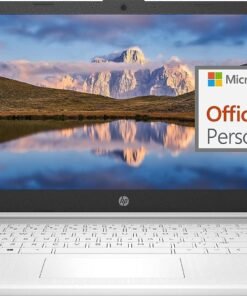
Switching out of S mode in Windows 11
Windows 11 in S mode is designed for security and performance, exclusively running apps from the Store. If you want to install an app that isn’t available in the Store, you’ll need to switch out of S mode
1. On your PC running Windows 11 in S mode, open Settings > System > Activation.
2. In the Switch to Windows 11 Pro section, select Go to the Store. (If you also see an “Upgrade your edition of Windows” section, be careful not to click the “Go to the Store” link that appears there.)
3. On the Switch out of S mode (or similar) page that appears in the Store, select the Get button. After you see a confirmation message on the page, you’ll be able to install apps from outside of the Store.
Activate pre-installed Office 365:
1.Launch any Office app >
2.Start your activation by signing in with your account(Create a account if you don’t have one yet) >
3.Click “Activative Office” >
4.Sign in your account and follow the next prompts. >
5.Complete Step 1,2 and 3 >
6.Click on Refresh once Office is ready >
7.Open a document and accept the license agreement.
Display: 14.0-inch diagonal, HD (1366 x 768), micro-edge, BrightView
Processor: Intel Celeron N4120, 4 Cores & 4 Threads
Memory: 16GB RAM
Storage:64GB eMMC + 256GB Ghost Manta SD Card
Graphics: Intel UHD Graphics 600
Operating System: Windows 11 Home in S mode
Battery Life: Up to 10 hours
Webcam: True Vision 720p HD camera with integrated dual array digital microphones
Connectivity: 802.11a/b/g/n/ac (2×2)(19a) Wi-Fi and Bluetooth
Dimensions: 12.76 x 8.86 x 0.71 inches
Weight: 3.24 lbs
【14″ HD Display】14.0-inch diagonal, HD (1366 x 768), micro-edge, BrightView. With virtually no bezel encircling the display, an ultra-wide viewing experience provides for seamless multi-monitor set-ups.【Ports】1 x USB 3.1 Type-C ports, 2 x USB 3.1 Type-A ports, 1 x HDMI, 1 x Headphone/Microphone Combo Jack, and there’s a microSD slot.
【Processor & Graphics】Intel Celeron N4120, 4 Cores & 4 Threads, 1.10 GHz Base Frequency, Up to 2.60 GHz Burst Frequency, 4 MB Cahce, Intel UHD Graphics 600, Handle multitasking reliably with the perfect combination of performance, power consumption, and value
【RAM & Storage】Upgraded to 16GB RAM high-bandwidth DDR4 Memory (2400 MHz), Adequate high-bandwidth RAM to smoothly run multiple applications and browser tabs all at once. 64GB high-speed eMMC Storage for your office and webinar needs.
【Windows 11 Home in S mode】You may switch to regular windows 11: Press “Start button” bottom left of the screen; Select “Settings” icon above “power” icon;Select “Activation”, then Go to Store; Select Get option under “Switch out of S mode”; Hit Install. (If you also see an “Upgrade your edition of Windows” section, be careful not to click the “Go to the Store” link that appears there.)
Activate pre-installed Office 365: 1.Launch any Office app > 2.Start your activation by signing in with your account(Create a account if you don’t have one yet) > 3.Click “Activative Office” > 4.Sign in your account and follow the next prompts. > 5.Complete Step 1,2 and 3 > 6.Click on Refresh once Office is ready > 7.Open a document and accept the license agreement.
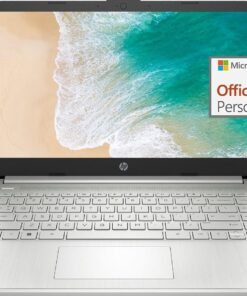
Switching out of S mode in Windows 11
Windows 11 in S mode is designed for security and performance, exclusively running apps from the Store. If you want to install an app that isn’t available in the Store, you’ll need to switch out of S mode
1. On your PC running Windows 11 in S mode, open Settings > System > Activation.
2. In the Switch to Windows 11 Pro section, select Go to the Store. (If you also see an “Upgrade your edition of Windows” section, be careful not to click the “Go to the Store” link that appears there.)
3. On the Switch out of S mode (or similar) page that appears in the Store, select the Get button. After you see a confirmation message on the page, you’ll be able to install apps from outside of the Store.
Activate pre-installed Office 365:
1.Launch any Office app >
2.Start your activation by signing in with your account(Create a account if you don’t have one yet) >
3.Click “Activative Office” >
4.Sign in your account and follow the next prompts. >
5.Complete Step 1,2 and 3 >
6.Click on Refresh once Office is ready >
7.Open a document and accept the license agreement.
Display: 14.0-inch diagonal, HD (1366 x 768), micro-edge, BrightView
Processor: Intel Celeron N4120, 4 Cores & 4 Threads
Graphics: Intel UHD Graphics 600
Operating System: Windows 11 Home in S mode
Battery Life: Up to 10 hours
Webcam: True Vision 720p HD camera with integrated dual array digital microphones
Connectivity: 802.11a/b/g/n/ac (2×2)(19a) Wi-Fi and Bluetooth
Dimensions: 12.76 x 8.86 x 0.71 inches
Weight: 3.24 lbs
【14″ HD Display】14.0-inch diagonal, HD (1366 x 768), micro-edge, BrightView. With virtually no bezel encircling the display, an ultra-wide viewing experience provides for seamless multi-monitor set-ups.【Ports】1 x USB 3.1 Type-C ports, 2 x USB 3.1 Type-A ports, 1 x HDMI, 1 x Headphone/Microphone Combo Jack, and there’s a microSD slot.
【Processor & Graphics】Intel Celeron N4120, 4 Cores & 4 Threads, 1.10 GHz Base Frequency, Up to 2.60 GHz Burst Frequency, 4 MB Cahce, Intel UHD Graphics 600, Handle multitasking reliably with the perfect combination of performance, power consumption, and value
【RAM & Storage】Upgraded to 8GB RAM high-bandwidth DDR4 Memory (2400 MHz), Adequate high-bandwidth RAM to smoothly run multiple applications and browser tabs all at once. High-speed eMMC Storage for your office and webinar needs.
【Windows 11 Home in S mode】You may switch to regular windows 11: Press “Start button” bottom left of the screen; Select “Settings” icon above “power” icon;Select “Activation”, then Go to Store; Select Get option under “Switch out of S mode”; Hit Install. (If you also see an “Upgrade your edition of Windows” section, be careful not to click the “Go to the Store” link that appears there.)
Activate pre-installed Office 365: 1.Launch any Office app > 2.Start your activation by signing in with your account(Create a account if you don’t have one yet) > 3.Click “Activative Office” > 4.Sign in your account and follow the next prompts. > 5.Complete Step 1,2 and 3 > 6.Click on Refresh once Office is ready > 7.Open a document and accept the license agreement.
From the brand

Auusda Laptop
Enjoy Peace of Mind with Our 90 Day Free Return and 24 Month Protection!
Get an Extra 10% Discount Following Auusda Store! →
A146G
T152A
T156A

About Us
Auusda is a rising star in the laptop market, offering a range of affordable yet powerful devices designed to meet the needs of professionals, students, and casual users alike. Known for its cost-effective solutions and solid performance, Auusda laptops are equipped with modern features and reliable hardware, making them an excellent choice for everyday computing tasks.
How should we pronounce our brand name?
Our brand name Auusda is pronounced as /ˈɔː.əs.də/, similar to “aw-us-duh”.
What are the available channels for support?
Please send your order number and a video of the problem to Auusda.ltd at gmail.com
How did we get our start?
Auusda began with a mission to make affordable, reliable laptops for everyone, combining innovation and value to meet diverse needs.
What makes our products unique?
Our laptops offer a perfect blend of affordability, performance, and durability, with features like vibrant displays and lightweight designs, making them ideal for all users.
Why do we love what we do?
We love what we do because we create affordable, reliable laptops that empower users, boost productivity, and simplify lives. Seeing our impact drives our commitment to excellence.
What problem are we solving?
We solve the problem of affordable, reliable, and high-performance computing for everyone, combining modern features, durability, and cost-effective solutions.
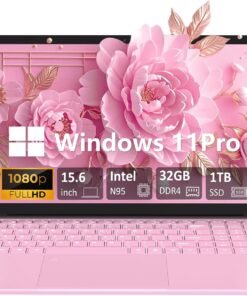
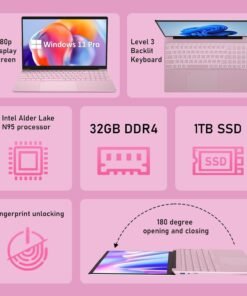
32GB DDR4 MEMORY (LAPTOP 32GB RAM): Provides fast and efficient multitasking performance; supports a smoother workflow and enhanced system responsiveness in this Windows laptop computer.
1TB PCIe NVMe SSD STORAGE: Offers quick data access and system boot-up times; easily upgradeable up to 8TB for additional storage needs, ideal for a PC laptop with heavy storage demands.
15.6-INCH IPS DISPLAY: Delivers full HD 1920×1080 resolution with a 92% screen-to-body ratio; features a slim 0.2-inch bezel for an immersive viewing experience, perfect for casual gaming laptop sessions or work tasks.
INTEL CELERON N95 CPU: 4-core, 4-thread processor with a boost frequency of 3.40GHz; designed for basic computing tasks such as web browsing and document editing in this work laptop.
180-DEGREE ADJUSTABLE DISPLAY: Flexible hinge design allows the screen to lay flat at 180 degrees; perfect for sharing content or using in tight spaces, great for both PC laptop work and entertainment.
FULL-SIZE BACKLIT KEYBOARD: Features a comfortable, responsive layout with a numeric keypad for easy data entry; keyboard backlight adjustment via Fn + F5, designed for both Windows laptop computer productivity and casual gaming.
FINGERPRINT SCANNER: Provides quick and secure login by using your fingerprint; enhances device security and convenience, ideal for a work laptop or any professional use.
44.08 WH LITHIUM-ION BATTERY: Long-lasting battery life for extended use without frequent charging; supports productivity throughout the day in this reliable Windows laptop computer.
STEREO SPEAKERS: Built-in stereo speakers (8R/1.0W x 2) offer clear sound for casual media enjoyment, video calls, and online meetings; great for both PC laptop use and light gaming.
MULTIPLE CONNECTIVITY OPTIONS: Includes 2x USB 3.0 ports, SD card slot, mini HDMI, and a 3.5mm audio jack; ensures versatile connectivity for various devices and accessories, perfect for a casual gaming laptop or work laptop.


Product Description

 Expandable Storage
It has an expandable TF card slot that allows you to easily expand the storage capacity
 Multi-Core Performance
The N5095 trumps other processors with its impressive 2063 multi-core score.
 Single-Core Performance
The N5095 surpasses other processors with a single-core score of 585
 Powerful Processor
Experience the enhanced responsiveness of Intel’s 11th Celeron N5095 quad-core processor.
1 Expandable Storage
2 Multi-core Performance
3 Single-Core Performance
4 Powerful Processor
 Immersive Visual Experience
15.6-inch ApoloMedia laptop with FHD IPS 1080P display immerses you in an immersive visual experience.
 Long-Lasting Battery Life
The laptop’s battery life is great, keeping it productive and entertaining on the go.
 Effortless Connectivity
It supports Wi-Fi, Bluetooth, comes with a variety of ports for easy connection to external devices.
 Cpu Cooling Fan
The speed of the fan matches the heat output of the CPU.
1 Long Battery Life
2 Effortless Connectivity
3 Cpu Cooling Fan
 Pre-Install Windows 11
Windows 11 boasts a user-centric interface coupled with effortless navigation, ensuring a seamless and fluid computing journey for all users.
 High Efficient Multitasking
Enhance your productivity and efficacy with a laptop equipped to effortlessly manage your multifaceted tasking requirements.
 Enhanced Audio Experience
Regardless of whether you indulge in music, watching films, or engage in video conference, the speakers provide crisp and immersive audio experiences.
 Package comprising of
1*Laptop
1*Charger
1*Packging
1*Puduct Manual
How is the battery life on this laptop?
The laptop boasts an impressive battery life of up to 6-8 hours on a full charge, depending on usage. This makes it ideal for working on the go, attending lectures, or enjoying movies and shows during long flights or commutes
Is the storage on this laptop upgradable?
the Laptop Computer is equipped with a 512GB Solid State Drive (expandable up to 1TB) and incorporates a microSD card slot for further expandability, empowering you with versatile options to augment your storage capabilities.
Does this laptop have a touchscreen display?
Although this laptop does not incorporate a touchscreen display, it boasts a superior 15.6-inch Full HD IPS panel with 1080P resolution, offering an immersive and captivating visual performance.
Can I customize the laptop with different colors or configurations?
Availability of customization options may vary depending on the specific model and time of purchase. We recommend checking the product page or contacting our customer support for the latest information on customization options.
What’s the repair policy for this laptop?
We offer a standard one-year repair on this laptop, including manufacturing defects. If you experience any problems during this period, please apply for maintenance.
【Intel Jasper Lake N5095 Processor】Powered by the robust Intel Jasper Lake N5095 processor, up to 2.8 GHz). Powerful Student Laptop for Productivity and Efficiency. Get the Job Done with Ease, Fast, Sleek, and Portable. ApoloMedia 15.6 laptop—the ultimate blend of work and travel efficiency.
【15.6 FHD IPS Windows 11 Laptops】This 15.6 inch laptop computer features an innovative thin-bezel display that provides more usable onscreen space for immersive FHD viewing. It also enables a larger screen to fit into a smaller chassis, giving you a laptop with a more compact footprint. It delivers vivid and clear visuals, reducing eye strain and making it ideal for long periods of reading, working, or studying.
【Upgraded to 12GB RAM & swift 512GB SSD】Substantial high-bandwidth RAM to smoothly run your games and photo- and video-editing applications, as well as multiple programs and browser tabs all at once. Provides massive storage space for huge files, so that you can store important digital data and work your way through it with ease. It gives you enormous space to save all of your files.
【Elegant and Portable】Designed with an advanced stardust gray finish using cutting-edge printing technology, this laptop exudes elegance. Its ultrathin and lightweight build, weighing around 3 pounds, makes it the perfect portable companion. Ideal for professionals on the go or as a stylish leisure device, it combines performance and elegance seamlessly.【Lightweight and Portable Laptop Charger】Fast Charging Without the Bulk and Inconvenience of Traditional Chargers.
【Multi-Connection】1x SuperSpeed USB Type-C, 2x SuperSpeed USB 3.2 ports, 1x HDMI, 1x TF card slot, 1x Headphone/Microphone combo, Wi-Fi, Bluetooth. this laptop meets all your connectivity needs. The full-size ergonomic keyboard and large trackpad enhance your typing and navigation experience.


The HP Chromebook empowers you to work more efficiently from the comfort of your own home. The 14” HD (1366 x 768) micro-edge, anti-glare (1) display makes images appear crisp. With Intel® Celeron® N4000 (2) processing power and Intel® UHD Graphics 600 (3), binge watching, gaming, and music are taken to new heights. Securely storing and quickly accessing your work is a breeze with 32 GB eMMC storage (4) and 4 GB of RAM. Work and entertainment doesn’t have to end with up to 13 hours and 30 minutes of streaming power (5) with mixed usage. The Chrome operating system lets you effortlessly navigate through tabs and programs. Your Chromebook is protected with HP’s 1-year limited hardware warranty. Easily communicate with colleagues and friends with the HP Wide Vision HD camera (6) with integrated dual array digital microphones. The Wi-Fi® 5 (2×2) and Bluetooth® 5.0 combo (7) keeps your connection clear so you can continue to work with efficiency. This lightweight computer is 3.24lbs (8), allowing you to easily store it in your Chromebook case for on-the-go use. Reduce your carbon footprint by working with HP ENERGY STAR® certified (9) and EPEAT® Silver registered (10) computers. (1) High-definition (HD) content is required to view high definition images. (2) Multi-core is designed to improve performance of certain software products. Not all customers or software applications will necessarily benefit from use of this technology. Performance and clock frequency will vary depending on application workload and your hardware and software configurations. Intel’s numbering, branding and/or naming is not a measurement of higher performance. Intel, Pentium, Intel Core, Celeron, Iris Xe, Intel logo and the Intel Inside logo are trademarks of Intel Corporation in the U.S. and other countries. (3) Shared video memory (UMA) uses part of the total system memory for video performance. System memory dedicated to video performance is not available for other use by other programs. (4) For storage drives, GB = 1 billion bytes. Actual formatted capacity is less. Portion of internal system storage is reserved and not user accessible. (5) Testing conducted by HP using Google Chrome OS power LoadTest. Battery life will vary and the maximum capacity of the battery will naturally decrease with time and usage. See chromium.org/chromium-os/testing/power-testing for test details. (6) Features may require software or other 3rd party applications to provide the described functionality. Internet service required and not included. (7) Wireless access point and internet service required and sold separately. Availability of public wireless access points limited. Wi-Fi 5 (802.11ac) is backwards compatible with prior Wi-Fi 5 specs. Bluetooth® is a trademark owned by its proprietor and used by Hewlett-Packard Company under license. (8) Weight and system dimensions may fluctuate due to configuration and manufacturing variances. (9) ENERGY STAR and the ENERGY STAR mark are registered trademarks owned by the U.S. Environmental Protection Agency. (10) Based on U.S. EPEAT® registration according to IEEE 1680.1-2018 EPEAT®. EPEAT® status varies by country. Visit www.epeat.net for more information. High-definition (HD) content is required to view high definition images.
REMOTE WORK READY – Work efficiently from the comfort of your own home office using the HP 14″ Chromebook.
CLEAR IMAGING – Images appear crisp with the 14″ HD (1366 x 768), micro-edge, anti-glare (1) display.
LIGHTNING FAST PROCESSING – Games, music, and binge watching are taken to new heights with Intel Celeron N4000 (2) processing power and Intel UHD Graphics 600 (3).
SECURELY SAVE YOUR WORK – With 32 GB eMMC storage (4), saving important documents is made simple. Plus, quickly access your documents with 4 GB of RAM.
LONG-LASTING BATTERY LIFE – Enjoy up to 13 hours and 30 minutes of wireless streaming (5) depending usage.
MODERNIZE YOUR WORLD – Navigate seamlessly through tabs and programs with the Chrome operating system. Also, rest easy knowing your investment is protected with HP’s 1-Year Limited Hardware Warranty.
BE SEEN & HEARD – HP’s Wide Vision HD camera (6) with integrated dual array digital microphones lets you video chat with vibrant clarity.
CONNECT SMOOTHLY – Your connections are rock solid with the Wi-Fi 5 (2×2) and Bluetooth 5.0 combo (7).
TAKE WORK WHEREVER YOU GO – The Chromebook is 3.24 lbs (8) so you can take your work and entertainment wherever you need it.
ENERGY-EFFICIENT – Do the environment a favor by working with an HP ENERGY STAR certified (9) and EPEAT Silver registered (10) laptop computer.
Product Description
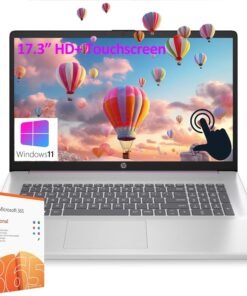
HP 17.3” HD+ Touchscreen Laptop 


Note: USB Type-C 5Gbps signaling rate supports data transfer only and does not support charging or external monitors
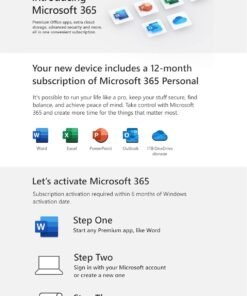
Operating system Windows 11 Home in S mode Processor Intel Pentium Processor N200 (up to 3.7 GHz, 6 MB L3 cache, 4 cores, 4 threads) Graphics Intel UHD Graphics Chipset Intel Integrated SoC optical drive No Display 17.3″ diagonal, HD+ (1600 x 900), BrightView, 250 nits, touchscreen Webcam HP True Vision 720p HD camera with integrated dual array digital microphones Audio Dual speakers Keyboard Full-size, soft grey keyboard with numeric keypad Ports 1 USB Type-C 5Gbps signaling rate (supports data transfer only and does not support charging or external monitors); 2 USB Type-A 5Gbps signaling rate; 1 AC smart pin; 1 HDMI 1.4b; 1 headphone/microphone combo Wireless technology Wi-Fi 5 (IEEE 802.11ac), Bluetooth 5.0 Power supply 45 W Smart AC power adapter Dimensions (W X D X H) 15.78 x 10.15 x 0.78 in Weight 4.6 lb Bundled Software 1-Year Microsoft 365 Personal (comes with premium Office apps, including Word, Excel, PowerPoint, Outlook, and more for one person. Also included is 1 TB of OneDrive cloud storage which allows you to access, edit, and share your files and photos across all your devices—all while knowing your information is always backed up and protected.)
CPU: Intel Pentium Processor N200 (up to 3.7 GHz, 6 MB L3 cache, 4 cores, 4 threads).
Display: 17.3″ diagonal, HD+ (1600 x 900), BrightView, 250 nits, touchscreen Display; Graphics: Intel UHD Graphics.
RAM: 32GB DDR4 SDRAM Memory; Hard Drive: 1TB PCIe SSD + 128GB Univeral Flash Storage.
Wireless: Wi-Fi 5 (IEEE 802.11ac), Bluetooth 5.0; 1 USB Type-C 5Gbps signaling rate (supports data transfer only); 2 USB Type-A 5Gbps signaling rate; 1 AC smart pin; 1 HDMI 1.4b; 1 headphone/microphone combo.
Operating system: Windows 11 Home in S mode. Full-size, soft grey keyboard with numeric keypad. Bundled with AZ-XUT Cable. 1-Year Office 365 Personal included. 【Make the most out of your 365】Access essential productivity tools for one year with our included Office 365 subscription: for 1 person; Premium versions of Word, Excel, PowerPoint, and Outlook; 1TB OneDrive cloud storage to back up files and photos.
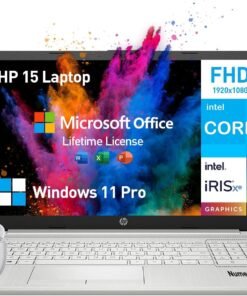
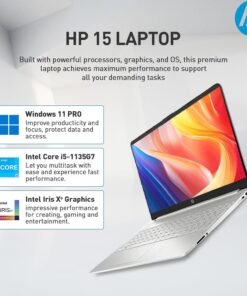
Do more from anywhere, all-day long. Featuring a long lasting battery and a sleek, portable micro-edge bezel design, the Intel i5 laptops HP 15 keep you productive and entertained wherever you are. With the formidable Intel Core processor, this HP Laptop Intel Core i5 offers a seamless experience for both personal and professional use. Ideal for those on the go, the HP notebook computer combines a stylish and portable design with impressive performance.
Operating System
Windows 11 Pro 64-bit – elevate your workstyle and productivity with AI-powered breakthroughs and immersive workflows
Processor
Intel Core i5 (4 cores, 8 threads, up to 4.2GHz, 8MB cache) – get things done fast with high performance and immediate responsiveness
Memory & Storage
32 GB DDR4 RAM – for easy multitasking, effortless browsing and streaming
1 TB PCIe NVMe M.2 SSD – provides fast bootup and ample storage
Display & Graphics
15.6 Inch 1080 FHD, micro-edge, anti-glare
Intel Iris Xe Graphics – enhances your professional success with crisp, stunning visuals
Software
Lifetime Microsoft Office – provides the best productivity for the Windows PC. Work, communicate, create, and collaborate seamlessly
Ports & Slots
5Gpbs signaling rate USB-C+2x USB-A, HDMI, SD media card reader, Audio Jack
Features
Wi-Fi +Bluetooth – Gigabit rate
Up to 9.25 hrs runtime+HP Fast Charge (50% charge in 45 mins) – lets you work or play all day long
HP True Vision 720p HD camera with dual array digital microphones+AI noise removal – look and sound your best
HD Audio with B&O-tuned stereo speakers – offers cinematic experience
Design
Full-size keyboard with numeric keypad
0.71in, 3.75lb, ultra-thin and light, effortless portability for a 15.6 hp laptop
A slim, sleek, natural silver and contemporary design
✅【ULTIMATE HP NOTEBOOK LAPTOP】The HP 15 inch laptop pc empowers seamless surfing, streaming and more, delivering outstanding performance for business, college students and home use. The advanced Intel Core i5 processor (4 cores, 8 threads, up to 4.2GHz Max Turbo) makes multitasking effortless and fast, allowing you to tackle your work, school or daily tasks with ease. Enjoy enhanced graphics performance and stunning visuals with Intel Iris Xe Graphics on the hp i5 laptop notebook
✅【IMMERSIVE DISPLAY】Featuring a remarkable 15.6-inch FHD (1920 x 1080), micro-edge, anti-glare display, the HP laptop 15.6 inch offers exceptional performance that fits your lifestyle and budget. The eye-friendly HP 15 laptop core i5 keeps you focused, delivering sharp details and lifelike colors, perfect for work, presentations and entertainment. With its slim bezel and sleek design, this thin and lightweight laptop HP i5 is easy to take anywhere, allowing you to see and do more on the go
✅【EXTREME MULTITASKING】The HP laptop 15 inch streamlines your workday and enhances your productivity. 32GB high-bandwidth DDR4 RAM effortlessly handles demanding tasks and manages multiple applications effortlessly. 1TB high-speed PCIe NVMe M.2 SSD ensures lightning-fast boot-up times, fast data access and ample storage for all your files. Experience high performance and instant responsiveness for your busiest days, the hp i5 laptop is the best laptop for college students and for the price
✅【LIMITLESS PRODUCTIVITY】With AI-powered efficiency, protection by default and unmatched personalization, the 15.6 HP laptop windows 11 pro handles demanding workloads 42% faster on average.The Windows 11 Pro laptop features SuperSpeed USB-C+2x USB-A, HDMI, SD Card Reader, Wi-Fi+Bluetooth, and HP earphone.【COLLEGE STUDENTS & BUSINESS LAPTOP MICROSOFT OFFICE INCLUDED LIFETIME】Boost your creativity with preinstalled Word, Excel, and PowerPoint at your fingertips
✅【PURPOSEFUL DESIGN】The HP windows laptop computer features an elegant brushed full-size keyboard with 10-key numeric pad for easy typing and number access. Video chat with loved ones and colleagues in vibrant clarity via HP True Vision 720p HD Camera with temporal noise reduction and dual array digital microphones. Enjoy cinematic-quality audio with the HP computer laptop intel core i5’s stereo speakers expert-tuned by B&O, delivering immersive sound for your favorite music, movies and games
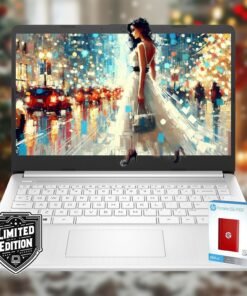
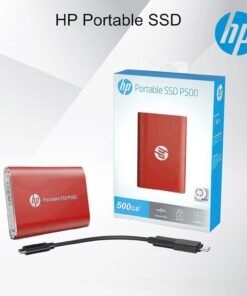
Processor: Intel Celeron N4120 (up to 2.6 GHz burst frequency, 4 MB L2 cache, 4 cores, 4 threads) Graphics: Intel UHD Graphics Operating system: Windows 11 Home 64-bit Memory: 16GB DDR4 SDRAM Hard Drive: 1600GB Storage (64GB onboard hard drive + 512GB external hard drive + 1TB OneDrive Cloud Storage) Optical Drive: No Display: 14″ diagonal, HD (1366 x 768), micro-edge, BrightView, 220 nits, 45% NTSC Connectivity: Realtek RTL8821CE 802.11a/b/g/n/ac (1×1) Wi-Fi and Bluetooth 4.2 combo Audio: Dual Speakers Keyboard: US English, NonBacklit Full Size Keyboard Built-in HD Webcam: HP True Vision 720p HD camera with integrated dual array digital microphones Media Drive: Multi-format SD media card reader Ports: 1 x USB 3.1 Gen 1 Type-C (Data Transfer Only, 5 Gb/s signaling rate) 2 x USB 3.1 Gen 1 Type-A (Data Transfer Only) 1 x AC smart pin 1 x HDMI 1.4b 1 x Headphone / Mic Combo Jack Battery: Up to 11.5 Hours Color: Snow White Dimensions L x W x H (inches): 12.7 x 8.8 x 0.7 Weight: 3.2 lbs Accessories: 512GB External Hard Drive Microfiber Cloth Hotkey Sticker
Back to School Limited Edition for Students: Equipped with an Intel quad-core processor and 16GB of RAM, perfect for managing educational tasks, with a 1-year subscription to Microsoft 365 for enhanced productivity and collaboration.
Expand Your Storage on Us: This laptop includes 64GB of built-in storage, a FREE 512GB external hard drive, and 1TB OneDrive Cloud Storage, totaling 1600GB of space
Ultra-Portable with Long Battery Life: Lightweight at just 3.24 pounds and 0.71 inches thin, featuring a battery that lasts up to 11.5 hours, ideal for students and professionals on the go.
Enhanced Connectivity and Portability: Features multiple ports including USB-C and HDMI for versatile connections, along with a sleek, silver design that’s easy to carry and stylish to display.
Complete Accessory Package for Ultimate Convenience: Alongside the laptop, this package includes a set of valuable accessories to enhance your computing experience. You’ll receive a 512GB external hard drive for additional storage, a microfiber cloth for keeping your screen clean and smudge-free, and a hotkey sticker sheet to speed up your workflow.

From the brand


ENJOY STUNNING VISUALS
Our laptop display features 1920*1080 Full HD resolution and 90% screen-to-body ratio, 0.19-inch micro bezel and impressive.
traditional laptop computers
DUNHOO windows laptop computer
Do you have after-sales troubles?
We have a professional service team. Any product-related matters can be consulted by email, and offline maintenance services are provided.
How to find US ?
We will help you solve the issue as soon as possible. Login your amazon account > choose “Your orders” > find the order > click “Contact seller”.
How long is the wa-rranty period?
We provide customers with a one-year effective wa-rranty period, free return or exchange service. Committed to your satisfaction.
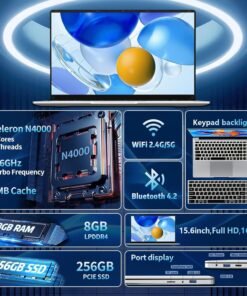
Efficient Performance: N4000 laptops,which offers a burst frequency of up to 2.6GHZ can meet daily office and basic entertainment needs, whether it’s working on documents, browsing the web, or watching videos, all run smoothly , so you can easily switch between different tasks.
Ample RAM and Storage:Laptop Equipped with 8GB RAM and a 256GB SSD to ensure fast boot access to your files, this laptop has enough storage capacity to store your work files, study materials, photos, videos and more for your daily storage needs!
15.6-Inch Hd Display: 15.6-Inch Laptop Computer adopt 1920 X1080p Full HD Display Screen, Presenting You With Clear, Realistic Images and Colors to Enhance the Viewing Experience, 16:9 Screen Ratio Expands the Vertical Space of the Screen, so That You Feel Comfortable In the Process of Using the Visual Experience.
Experience The Ultimate Input: This computer Comes With a Full-Size Large Keyboard and Numeric Keypad With Comfortable Keys for Easy Data Entry. It Also Has a Large Touch Panel for Sensitive and Smooth Operation. Whether for office or Entertainment, It Brings Efficient and Convenient Experience
Portability: Notebook Computer Slim lightweight design,weighs only 3.53 pounds for all-day carry.5000 mAh lithium-ion battery Let you focus on work and play, Reliable performance. Very easy to carry whether you are traveling for business or pleasure. This notebook computer is the first choice for daily work, entertainment, business office or students.
Multi-Functional Ports: Fast connectivity via Bluetooth 4.2, fast WiFi via dual-band WiFi, Mini HDMI x1, headphone jack 3.5 mm x1, USB 3.2 x2, TF slot x1. The laptop’s many multi-functional ports meet the needs of life and work.
Peace of Mind Warranty:Enjoy worry-free usage with a 1-year warranty and round-the-clock customer service. we’re dedicated to providing continuous support, ensuring your experience with is smooth and reliable

Product Description


1 Multitasking Master
2 FHD Display
3 Privacy Shutter
4 Dolby Audio Speakers


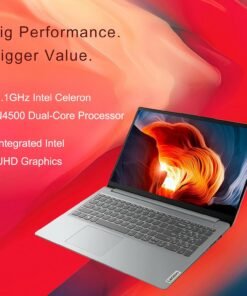
CPU Intel Celeron N4500 (Total Cores: 2 Cores, 2 Threads Clockspeed: 1.1 GHz Turbo Speed: 2.8 GHz) GPU Intel UHD Graphics Memory Up to 20GB DDR4 RAM Storage Up to 1TB PCIe NVMe M.2 Solid State Drive with 128GB eMMC 5.1 Operating System Windows 11 Home Wireless Connectivity Wi-Fi 6: 802.11ax + Bluetooth Length 14.18 inches Width 9.29 inches Height 0.7 inches Weight 3.42 lbs Color Grey
【High Speed RAM And Enormous Space】12GB high-bandwidth RAM to smoothly run multiple applications and browser tabs all at once; 512GB PCIe NVMe M.2 Solid State Drive allows to fast bootup and data transfer
【Processor】Intel Celeron N4500 (2 Cores, 2 Threads, Clock Speed: 1.1 GHz, Turbo Speed: 2.8 GHz)
【Display】15.6″ diagonal, FHD (1920 x 1080) 60Hz Display
【Tech Specs】1 x USB Type-A 3.0, 1 x USB Type-A 2.0, 1 x USB Type-C, 1 x HDMI, 1 x Headphone/Microphone Combo, Numeric Keypad, Webcam, Wi-Fi 6, Bluetooth, SD Card Reader
【Operating System】Windows 11 Home – Beautiful, more consistent new design, Great window layout options, Better multi-monitor functionality, Improved performance features, New videogame selection and capabilities, Compatible with Android Apps
Martha Alicia –
Muy buena compra, cumplio con las expectativas
[...]Terelu –
La uso cuando viajo para nocargar tanto y puedo facilmente trabajar con ella por su sistema operativo
[...]Mario Eduardo Hernandez Vargas –
Excelente producto. Ideal para niños y estudiantes. Descripción tal cual smcomwnta el vendedor
[...]Iris Mx –
Compré esta laptop para mi hijo es fácil de configurar y usar. El material es muy resistente
[...]Dulce Reynoso –
Todo me gustó de ella. Muy práctica, resistente, ligera y bastante rápida. Por el sistema operativo que utiliza, hay que tener muy claro que su funcionamiento depende de la red de internet. Aunque es pequeño su espacio de almacenamiento, puede funcionar sin problema con tarjetas externas o bien a través del almacenamiento en la nube.
[...]WL –
Durable and Functional
[...]It’s very simple in what it does as is the case with most Chromebooks. If you use for streaming or to watch you tube videos this product is great! Have had it for 3 years and no issues. Great battery life and no wifi issues. I can’t attest to their warranty program because never had the need to. Definitely a bang for your buck product.
Amazon Customer –
Great functionality, okay quality
[...]I ordered this laptop as a supplement to my larger, heavier laptop. The ASUS Chromebook met my needs because it gives me internet access and Google Drive access, which I need to access often, and the laptop is light enough that carrying it in my backpack all day is convenient. The battery life is very good, and I am usually able to go three days without charging the Chromebook.I ordered this specific model because I was looking for a more rugged Chromebook, and this one was ideal because of the rubberized corners and thicker casing. However, I was surprised by the rather poor build quality of my specific Chromebook. I have two friends with the same model, and both of them do not have the issues I have had since taking it out of the box. The plastic trim surrounding the LCD screen pops out on the bottom right-hand corner, and has to be pressed back into place several times a month. The touchpad occasionally feels “loose,” and will not always register my “soft” taps. Finally, regardless of the wireless network I am connected to, or the account I am using, Google Drive loads slowly and lags when navigating tabs, folders, and documents. I was very surprised at how Google’s applications seemingly run slower on this laptop than on my normal laptop, which is over four years old.Overall, I am happy with the ASUS Chromebook. It is small, portable, and gives me access to everything I need; it is fast and easy to regularly update; and it holds up to travel well. I am unhappy with the small construction issues I outlined above, and with the lack of speed or response when using Google Drive and other Google applications.
Scarlett_Kat –
Love This Chromebook
[...]My son has a Samsung Chromebook that he is using for e-learning that we’ve had for a couple of years. I was working from home on my laptop that was not fast enough for my work projects with Google Slides. I used my son’s Chromebook to see if it would keep up with my Google Drive work load and it did. My other son has a full size Asus laptop that is nice one. I didn’t want a full size laptop. I looked around online for a Chromebook for myself and came upon this little gem. I LOVE IT! Of course Chromebooks are fast and easy to set up. That is probably standard across the board no matter what brand you choose. What I like about this Asus Chromebook over some of the other Chromebooks I’ve worked on is the keyboard. It’s keys are raised and not as flat. I prefer that for better typing as my own personal preference. I like the look and feel of this Chromebook. It’s light weight and not bulky. The screen quality is nice. Someone in another review of this Chromebook commented that the blue lettering was hard to see on black keys. I have not had any issue with it. The blue is a baby blue which stands out fine on the keys, so not a dark blue on black. And my eyes aren’t perfect, so I don’t feel this is an issue at all. The touch mouse-pad is great. I have been working with Google Slides and Good Docs with ease. It keeps up beautifully. (happy dance)I’ve had no issues with this Chromebook. It fits my needs for my work and personal needs. I could not be happier.
Edward W August –
43 Years Old and Using this machine daily!
[...]So… I have a boat on the coast, about three hours from where I live. I typically am very good about making sure I have my classic Windows Based lap top with me at all times, because of my work. I just never know when I’m going to need to make a change to our website or utilize a Manufacturer’s website portal. Well.. Last weekend, I forgot my laptop and I desperately needed one… FAST. I went to Staples and saw a Chromebook and was very skeptical. In the store, I was able to access the website that I needed to work from…. Unfortunately, the Sales Person at Staples was 1) too lazy to see if the particular model that I was using in the store was available and 2) Actually told me that I would not be happy with this purchase and would likely return it and suggested that I shouldn’t buy it… So.. I didn’t.Instead, I borrowed a typical Laptop form someone and completed my work.I was still intrigued by the chrombook idea… So, I got on Amazon and found this little guy.. I figured that the water resistance on the keyboard might be helpful one day with the machine being primarily for the boat. I also liked the rugged rubber on the outside.. I was concerned at first about the notion that this was a Student Machine… But… In reality, students are probably WAY ahead of me in computers at this point.I ordered this machine and in two days it arrived. I LOVE it! I am on the boat now typing and listening to Spotify on the machine at the same time. It runs all of the programs and emails that I need for work and it is super light and easy to carry around. It takes some time to get acquainted with some of the Chromebook processes and use features… Some are similar to standard PC but many are not. I was very frustrated when some applications or websites wouldn’t scroll down.. Then somebody showed me how two fingers on the touch pad at the same time allows for scrolling of any page.I have been able to access all spreadsheets that are emailed to me and open every business email or program. I am going to keep using this as my primary machine until I find an application that I cannot do. My biggest issue now is that this was designed to be left on the boat for emergency use, but I find it so easy to use and practical that I will likely be taking it home…Also, it operates very fast and I have had none of the issues with the touch pad or with slow operation that some people have mentioned in the reviews. When you open it, it is ready to go. No waiting for it to boot up or anything like that.I highly recommend this.