







Price: $28.99
(as of Jan 18, 2025 21:20:16 UTC – Details)
Dimension
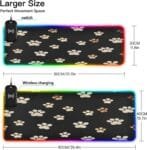
S: 31.5 x 11.8in (80 x 30 cm)
M: 35.4 x 15.7in (90 x 40 cm)
Material
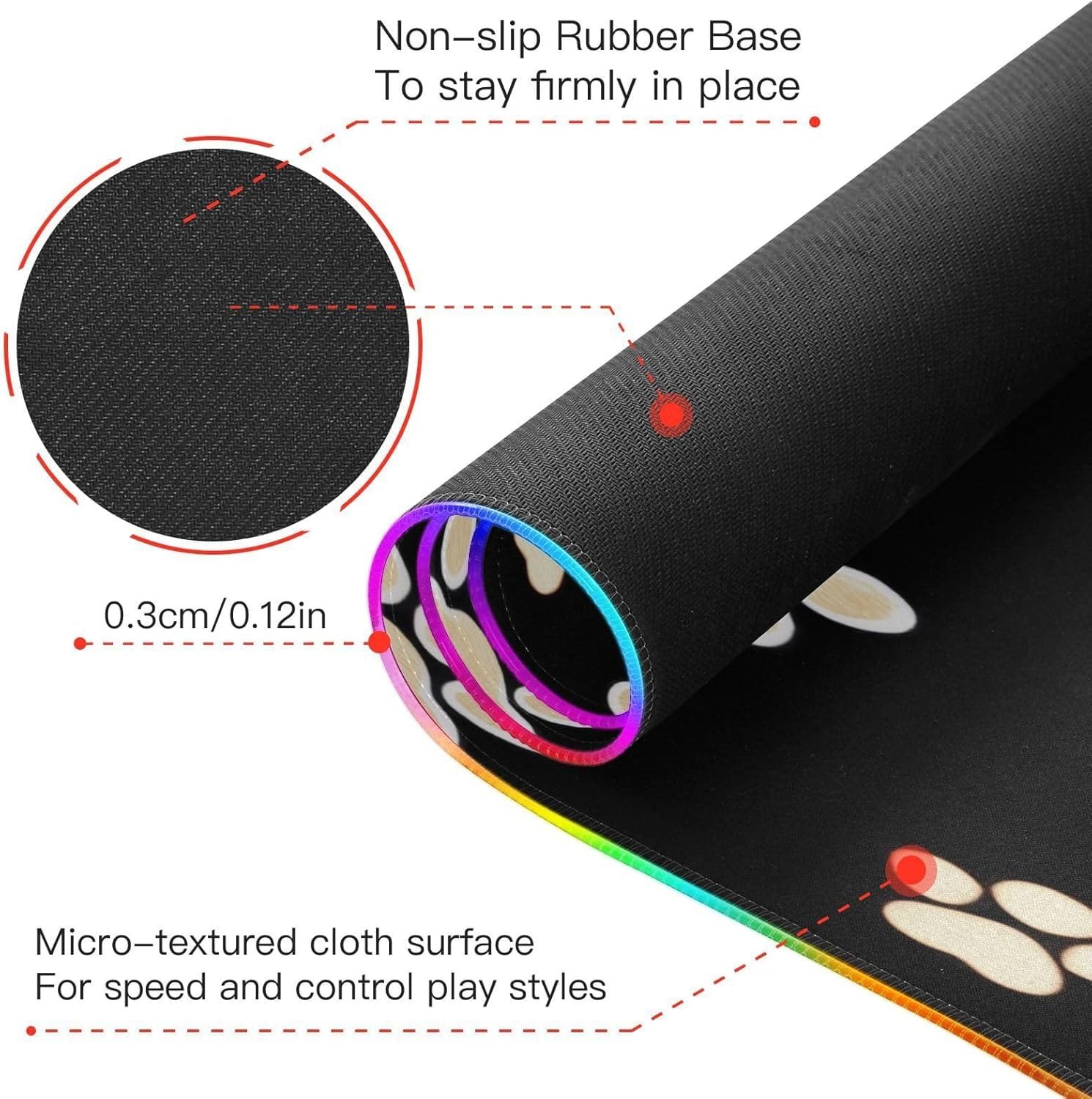
Made from premium cloth with vivid print, the mouse pad is smooth and flat, providing faster and more accurate mouse movement, which is essential for gamers who require precise operations.
How to Use
Click the switch button to turn on; long press the switch button for 3 seconds to turn off.
How to Clean
Not washable, just need to wipe with wet cloth
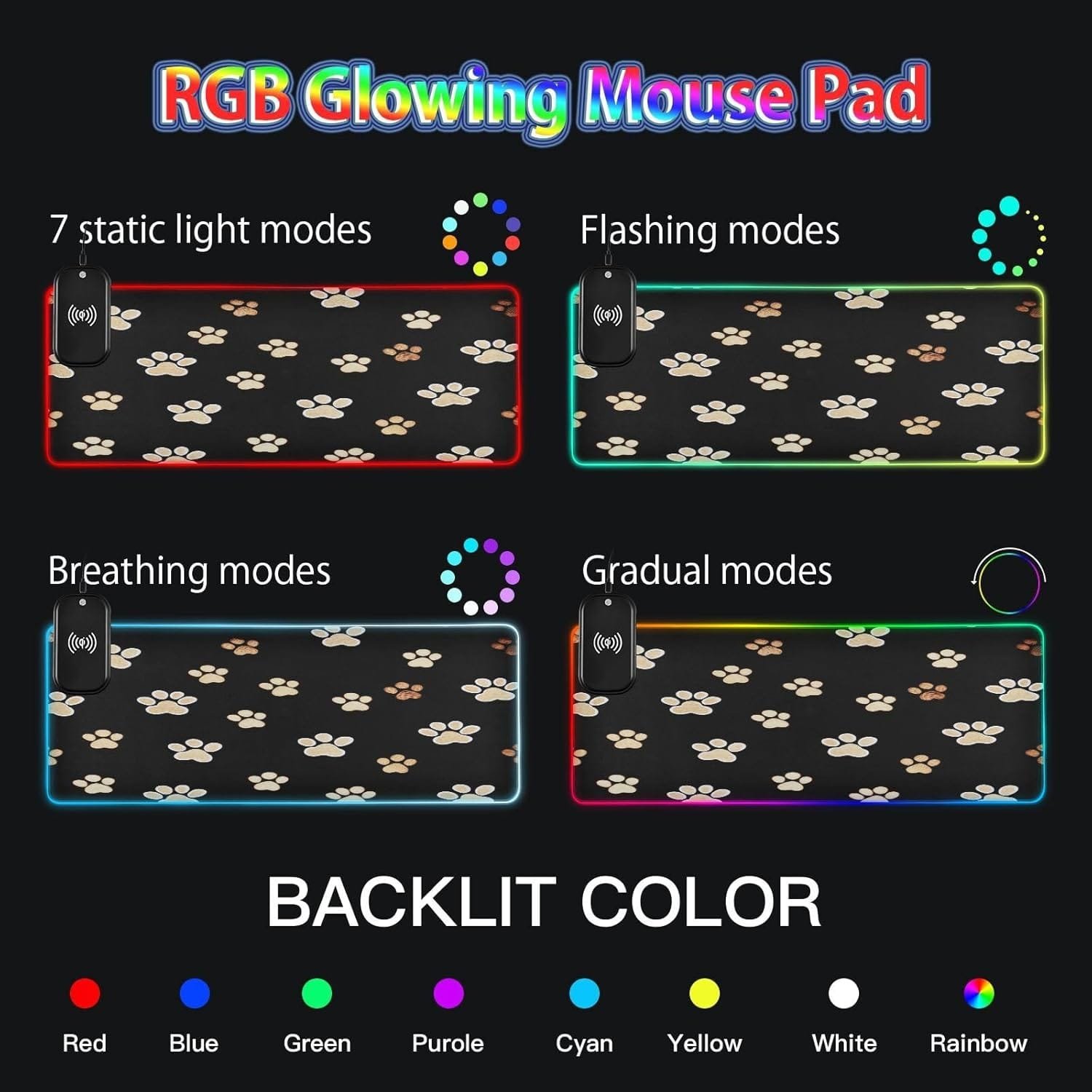
Lighting Modes: (the following description is the sequence of the cycle, does not represent the factory status. Before shipping, we will test first.)
1, red, 2, blue 3, green 4, purple 5, cyan 6, yellow 7, white 8, asynchronous fade 9, synchronous fade 10, flashing 11, red flashing fade 12, off 13, synchronous breathing 14, asynchronous breathing.
Special Note
Mouse pad in the power on, you will see the RGB mouse pad appears red, blue and green 3-color for self-test. This indicates that the lights are normal.
Service
We adhere to the excellent pre-sales and after-sales service combined with quality products to become a more perfect sale staff.
If you have any questions or have any suggestions for our products, feel free to contact us. We will give you a satisfactory answer within 24 hours.
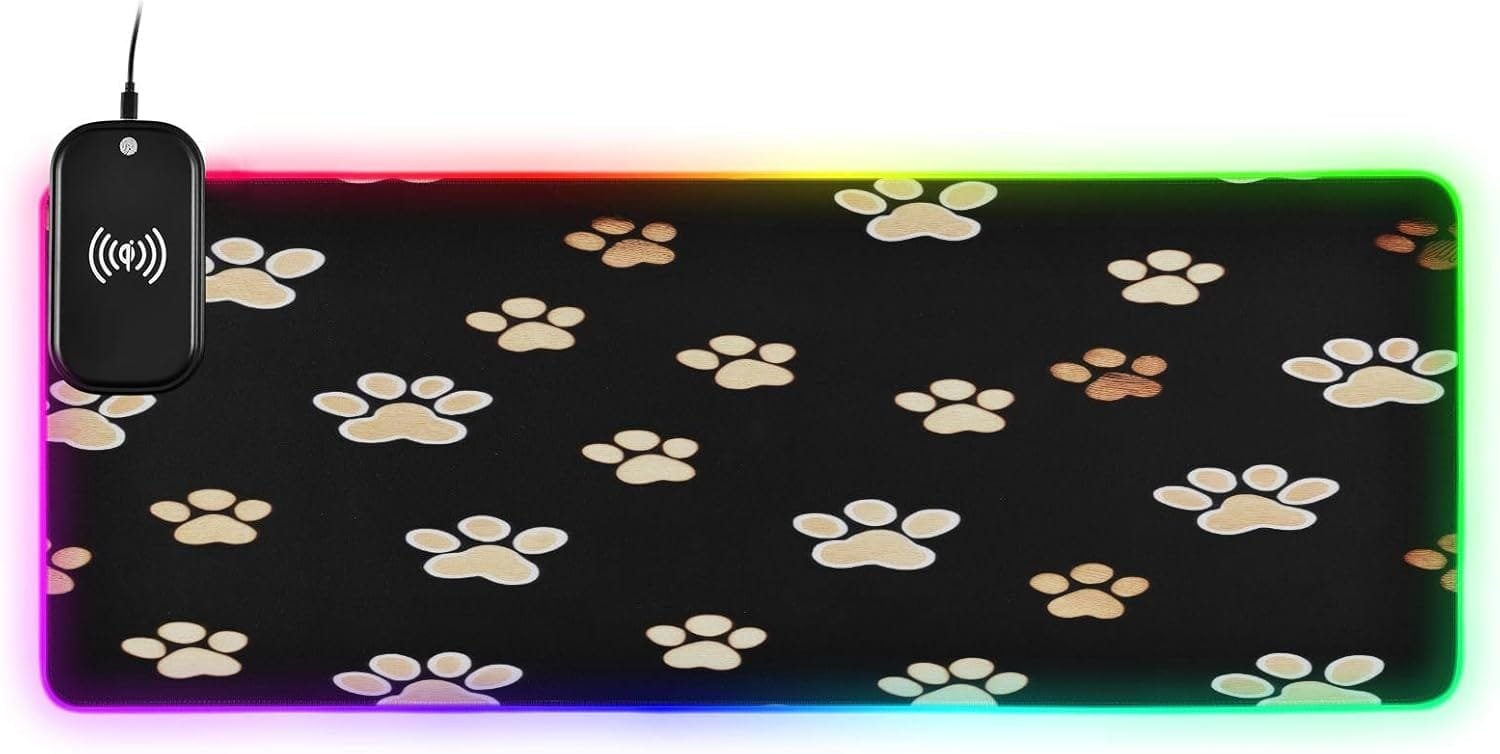
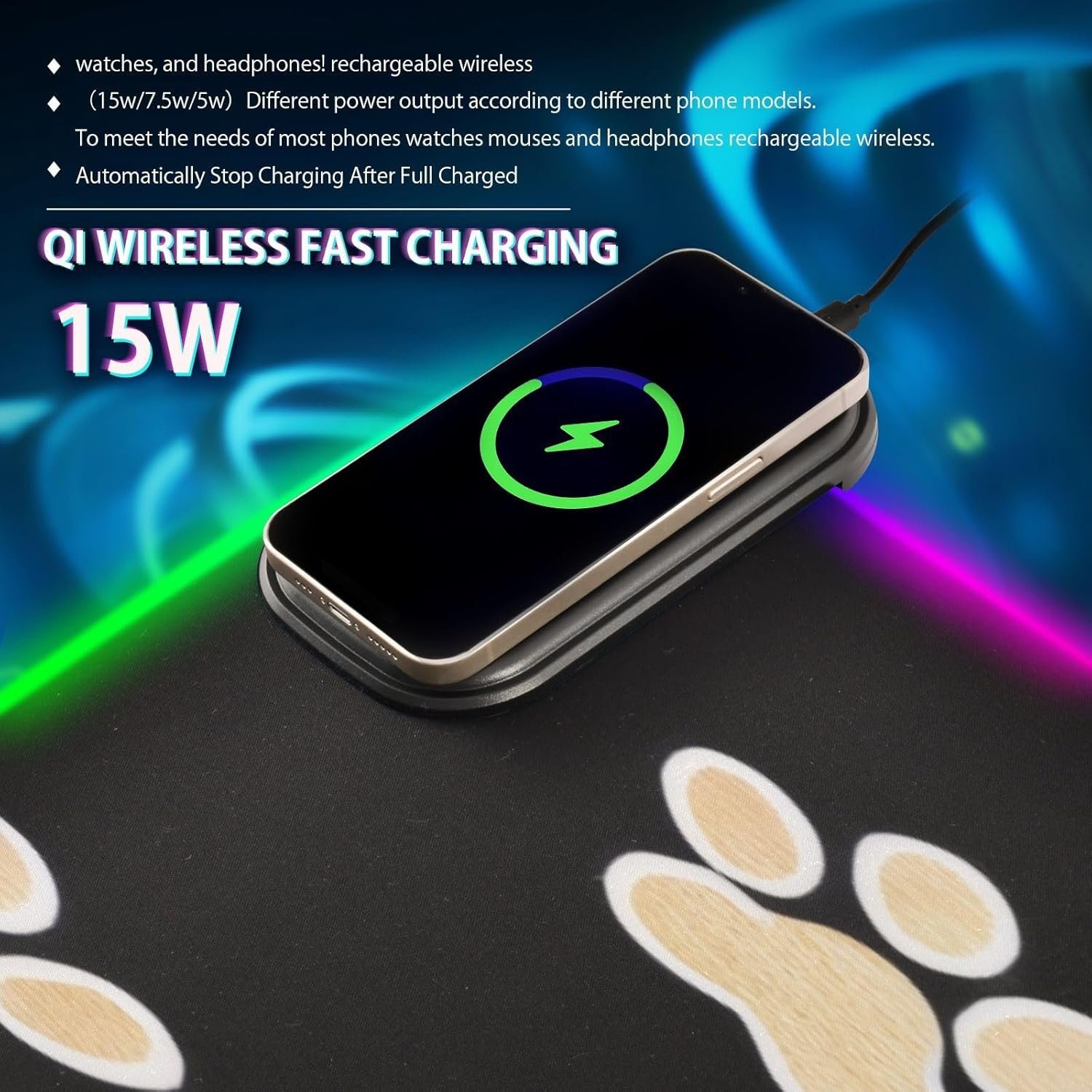
Package Including: 1 x RGB mouse pad for gaming, 1 x Fast Wireless charger (1.5m USB + Type-C cable), 1 x Instruction. Two Szies led mousepad to choose – S: 31.5 x 11.8in and M: 35.4 x 15.7in. BTW, As long as the wireless charging function of cell phone, watch, mouse and other products, can be charged with our wireless charging box.
14 LED Lighting Modes: The real highlight of this RGB mouse pad is its 14 lighting modes effect settings. You can choose from different lighting modes, such as static color, breathing mode, and flashing mode. Additionally, you can adjust the brightness and saturation to perfectly match it with your computer system and room ambiance.
Non-slip Rubber Base: The RGB lighting do not effect interfering with your gaming experience. The mouse pad for gaming features a high-quality non-slip rubber back, ensuring it stays stable during the most intense competitions and extended gaming sessions.
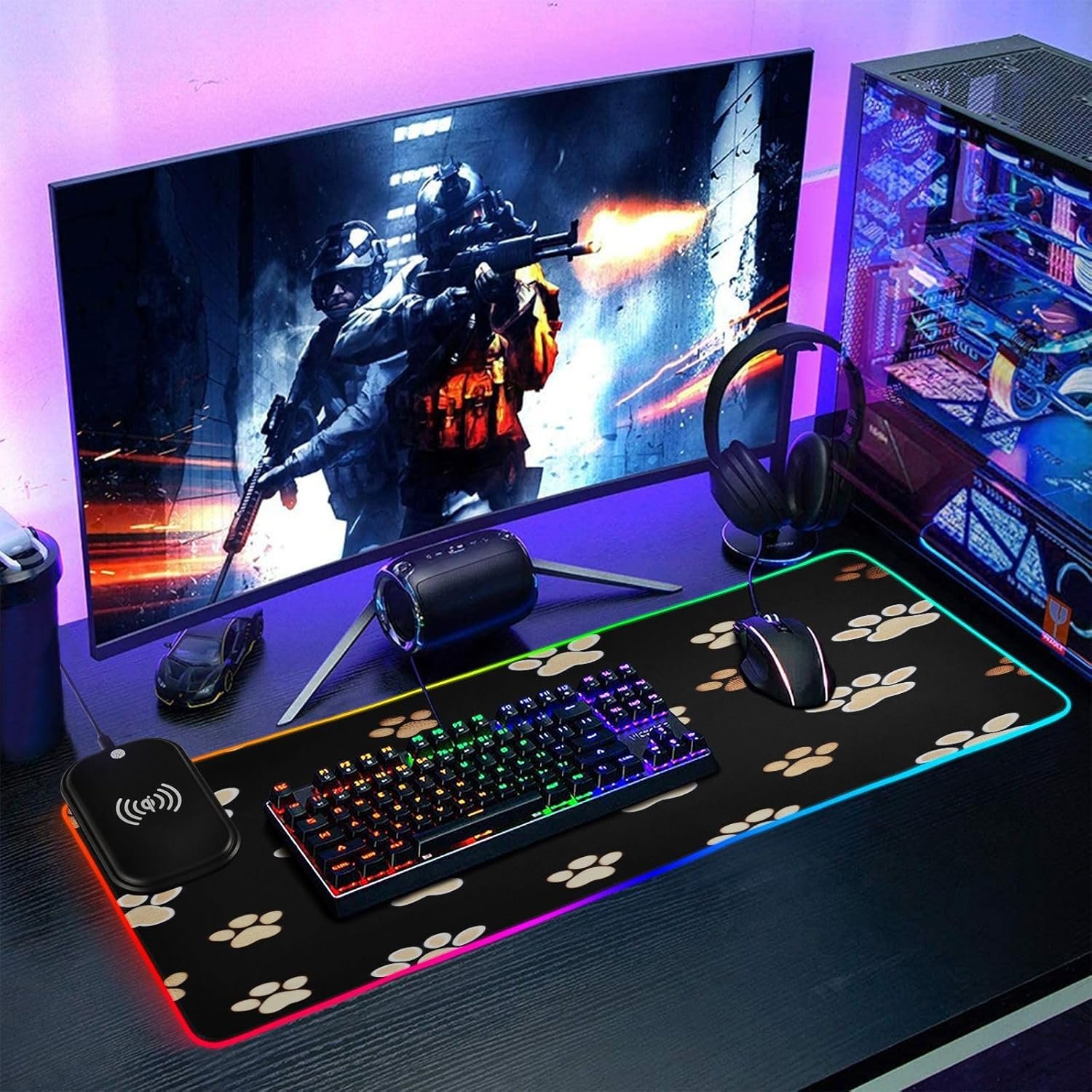
Cool and Convenient: An RGB mouse pad is a must-have accessory for modern computer gamers. It not only provides a high-quality mouse sliding experience but also boasts stunning rainbow RGB lighting effects that give your studio or gaming room various high-tech and cool looks.
Present forComputer Gamers: Suitable for gamers, for desktops, laptops, offices, homes, etc. If you/friends are looking for a practical and cool computer desk pad, this RGB mouse pad is a undoubtedly perfect choice!
Related Products

Product Description


1 Multitasking Master
2 FHD Display
3 Privacy Shutter
4 Dolby Audio Speakers


CPU Intel Celeron N4500 (Total Cores: 2 Cores, 2 Threads Clockspeed: 1.1 GHz Turbo Speed: 2.8 GHz) GPU Intel UHD Graphics Memory Up to 20GB DDR4 RAM Storage Up to 1TB PCIe NVMe M.2 Solid State Drive with 128GB eMMC 5.1 Operating System Windows 11 Home Wireless Connectivity Wi-Fi 6: 802.11ax + Bluetooth Length 14.18 inches Width 9.29 inches Height 0.7 inches Weight 3.42 lbs Color Grey
【High Speed RAM And Enormous Space】12GB high-bandwidth RAM to smoothly run multiple applications and browser tabs all at once; 512GB PCIe NVMe M.2 Solid State Drive allows to fast bootup and data transfer
【Processor】Intel Celeron N4500 (2 Cores, 2 Threads, Clock Speed: 1.1 GHz, Turbo Speed: 2.8 GHz)
【Display】15.6″ diagonal, FHD (1920 x 1080) 60Hz Display
【Tech Specs】1 x USB Type-A 3.0, 1 x USB Type-A 2.0, 1 x USB Type-C, 1 x HDMI, 1 x Headphone/Microphone Combo, Numeric Keypad, Webcam, Wi-Fi 6, Bluetooth, SD Card Reader
【Operating System】Windows 11 Home – Beautiful, more consistent new design, Great window layout options, Better multi-monitor functionality, Improved performance features, New videogame selection and capabilities, Compatible with Android Apps
From the brand

Intel Pentium Quad-Core N100
15.6 Intel Core i3-1215u
17.3 Intel Core i3-1215u
AMD Ryzen 5 6600H
AMD Ryzen 5
AMD Ryzen 9 Pro 6950H


【2-Year Manufacturer’s Warranty, Partialy Assembled in the USA, and 90-Day Hassle-Free Returns】We prioritize your satisfaction and guarantee it with a comprehensive 2 Year Warranty Offered by Manufacturer Nimo Direct Inc. If any concerns arise, our dedicated support team stands ready to swiftly resolve issues or facilitate replacements. Enjoy the freedom of risk-free exploration with our 90 Days Return Offered by Manufacturer Nimo Direct Inc.
【Immersive Visuals, Ultimate Comfort】Experience the NIMO 15.6-inch FHD (1920×1080) Anti-Glare Display laptop, boasting an impressive 85% screen-to-body ratio, 16:9 aspect ratio and narrow bezels. Say goodbye to eye strain and hello to exceptional color accuracy, making every visual detail pop. Beyond being just a laptop, it becomes your indispensable companion for design, work, or leisure, offering a gateway to a world of possibilities.
【Effortless Speed, Seamless Performance】Powered by the cutting-edge Intel Alder Lake-N100 12th Gen processor at 3.4GHz, the NIMO laptop redefines speed and efficiency. With its 4 cores and 4 threads, the Alder Lake-N processor boasts a cross-genre Gracemont core upgrade, delivering up to 45% better performance for everyday computing tasks compared to its predecessors. Experience seamless and responsive workflow across diverse usage scenarios, from intensive workloads to multimedia entertainment
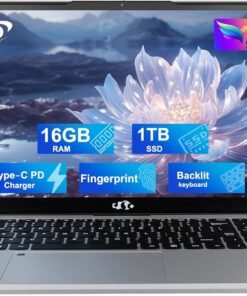
【High speed RAM and large space】Harness the power of 16GB of high-bandwidth DDR4 RAM, effortlessly accommodating graphics-intensive PC games, video-editing software, and a multitude of applications and browser tabs simultaneously. Enjoy expansive storage for your large files, facilitating seamless organization and swift access to important digital data with 1TB PCIe SSD. Experience lightning-responsive performance, rapid boot-up times, and accelerated data transfers.
【Your Compact Powerhouse】Nimo 15.6 laptop—the ultimate blend of work and travel efficiency. Its backlit keyboard ensures productivity in any setting, complemented by the convenience of a built-in fingerprint sensor. Swift connectivity through USB 3.0 ports makes data transfer a breeze. Your 15.6″ laptop taps into Wi-Fi 6 for lightning speeds—effortless online courses and rapid streaming. With Bluetooth 5.2, it’s wire-free world, stable connections with the latest devices, and seamless data flow.
Processor: Intel Celeron N4120 (up to 2.6 GHz burst frequency, 4 MB L2 cache, 4 cores, 4 threads)
Graphics: Intel UHD Graphics
Operating system: Windows 11 Home 64-bit
Memory: 8GB DDR4 SDRAM
Hard Drive: 576GB Storage (64GB onboard hard drive + 512GB external hard drive)
Optical Drive: No
Display: 14-inch diagonal, HD (1366 x 768), micro-edge, BrightView, 220 nits, 45% NTSC
Connectivity: Realtek RTL8821CE 802.11a/b/g/n/ac (1×1) Wi-Fi and Bluetooth 4.2 combo
Audio: Dual Speakers
Keyboard: US English, NonBacklit Full Size Keyboard
Built-in HD Webcam: HP True Vision 720p HD camera with integrated dual array digital microphones
Media Drive:Multi-format SD media card reader
Ports:
1 x USB 3.1 Gen 1 Type-C (Data Transfer Only, 5 Gb/s signaling rate)
2 x USB 3.1 Gen 1 Type-A (Data Transfer Only)
1 x AC smart pin
1 x HDMI 1.4b
1 x Headphone / Mic Combo Jack
Battery:: Up to 11.5 Hours
Color: Rose Gold
Dimensions L x W x H (inches): 12.7 x 8.8 x 0.7
Weight: 3.2 lbs
Accessories:
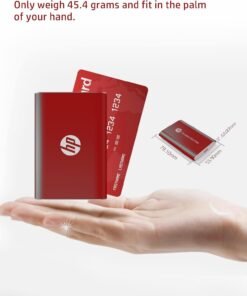
512GB HP P500 External Hard Drive
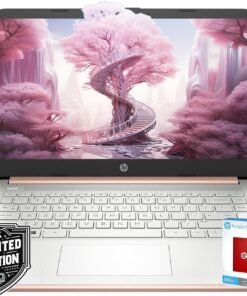
Back to School Limited Edition for Students: Equipped with an Intel quad-core processor and 8GB of RAM, perfect for managing educational tasks, with a 1-year subscription to Microsoft 365 for enhanced productivity and collaboration.
Expand Your Storage on Us: This laptop includes 64GB of built-in storage and a FREE 512GB external hard drive, totaling 576GB of space
Ultra-Portable with Long Battery Life: Lightweight at just 3.24 pounds and 0.71 inches thin, featuring a battery that lasts up to 11.5 hours, ideal for students and professionals on the go.
Enhanced Connectivity and Portability: Features multiple ports including USB-C and HDMI for versatile connections, along with a sleek, silver design that’s easy to carry and stylish to display.
Complete Accessory Package for Ultimate Convenience: Alongside the laptop, this package includes an HP P500 512GB external SSD for additional storage to speed up your workflow!
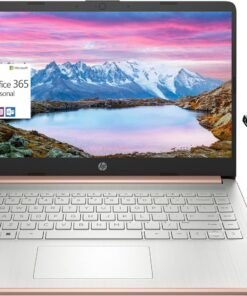

2024 HP 14″ Laptop: Designed for the always connected life, the newest HP Stream Laptop lets you easily shift from homework workhorse to streaming your favorite shows.
Processor: Intel Celeron N4120 Processor
Graphics: Intel UHD Graphics
Operating System: Windows 11 Home S Mode 64-bit
Memory: Upgraded to 16GB DDR4 SDRAM
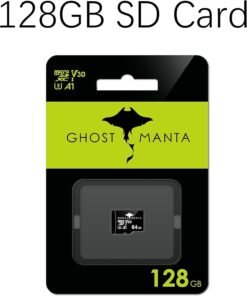
Hard Drive:320GB Storage (64GB eMMC+256GB Memory Card)
Optical Drive: No
Display: 14.0-inch diagonal, HD (1366 x 768), micro-edge, BrightView, 220 nits, 45% NTSC
Touchscreen: No
Connectivity: Realtek 802.11b/g/n/ac (2×2) and Bluetooth combo
Audio: Dual Speakers
Keyboard: US English, Non-Backlit
Built-in HD Webcam: HP True Vision 720p HD camera with integrated dual array digital microphones
Media Drive: Multi-format Memory media card reader
Ports:
- 1 SuperSpeed USB Type-C 5Gbps signaling rate
- 2 SuperSpeed USB Type-A 5Gbps signaling rate
- 1 x AC smart pin
- 1 x HDMI 1.4b
- 1 x Headphone-out/microphone-in combo jack
Battery Life:
- Up to 11.5 hours (video playback)
- 3-cell, 41 Wh lithium-ion prismatic battery
Color: Rose Gold
Dimensions L x W x H (inches): 12.76 x 8.86 x 0.71
Weight: 3.24 lbs
Accessory: MarxsolAccessory (6-in-1 USB-C Docking Station Hub with USB 3.0, 4K-HDMI, USB-C Connection, SD/TF Card Reader + 256GB Memory Card and HDMI & USB Cable, Mouse Pad.)
【14.0″ HD LED Display】14.0-inch diagonal, HD (1366 x 768), micro-edge, BrightView, 220 nits, 45% NTSC display. Ideal for Home, Student, Professionals, Small Business, School Education, and Commercial Enterprise. Online Class, Google Classroom, Remote Learning, Zoom Ready.
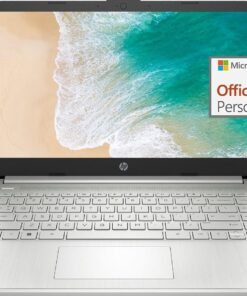
Switching out of S mode in Windows 11
Windows 11 in S mode is designed for security and performance, exclusively running apps from the Store. If you want to install an app that isn’t available in the Store, you’ll need to switch out of S mode
1. On your PC running Windows 11 in S mode, open Settings > System > Activation.
2. In the Switch to Windows 11 Pro section, select Go to the Store. (If you also see an “Upgrade your edition of Windows” section, be careful not to click the “Go to the Store” link that appears there.)
3. On the Switch out of S mode (or similar) page that appears in the Store, select the Get button. After you see a confirmation message on the page, you’ll be able to install apps from outside of the Store.
Activate pre-installed Office 365:
1.Launch any Office app >
2.Start your activation by signing in with your account(Create a account if you don’t have one yet) >
3.Click “Activative Office” >
4.Sign in your account and follow the next prompts. >
5.Complete Step 1,2 and 3 >
6.Click on Refresh once Office is ready >
7.Open a document and accept the license agreement.
Display: 14.0-inch diagonal, HD (1366 x 768), micro-edge, BrightView
Processor: Intel Celeron N4120, 4 Cores & 4 Threads
Graphics: Intel UHD Graphics 600
Operating System: Windows 11 Home in S mode
Battery Life: Up to 10 hours
Webcam: True Vision 720p HD camera with integrated dual array digital microphones
Connectivity: 802.11a/b/g/n/ac (2×2)(19a) Wi-Fi and Bluetooth
Dimensions: 12.76 x 8.86 x 0.71 inches
Weight: 3.24 lbs
【14″ HD Display】14.0-inch diagonal, HD (1366 x 768), micro-edge, BrightView. With virtually no bezel encircling the display, an ultra-wide viewing experience provides for seamless multi-monitor set-ups.【Ports】1 x USB 3.1 Type-C ports, 2 x USB 3.1 Type-A ports, 1 x HDMI, 1 x Headphone/Microphone Combo Jack, and there’s a microSD slot.
【Processor & Graphics】Intel Celeron N4120, 4 Cores & 4 Threads, 1.10 GHz Base Frequency, Up to 2.60 GHz Burst Frequency, 4 MB Cahce, Intel UHD Graphics 600, Handle multitasking reliably with the perfect combination of performance, power consumption, and value
【RAM & Storage】Upgraded to 8GB RAM high-bandwidth DDR4 Memory (2400 MHz), Adequate high-bandwidth RAM to smoothly run multiple applications and browser tabs all at once. High-speed eMMC Storage for your office and webinar needs.
【Windows 11 Home in S mode】You may switch to regular windows 11: Press “Start button” bottom left of the screen; Select “Settings” icon above “power” icon;Select “Activation”, then Go to Store; Select Get option under “Switch out of S mode”; Hit Install. (If you also see an “Upgrade your edition of Windows” section, be careful not to click the “Go to the Store” link that appears there.)
Activate pre-installed Office 365: 1.Launch any Office app > 2.Start your activation by signing in with your account(Create a account if you don’t have one yet) > 3.Click “Activative Office” > 4.Sign in your account and follow the next prompts. > 5.Complete Step 1,2 and 3 > 6.Click on Refresh once Office is ready > 7.Open a document and accept the license agreement.

Product Description


1 Fingerprint
2 Wireless Connectivity
3 Ports
4 Display
5 180° Lay-Flat Hinge


1 90 Days Free Return 2 2 Year Free Repair 3 Partially Assembling
Compare with similar items
Add to Cart
Add to Cart
Add to Cart
Add to Cart
Add to Cart
Customer Reviews
4.5 out of 5 stars
42
4.5 out of 5 stars
168
4.2 out of 5 stars
187
4.9 out of 5 stars
11
4.3 out of 5 stars
46
3.7 out of 5 stars
17
Price
$299.99$299.99
$379.99$379.99
$379.99$379.99
$299.99$299.99
$599.99$599.99
—
Backlit Keyboard
✔
✔
✔
✔
✔
✔
Fingerprint
✔
✔
✔
✔
✔
✔
90 Days Free Return
✔
✔
✔
✔
✔
✔
2 Years Maintenance Period
✔
✔
✔
✔
✔
✔
WiFi 6
✔
✔
✔
✔
✔
✔
Bluetooth 5.2
✔
✔
✔
✔
✔
✔
15.6″ FHD Display
✔
✔
✔
✔
✔
✔
Memory
16GB RAM
16GB RAM
16GB RAM
16GB RAM
32GB RAM
32GB RAM
Storage Capacity
1TB PCIe SSD
1TB PCIe SSD
1TB PCIe SSD
1TB PCIe SSD
1TB PCIe SSD
1TB PCIe SSD
Processor
Intel Pentium N100
Intel Pentium N100
Intel Pentium N100
Intel Pentium N100
AMD Ryzen 5 6600H
AMD Ryzen 5
System
Windows 11 Home
Windows 11 Home
Windows 11 Home
Windows 11 Home
Windows 11 Home
Windows 11 Home
【2-Year Manufacturer’s Warranty, Assembled in the USA by Manufacturer Nimo Direct Inc】Every NIMO laptop embodies top-tier quality. We prioritize your satisfaction and guarantee it with a comprehensive 2-year manufacturer’s warranty. If any concerns arise, our dedicated support team stands ready to swiftly resolve issues or facilitate replacements. Enjoy the freedom of risk-free exploration with our 90-day free return policy.
【Upgraded to 16GB RAM & 1TB PCIe SSD】Substantial high-bandwidth RAM to smoothly run your games and photo- and video-editing applications, as well as multiple programs and browser tabs all at once. Provides massive storage space for huge files, so that you can store important digital data and work your way through it with ease. It gives you enormous space to save all of your files.
【15.6 FHD IPS & Fingerprint 】This 15.6 inch laptop computer features an innovative thin-bezel display that provides more usable onscreen space for immersive FHD viewing. It also enables a larger screen to fit into a smaller chassis, giving you a laptop with a more compact footprint. Fingerprint Reader with built-in fingerprint sensor on the touchpad, there’s no need to type in your password every time-just a single touch is all it takes.
【Intel Pentium N100】 Powered by the cutting-edge Intel Pentium N100 ( 4 Cores 4 Threads, up to 3.7 GHz). Powerful Student Laptop for Productivity and Efficiency. Get the Job Done with Ease, Fast, Sleek, and Portable. Nimo 15.6 laptop—the ultimate blend of work and travel efficiency. NoteCraft 【Multi-Connection】 1x SuperSpeed USB Type-C, 3x SuperSpeed USB Type-A, 1x HDMI, 1xSD Reader, 1x Headphone/Microphone combo, Wi-Fi, Bluetooth.
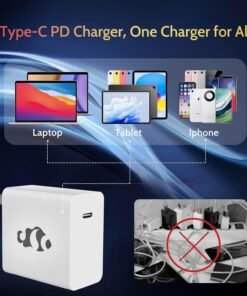
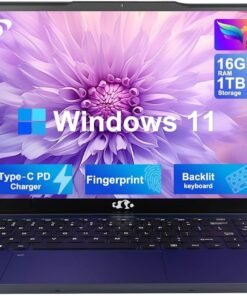
【Fingerprint & Backlit keybroard】Streamlines security settings for quick, typo-free access; Allows you to enjoy comfortable and accurate typing, even in dim lighting. 【Type-C PD charger】 Lightweight and Portable Laptop Charger – Fast Charging Without the Bulk and Inconvenience of Traditional Chargers.

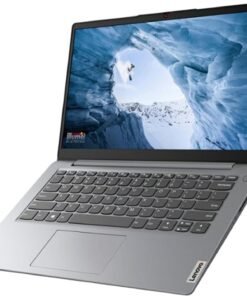

Take it anywhere. See more. With its thin and light design, 6.5 mm micro-edge bezel display, and 79% screen to body ratio – take this PC anywhere and see and do more. Reliable performance for every day: Powerful enough for your busiest days, this PC features an Intel processor and reliable flash-based storage at a great value. Powered up and productive. All day long. With a long battery life and fast-charge technology, this laptop lets you work, watch, and stay connected all day. Integrated precision touchpad with multi-touch support speeds up both navigation and productivity. Make the most out of your 365: Bring your ideas to life. Your creativity now gets a boost with Microsoft 365. Office – Word, Excel, and Power Point – now includes smart assistance features that help make your writing more readable, your data clearer and your presentations more visually powerful. One year subscription included.Technical SpecificationsProcessor: Intel Celeron N4120 (4 cores 4 threads, base clock speed 1.1GHz, max turbo to 2.6GHz, 4MB L3 Cache)Display: 14″ diagonal, HD (1366 x 768), micro-edge, BrightView, 220 nits, 45% NTSCGraphics: Integrated Intel UHD GraphicsMemory: 8GB DDR4-2400 MHz RAMStorage: 128GB Storage (64GB eMMC + 64GB SD Card)Networking: Realtek RTL8822CE 802.11a/b/g/n/ac (2×2) Wi-Fi and Bluetooth 5 comboOperating System: Windows 11 Home in S mode Audio: Dual speakersBattery: 3-cell, 41 Wh Li-ionCamera: HD 720p WebcamSecurity: Firmware TPM 2.0Keyboard: Non-Backlit, EnglishDimensions: 12.76 x 8.86 x 0.71 inchesWeight: 3.24 lbsI/O Ports USB 3.1 Gen 1 Type-C (Data Transfer Only, 5 Gb/s signaling rate)2 x USB 3.1 Gen 1 Type-A (Data Transfer Only)HDMI 1.4multi-format SD media card readerHeadphone / mic combo AC smart pin
HP 14 laptop, an entry-level, light workload configuration laptop featuring lightweight and fast processing, perfect for everyday multitasking, loaded with Windows 11 Home in S mode, which provides a Fast, Safe, and Secure, Chromebook-like experience. HP 14 laptop is an ideal laptop for School Education, Light Work, Online Meetings, and Video Streaming. Microsoft 365 Personal. Get full access to Microsoft Excel, Word, PowerPoint, OneNote, Access, and 1TB One Drive storage for 1 year.
Intel Celeron N4120 (Quad Core 4 Threads, Max Turbo to 2.6GHz); 8 GB DDR4 RAM, 128GB Storage (64GB eMMc + 64GB MicroSD Card).
USB 3.1 Gen 1 Type-C (Data Transfer Only), 2 x USB 3.1 Gen 1 Type-A , HDMI 1.4b, SD Card Reader, Headphone / mic combo, AC smart pin; Wi-Fi and Bluetooth; HD 720p Webcam
14″ HD (1366 x 768), Micro-edge, BrightView; Integrated Intel UHD Graphics – Expandable to 1 monitor via Type-C. Max resolution of the External Monitors: 4K (3840*2160) @60Hz
Brand New Computer has been resealed to upgrade the Memory. One-year warranty from the manufacturer. Windows 11 Home in S mode, which provides a Fast, Safe, and Secure, Chromebook-like experience. You can switch to Windows 11 Home from S mode (but you can’t switch from Home back to S mode
Product Description
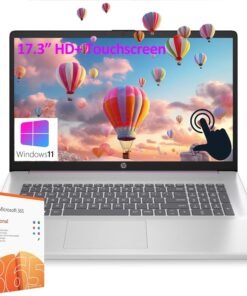
HP 17.3” HD+ Touchscreen Laptop 


Note: USB Type-C 5Gbps signaling rate supports data transfer only and does not support charging or external monitors
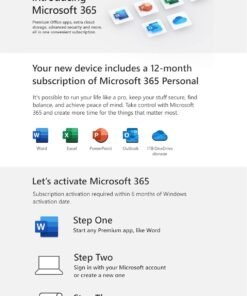
Operating system Windows 11 Home in S mode Processor Intel Pentium Processor N200 (up to 3.7 GHz, 6 MB L3 cache, 4 cores, 4 threads) Graphics Intel UHD Graphics Chipset Intel Integrated SoC optical drive No Display 17.3″ diagonal, HD+ (1600 x 900), BrightView, 250 nits, touchscreen Webcam HP True Vision 720p HD camera with integrated dual array digital microphones Audio Dual speakers Keyboard Full-size, soft grey keyboard with numeric keypad Ports 1 USB Type-C 5Gbps signaling rate (supports data transfer only and does not support charging or external monitors); 2 USB Type-A 5Gbps signaling rate; 1 AC smart pin; 1 HDMI 1.4b; 1 headphone/microphone combo Wireless technology Wi-Fi 5 (IEEE 802.11ac), Bluetooth 5.0 Power supply 45 W Smart AC power adapter Dimensions (W X D X H) 15.78 x 10.15 x 0.78 in Weight 4.6 lb Bundled Software 1-Year Microsoft 365 Personal (comes with premium Office apps, including Word, Excel, PowerPoint, Outlook, and more for one person. Also included is 1 TB of OneDrive cloud storage which allows you to access, edit, and share your files and photos across all your devices—all while knowing your information is always backed up and protected.)
CPU: Intel Pentium Processor N200 (up to 3.7 GHz, 6 MB L3 cache, 4 cores, 4 threads).
Display: 17.3″ diagonal, HD+ (1600 x 900), BrightView, 250 nits, touchscreen Display; Graphics: Intel UHD Graphics.
RAM: 32GB DDR4 SDRAM Memory; Hard Drive: 1TB PCIe SSD + 128GB Univeral Flash Storage.
Wireless: Wi-Fi 5 (IEEE 802.11ac), Bluetooth 5.0; 1 USB Type-C 5Gbps signaling rate (supports data transfer only); 2 USB Type-A 5Gbps signaling rate; 1 AC smart pin; 1 HDMI 1.4b; 1 headphone/microphone combo.
Operating system: Windows 11 Home in S mode. Full-size, soft grey keyboard with numeric keypad. Bundled with AZ-XUT Cable. 1-Year Office 365 Personal included. 【Make the most out of your 365】Access essential productivity tools for one year with our included Office 365 subscription: for 1 person; Premium versions of Word, Excel, PowerPoint, and Outlook; 1TB OneDrive cloud storage to back up files and photos.
From the brand

Auusda Laptop
Enjoy Peace of Mind with Our 90 Day Free Return and 24 Month Protection!
Get an Extra 10% Discount Following Auusda Store! →
A146G
T152A
T156A

About Us
Auusda is a rising star in the laptop market, offering a range of affordable yet powerful devices designed to meet the needs of professionals, students, and casual users alike. Known for its cost-effective solutions and solid performance, Auusda laptops are equipped with modern features and reliable hardware, making them an excellent choice for everyday computing tasks.
How should we pronounce our brand name?
Our brand name Auusda is pronounced as /ˈɔː.əs.də/, similar to “aw-us-duh”.
What are the available channels for support?
Please send your order number and a video of the problem to Auusda.ltd at gmail.com
How did we get our start?
Auusda began with a mission to make affordable, reliable laptops for everyone, combining innovation and value to meet diverse needs.
What makes our products unique?
Our laptops offer a perfect blend of affordability, performance, and durability, with features like vibrant displays and lightweight designs, making them ideal for all users.
Why do we love what we do?
We love what we do because we create affordable, reliable laptops that empower users, boost productivity, and simplify lives. Seeing our impact drives our commitment to excellence.
What problem are we solving?
We solve the problem of affordable, reliable, and high-performance computing for everyone, combining modern features, durability, and cost-effective solutions.
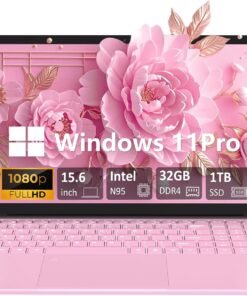
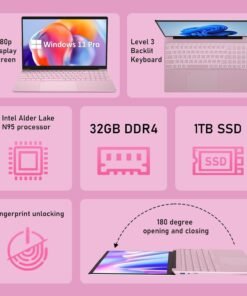
32GB DDR4 MEMORY (LAPTOP 32GB RAM): Provides fast and efficient multitasking performance; supports a smoother workflow and enhanced system responsiveness in this Windows laptop computer.
1TB PCIe NVMe SSD STORAGE: Offers quick data access and system boot-up times; easily upgradeable up to 8TB for additional storage needs, ideal for a PC laptop with heavy storage demands.
15.6-INCH IPS DISPLAY: Delivers full HD 1920×1080 resolution with a 92% screen-to-body ratio; features a slim 0.2-inch bezel for an immersive viewing experience, perfect for casual gaming laptop sessions or work tasks.
INTEL CELERON N95 CPU: 4-core, 4-thread processor with a boost frequency of 3.40GHz; designed for basic computing tasks such as web browsing and document editing in this work laptop.
180-DEGREE ADJUSTABLE DISPLAY: Flexible hinge design allows the screen to lay flat at 180 degrees; perfect for sharing content or using in tight spaces, great for both PC laptop work and entertainment.
FULL-SIZE BACKLIT KEYBOARD: Features a comfortable, responsive layout with a numeric keypad for easy data entry; keyboard backlight adjustment via Fn + F5, designed for both Windows laptop computer productivity and casual gaming.
FINGERPRINT SCANNER: Provides quick and secure login by using your fingerprint; enhances device security and convenience, ideal for a work laptop or any professional use.
44.08 WH LITHIUM-ION BATTERY: Long-lasting battery life for extended use without frequent charging; supports productivity throughout the day in this reliable Windows laptop computer.
STEREO SPEAKERS: Built-in stereo speakers (8R/1.0W x 2) offer clear sound for casual media enjoyment, video calls, and online meetings; great for both PC laptop use and light gaming.
MULTIPLE CONNECTIVITY OPTIONS: Includes 2x USB 3.0 ports, SD card slot, mini HDMI, and a 3.5mm audio jack; ensures versatile connectivity for various devices and accessories, perfect for a casual gaming laptop or work laptop.

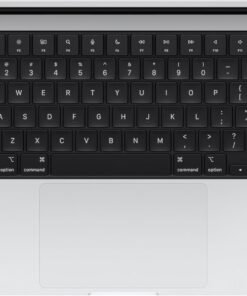
SUPERCHARGED BY M4 — The 14-inch MacBook Pro with M4 chip gives you spectacular performance in a powerhouse laptop built for Apple Intelligence.* With all-day battery life and a breathtaking Liquid Retina XDR display with up to 1600 nits peak brightness, it’s pro in every way.*
CHAMPION CHIP — The M4 chip brings spectacular speed and capability to blaze through everyday activities and multitask across multiple productivity and pro apps.
BUILT FOR APPLE INTELLIGENCE—Apple Intelligence is the personal intelligence system that helps you write, express yourself, and get things done effortlessly. With groundbreaking privacy protections, it gives you peace of mind that no one else can access your data—not even Apple.*
ALL-DAY BATTERY LIFE — MacBook Pro delivers the same exceptional performance whether it’s running on battery or plugged in.
APPS FLY WITH APPLE SILICON — All your favorites, including Microsoft 365 and Adobe Creative Cloud, run lightning fast in macOS.*
IF YOU LOVE IPHONE, YOU’LL LOVE MAC — Mac works like magic with your other Apple devices. View and control what’s on your iPhone from your Mac with iPhone Mirroring.* Copy something on iPhone and paste it on Mac. Send texts with Messages or use your Mac to answer FaceTime calls.*
BRILLIANT PRO DISPLAY — The 14.2-inch Liquid Retina XDR display features 1600 nits peak brightness, up to 1000 nits sustained brightness, and 1,000,000:1 contrast.*
ADVANCED CAMERA AND AUDIO — Stay perfectly framed and sound great with a 12MP Center Stage camera, three studio-quality mics, and six speakers with Spatial Audio and support for Dolby Atmos.
CONNECT IT ALL — This MacBook Pro features three Thunderbolt 4 ports and a MagSafe 3 charging port, SDXC card slot, HDMI port, and headphone jack. And it supports up to two external displays.
LEGAL DISCLAIMERS — This is a summary of the main product features. See below to learn more.


Switching out of S mode in Windows 11 Windows 11 in S mode is designed for security and performance, exclusively running apps from the Microsoft Store. If you want to install an app that isn’t available in the Microsoft Store, you’ll need to switch out of S mode 1. On your PC running Windows 11 in S mode, open Settings > System > Activation. 2. In the Switch to Windows 11 Pro section, select Go to the Store. (If you also see an “Upgrade your edition of Windows” section, be careful not to click the “Go to the Store” link that appears there.) 3. On the Switch out of S mode (or similar) page that appears in the Microsoft Store, select the Get button. After you see a confirmation message on the page, you’ll be able to install apps from outside of the Microsoft Store. HP 14 inch Laptop for Business and Student: Sleek design: Easily take this thin and light PC from room to room or on the road Dual array microphones: With two microphones and advanced noise reduction software, you’ll always sound crystal clear when you video chat or record Display: 14.0-inch diagonal, HD (1366 x 768), micro-edge, BrightView Processor: Intel Celeron N4120, 4 Cores & 4 Threads Memory: Upgraded to 16GB DDR4 RAM Storage: 64GB eMMC+64GB Micro SD Card Graphics: Intel UHD Graphics 600 Operating System: Windows 11 Home in S mode HP Fast Charge: Go from 0 to 50% charge in approximately 45 minutes Battery Life: Up to 11 hours and 30 minutes (video playback); Up to 9 hours (wireless streaming) Webcam: HP True Vision 720p HD camera with integrated dual array digital microphones Connectivity: 802.11a/b/g/n/ac (2×2)(19a) Wi-Fi and Bluetooth combo Dimensions: 12.76 x 8.86 x 0.71 inches Weight: 3.24 lbs
【14″ HD Display】14.0-inch diagonal, HD (1366 x 768), micro-edge, BrightView. With virtually no bezel encircling the display, an ultra-wide viewing experience provides for seamless multi-monitor set-ups
【Processor & Graphics】Intel Celeron N4120, 4 Cores & 4 Threads, 1.10 GHz Base Frequency, Up to 2.60 GHz Burst Frequency, 4 MB Cahce, Intel UHD Graphics 600, Handle multitasking reliably with the perfect combination of performance, power consumption, and value
【RAM & Storage】Upgraded to 16GB high-bandwidth DDR4 Memory (2400 MHz), Adequate high-bandwidth RAM to smoothly run multiple applications and browser tabs all at once. 64GB high-speed eMMC Storage for your office and webinar needs
【Ports】1 x USB 3.1 Type-C ports, 2 x USB 3.1 Type-A ports, 1 x HDMI, 1 x Headphone/Microphone Combo Jack, and there’s a microSD slot
【Windows 11 Home in S mode】You may switch to regular windows 11: Press “Start button” bottom left of the screen; Select “Settings” icon above “power” icon;Select “Activation”, then Go to Store; Select Get option under “Switch out of S mode”; Hit Install. (If you also see an “Upgrade your edition of Windows” section, be careful not to click the “Go to the Store” link that appears there.)
Reviews
There are no reviews yet.